Running an agency in 2026 is exciting. New clients, bigger projects, creative challenges every week. But there is one thing that quietly drains your momentum before a single invoice gets sent – your software bill.That is exactly where cheap saas tools change the equation.
You need tools for design, AI writing, automation, project management, client communication, and marketing. One subscription leads to another. Before you know it, you are staring at a monthly SaaS spend that looks like it was built for a company ten times your size.
Here is the part nobody talks about openly: most small agencies and freelancers are overpaying for software. Enterprise pricing was never built for you. It was designed for large companies with IT departments, unlimited budgets, and teams of 200 people using one platform. Yet somehow, you end up paying the same rate – or close to it – for a team of three.
In this guide, you will find the best affordable software tools across every category your agency needs – from AI and design to automation and marketing. We have mapped competitor gaps, built real comparisons, and covered exactly what other blogs skip: how to actually get these tools at a fraction of the official price, safely and legitimately.
If you are a freelancer grinding through long hours, a startup trying to stretch every rupee, or an agency owner who wants to grow without bloated overhead – you are in the right place.
Also Read – Best Automation Tools for Agencies in 2026: The Only Guide You Need to Scale Smarter
What Are Cheap SaaS Tools and Why Do Agencies Need Them in 2026?
SaaS stands for Software as a Service. In plain terms, it means software you access online through a subscription – no installation, no hardware, just open a browser and start working. Tools like Canva, Notion, ChatGPT, Adobe Creative Cloud, Grammarly, and LinkedIn Premium are all SaaS products.
For agencies, SaaS is not optional – it is the entire infrastructure. Every campaign you run, every design you deliver, every proposal you put in front of a client happens inside some kind of SaaS platform. The question is not whether you need these tools. The question is how much you are paying for them.
Between 2022 and 2026, average SaaS subscription costs for small business teams have nearly doubled. A single tool like Adobe Creative Cloud or LinkedIn Sales Navigator can cost more per month than what many early-stage freelancers charge for a full project. When you add five or six tools together for a lean team, you are easily spending hundreds of dollars every month before a single deliverable goes out.
Cheap saas tools are not downgraded alternatives or pirated software. They are legitimate, full-featured platforms accessed through smarter subscription models – team licenses, shared workspaces, and authorized reseller programs – that give you the exact same professional software at a price that actually makes sense.
Why Is Enterprise SaaS Software So Expensive for Small Agencies?
Most SaaS companies built their pricing models around corporate clients. Their logic is simple: sell to the biggest fish and maximize contract value. What gets left behind is everyone in the middle – freelancers, small agencies, and growing startups who need the same tools but cannot justify enterprise pricing.
Here is the pricing trap that most small agencies fall into:
| Pricing Factor | What It Means for You |
| Enterprise-first plan design | You pay for features built for 500-person teams |
| Feature bundling | You get 20 features but realistically use 4 |
| Global flat pricing | No adjustment for India, Southeast Asia, or emerging markets |
| Annual contract lock-in | You pay even during slow months when work dries up |
| Per-seat charges | Every new team member you add costs you more each month |
This structure creates a real gap. The professional tools that help agencies win clients and deliver quality work were priced for companies that already have clients at scale. Budget saas tools close that gap by making the same software accessible at a price point built for where you actually are right now – not where a Fortune 500 company is.
Who Should Use Budget SaaS Tools – Is It Right for Your Agency?
Almost every lean digital business can benefit from switching to affordable saas tools for agencies. But here is who benefits the most:
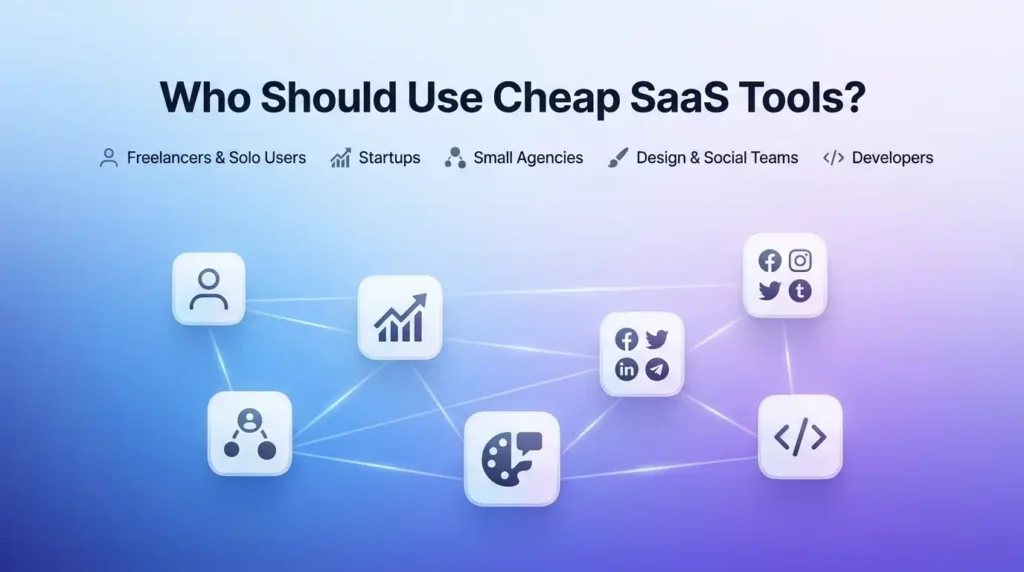
- Freelancers and solo operators who need professional-grade tools but work alone and cannot justify paying for a full multi-seat enterprise plan. You need the same features – you just do not need ten seats.
- Early-stage startups that are still figuring out product-market fit. Keeping monthly costs low at this stage is not just smart – it can be the difference between surviving your first year and not.
- Small marketing agencies with two to ten team members that handle everything from content strategy to client reporting. Every tool you pay full price for is money not going toward your next hire.
- Design studios that need access to creative platforms like Adobe and Canva but cannot afford individual full-price licenses for each designer on the team.
- Social media agencies that use a mix of scheduling, design, and AI writing tools every single day. The combined cost of three or four individual plans adds up shockingly fast.
- Development agencies that work with coding tools like GitHub Copilot, Replit, or Bolt Pro and want to stop paying per-seat rates for small-team access.
If your agency falls into any of these groups – and you are spending more on software than you should – cheap saas tools accessed through legitimate licensing are exactly the answer.
Did You Know?
The average small business wastes over $135,000 per year on unused or underused SaaS licenses, according to Zylo’s 2025 SaaS Management Report. That is money going out every single month for software nobody opens. Switching to low cost software subscriptions that actually match your usage frees up that budget for growth, hiring, or client acquisition – money that could be doing real work for your agency instead of sitting in a vendor’s account.
🔥 LinkedIn Premium Business Plan 12 Months
Original Price ₹23,000 • Get it ₹8XXX
🤖 Gemini AI Advanced Pro Plan
Original Price ₹19,500 • Get it ₹8XXX
💼 LinkedIn Sales Navigator Core
Original Price ₹80,000 • Get it ₹2XXXX
🎨 Canva Pro Lifetime Access
Original Price ₹3,999 • Get it ₹4XX
📚 Coursera Plus Annual Plan
Original Price ₹33,000 • Get it ₹2XXX
✨ Adobe Creative Cloud All Apps
Original Price ₹59,000 • Get it ₹4XXX
How Do Shared and Group SaaS Subscriptions Work? (The Smart Budget Strategy)
This is the section most “cheap saas tools” articles completely skip. And it is arguably the most important thing to understand if you want to save money on software without taking any risks.
When companies like Adobe, Notion, LinkedIn, or Google sell their software, they do not just offer individual plans. They offer team plans, family plans, corporate group licenses, and authorized reseller programs. These multi-user plans are priced to be shared across a group – which means the cost per person drops dramatically compared to individual pricing.
Authorized SaaS resellers use these legitimate group licensing structures to offer individual users access at a lower price. Instead of each person paying full individual rates, users are added to a shared workspace or group plan that has been set up legally through the platform’s own licensing model.
This is not a workaround or a grey area. It is exactly how B2B software licensing is designed to work. Large companies do this every day through volume licensing agreements. The only difference is that a good reseller makes it accessible to small agencies and individual users who could never negotiate that kind of deal on their own.
For agencies and freelancers using this model, the benefits are real and immediate:
- You get full access to all standard features of the platform – not a stripped-down version, not a trial, the complete tool just as it was built.
- You receive regular updates automatically, the same as any user on an official plan. You never fall behind on features.
- A trustworthy reseller provides warranty and replacement support – if access ever has an issue, they fix it or replace it at no extra cost.
- Setup is fast, typically delivered within minutes through WhatsApp or email so you can get to work the same day.
- You can scale easily, adding more tools from the same provider as your agency grows without rebuilding your entire software stack.
Is Shared SaaS Access Legal and Safe to Use?
Yes – when done correctly by a transparent, reputable provider.
Legitimate resellers work through authorized family plans, team licenses, and corporate reseller agreements. You are not using cracked software. You are not accessing stolen accounts. You are joining a shared workspace that was created legally through the platform’s own licensing structure.
The key is working with a provider who is upfront about how their model works, who offers a clear warranty, and who responds quickly if any issue comes up. That is what separates a trustworthy affordable software tools provider from one to avoid.
Also Read – Zapier vs Make vs n8n: Which Workflow Automation Software Is Best in 2026?
Best Cheap AI and Productivity SaaS Tools for Agencies in 2026
Ask any agency owner what changed most about their workflow in the last two years and the answer is almost always the same: AI tools. Whether you are writing client proposals, building content calendars, analyzing campaign data, or automating internal processes – AI has gone from a nice-to-have to the core of how modern agencies operate.
The problem is individual AI tool pricing. ChatGPT Plus, Gemini Advanced, Claude Pro, Grammarly Premium – each one has its own subscription, and together they add up to a significant monthly cost for a team that needs them all.
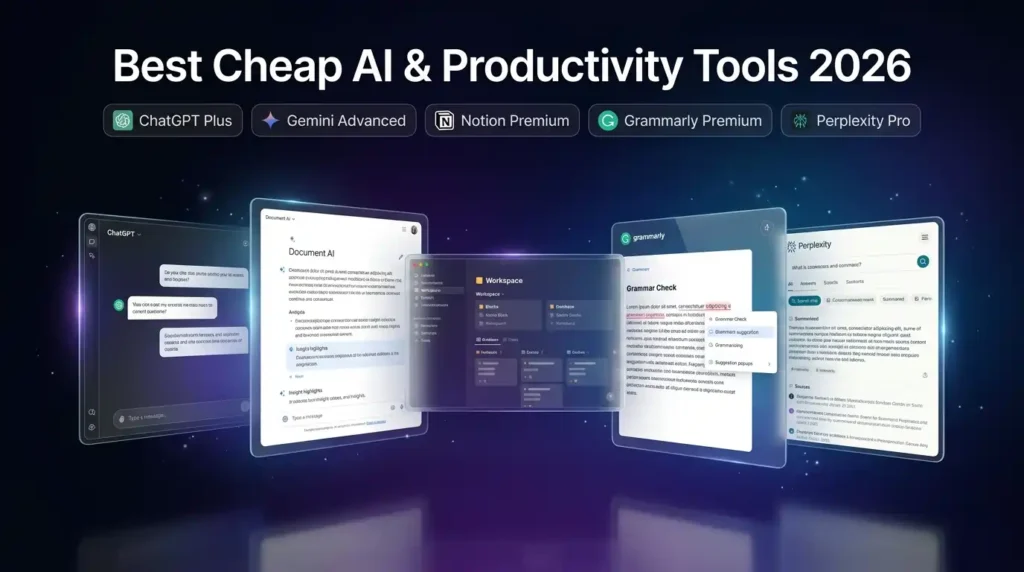
Here are the best cheap software tools 2026 in the AI and productivity category that every agency should have running:
ChatGPT Plus is the go-to AI writing and thinking partner for agencies. Use it to draft email campaigns in minutes, create detailed content outlines from a single brief, write ad copy variations for A/B testing, summarize competitor research, and respond to client requests faster than any manual process could. For agencies producing large volumes of written content every week, ChatGPT Plus is the single highest-ROI tool available. The difference between having it and not having it shows up in client work quality and delivery speed almost immediately.
Gemini Advanced by Google is deeply integrated with Google Workspace – which means if your agency already lives in Google Docs, Sheets, and Gmail, Gemini feels less like a separate tool and more like an AI layer on top of everything you already do. It summarizes long documents, drafts email responses, generates campaign ideas, pulls structured data from messy spreadsheets, and helps with research – all from inside tools you already open every morning.
Notion Premium has become the command center for a huge number of small agencies. It is where teams manage their client project tracker, content calendar, SOPs, team wiki, proposal templates, and client communication logs – all in one place. Notion’s built-in AI features now write content, summarize meeting notes, organize information automatically, and answer questions about your own documents. For a small agency, it genuinely replaces three or four separate tools at once.
Grammarly Premium matters more than most people give it credit for. Every word your agency publishes – every email to a client, every blog post, every social caption – is a direct reflection of your professionalism. Grammarly Premium goes beyond fixing typos. It analyzes tone to make sure you sound confident and not defensive in difficult client emails. It rewrites sentences for clarity when your ideas are good but the wording is muddled. It checks for plagiarism before anything goes live. For agencies that care about quality, Grammarly running on every screen is non-negotiable.
Perplexity Pro is the AI research tool that agencies use to get accurate, sourced answers to client questions, competitor research tasks, and industry trends – without spending hours reading through Google search results. It cites sources, summarizes information from multiple places, and gives you real answers in seconds. For agency teams that do a lot of research-heavy work, it is one of the most practical affordable software tools available.
Which AI Writing and Research Tools Save the Most Agency Time?
Time is the resource your agency can never get back. The right affordable software tools in the AI category save 2-4 hours per team member per week on tasks that used to require manual research, writing from scratch, and time-consuming editing.
| AI Tool | Best Agency Use Case | Key Time-Saving Benefit |
| ChatGPT Plus | Content creation and client communication | Draft generation in seconds, not hours |
| Gemini Advanced | Research and Google Workspace integration | AI assistant inside Docs, Sheets, Gmail |
| Grammarly Premium | Writing quality control for all deliverables | Tone, clarity, and plagiarism checks |
| Perplexity Pro | Client research and competitor analysis | Real-time sourced answers instantly |
| Notion AI | Project and knowledge management | Auto-organize, summarize, generate docs |
🔥 LinkedIn Premium Business Plan 12 Months
Original Price ₹23,000 • Get it ₹8XXX
🤖 Gemini AI Advanced Pro Plan
Original Price ₹19,500 • Get it ₹8XXX
💼 LinkedIn Sales Navigator Core
Original Price ₹80,000 • Get it ₹2XXXX
🎨 Canva Pro Lifetime Access
Original Price ₹3,999 • Get it ₹4XX
📚 Coursera Plus Annual Plan
Original Price ₹33,000 • Get it ₹2XXX
✨ Adobe Creative Cloud All Apps
Original Price ₹59,000 • Get it ₹4XXX
Affordable Design Tools for Creative Agencies – Adobe, Canva, and Figma at Low Cost
Design is how your clients judge you before they read a single word. A polished deliverable builds trust. A rushed one costs you referrals. And the tools that make professional design possible – especially Adobe Creative Cloud – have always carried a pricing tag that feels personal.
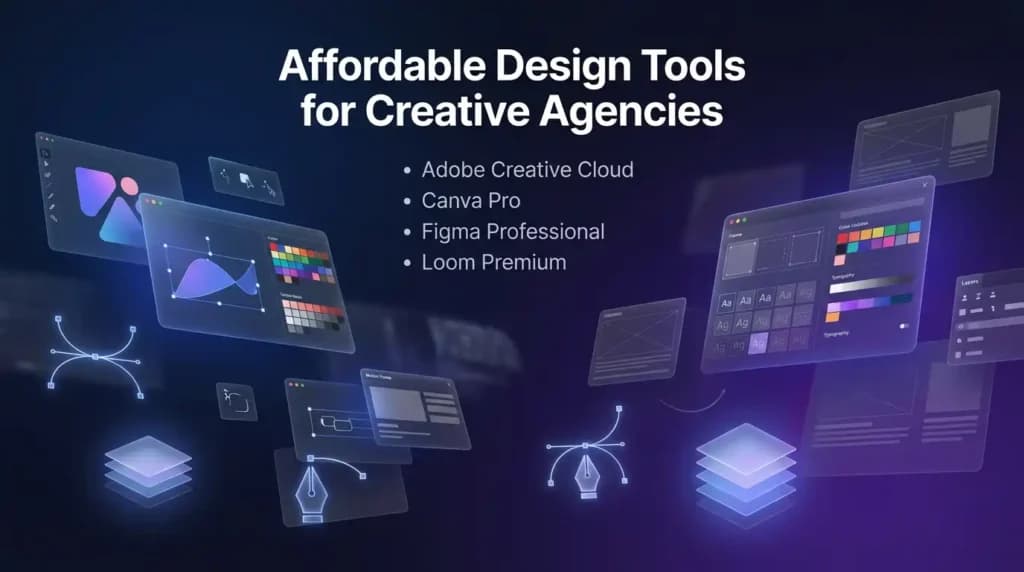
The good news: accessing affordable design tools through legitimate team licensing means creative agencies can have industry-standard software at a cost that fits a lean operation.
Here are the design tools every creative agency needs – and why each one earns its place in the stack:
Adobe Creative Cloud (All Apps) is the non-negotiable for serious design agencies. Photoshop for retouching and compositing. Illustrator for logos and vector work. Premiere Pro for video editing. After Effects for motion graphics. InDesign for print and publication layouts. Having all of these under one license means your team can take on any type of creative brief a client brings. Clients in branding, advertising, and media expect work produced with Adobe. There is no alternative that carries the same weight at the professional level.
Canva Pro handles the other 60-70% of agency design work – the everyday stuff. Social media graphics, pitch decks, client proposals, presentations, brand templates, YouTube thumbnails, and marketing banners. Canva Pro’s premium templates are genuinely good. Its brand kit feature means every designer on your team works within the same visual guidelines automatically. The background removal, AI image generation, and Magic Studio features make fast-turnaround design work feel effortless. At a fraction of Adobe’s cost, Canva Pro is one of the most practical cheap saas tools in any creative agency’s stack.
Figma Professional is essential for agencies doing UI/UX, web design, or product work. Its real-time collaboration means your whole team – including remote members – can work on the same design file simultaneously. Client feedback rounds happen in Figma using comments and shared links instead of endless email chains. Developer handoff becomes clean and precise. For agencies billing on design hours, Figma Professional saves those hours.
Loom Premium belongs in every agency’s communication stack. Recording a short screen walkthrough to explain a design decision takes three minutes and eliminates a 30-minute client call. Sending a video update on a project feels more personal and professional than a written status email. For remote agencies managing multiple clients across time zones, Loom Premium turns asynchronous communication into something that feels human.
When Should Your Agency Upgrade from Canva to Adobe Creative Cloud?
Start with Canva Pro when your agency is new or focused primarily on social media, marketing content, and digital-first deliverables. It handles everyday design work quickly and produces professional results without requiring a steep learning curve.
Make the move to Adobe Creative Cloud when your clients start asking for work that requires precision beyond what Canva offers – brand identity systems with complex typography, print-ready materials, video production for broadcast or high-end digital campaigns, or detailed illustration work that needs to scale and look perfect at any size.
The best creative agencies do not choose one over the other. They use both: Canva Pro for speed and volume, Adobe for the high-stakes work where every pixel matters.
Also Read – n8n vs Zapier: Which Automation Tool Is Better for Your Workflow in 2026?
Did You Know?
Adobe Creative Cloud’s official individual plan carries one of the highest per-user SaaS costs in the creative tools market. Yet through legitimate team licensing and affordable design tools reseller programs, agencies can access the exact same software – with identical features, updates, and file compatibility – at dramatically lower cost. The work you produce looks the same. Your clients cannot tell the difference. Only your bank statement can.
Best Cheap Automation Tools for Agencies – n8n, Zapier, and Make.com Compared
If there is one category of cheap saas tools that delivers the highest return for a small agency, it is automation. Not because it is the most exciting – but because the math is undeniable.
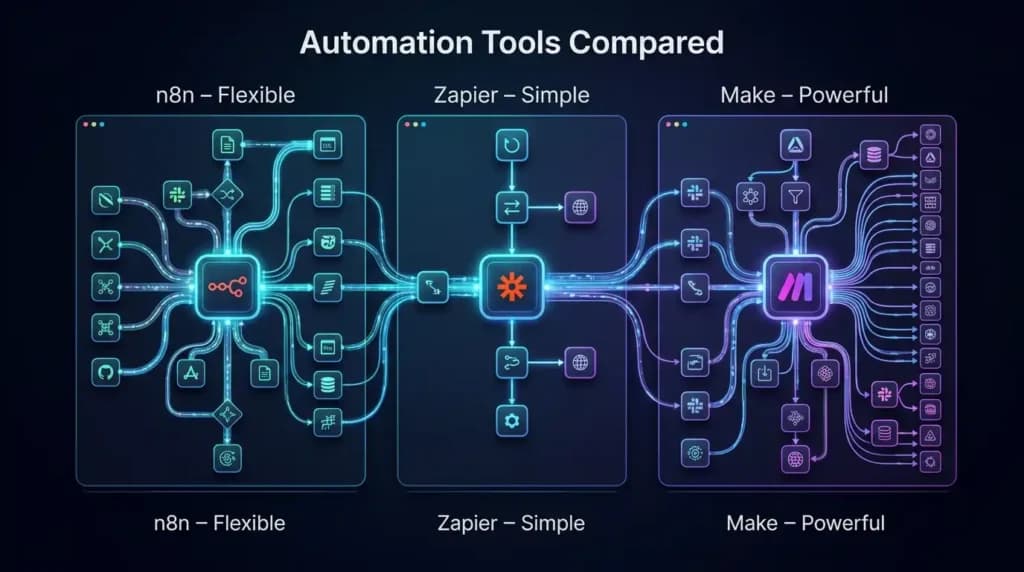
Every hour your team spends manually copying data between tools, building the same reports from scratch every week, or sending the same onboarding email sequence to new clients is an hour that is not going toward billable work. Automation tools connect your software together and make them work as a system – without you needing to be involved in every step.
For a small agency, a well-built automation stack means:
- Client onboarding emails that send themselves the moment a new contract is signed, personalised with the client’s name, project details, and next steps – without anyone on your team pressing send.
- Weekly performance reports that build and deliver themselves every Monday morning, pulling live data from Google Analytics, Meta Ads, or LinkedIn directly into a formatted report that lands in your client’s inbox automatically.
- Social media posts that schedule, publish, and log across platforms without your team manually switching between scheduling tools, content calendars, and analytics dashboards.
- Lead notifications from LinkedIn or website forms that flow directly into your CRM without manual data entry – so no lead ever falls through the cracks because someone forgot to copy a name into a spreadsheet.
- Invoice reminders, project status updates, and task assignments that trigger automatically based on conditions you define once and never need to revisit.
These are not luxury workflows for large agencies. For lean teams of two to five people, automation is what allows you to deliver the output of a team three times your size without burning anyone out.
Here is how the main cheap automation tools compare for agency use:
| Tool | Best For | Agency Strength | Free Plan? |
| n8n | Technical agencies and developers | Custom complex workflows, self-hosted option | Yes |
| Zapier | Non-technical teams and beginners | 7,000+ app integrations, fastest setup | Yes (limited tasks) |
| Make.com | Visual workflow builders | Complex branching logic at lower cost | Yes |
n8n is the rising favourite in budget saas tools for automation. It is open-source, which means if your agency has even basic technical knowledge, you can self-host it at near-zero cost. Even the cloud version runs significantly cheaper than Zapier when you are running automations at real agency volume. The level of customisation n8n offers means you can build workflows that are simply not possible in more restrictive tools.
Zapier is the easiest automation tool to get started with today. Its library of over 7,000 app integrations means you can connect almost any combination of tools your agency uses without learning any code. For agency owners who want automation working in their business this week rather than after a technical setup phase, Zapier is the fastest path.
Make.com sits between n8n and Zapier in terms of technical depth. It handles complex branching logic more elegantly than Zapier at a lower price point, and its visual interface makes it easier to understand and debug your automations compared to a code-heavy setup.
How to Automate Client Reporting and Social Media Scheduling on a Budget
Here is a real-world automation setup any agency can build using low cost marketing tools and a cheap automation platform – no developer required:
- Connect your analytics sources (Google Analytics, Meta Business Suite, LinkedIn Campaign Manager) to a shared Google Sheet using Zapier or Make, set to auto-update every week with fresh performance data.
- Use n8n or Make to pull that data, drop it into a pre-built report template, and email the formatted report to each client automatically every Monday morning.
- Connect your content calendar in Notion or Trello to a social media scheduler like Buffer or Later, so approved posts automatically queue and publish across Instagram, LinkedIn, and Facebook on the right dates and times.
- Build a simple Zapier workflow that creates a new Notion page with all project details whenever a client submits your onboarding form, so your team walks in every morning to an already-organized workspace.
This kind of system takes a few hours to set up once. After that, it runs completely on its own – every week, for every client, without anyone on your team touching it.
Also Read – LinkedIn Premium vs Sales Navigator: Which LinkedIn Plan Is Best for You in 2026?
🔥 LinkedIn Premium Business Plan 12 Months
Original Price ₹23,000 • Get it ₹8XXX
🤖 Gemini AI Advanced Pro Plan
Original Price ₹19,500 • Get it ₹8XXX
💼 LinkedIn Sales Navigator Core
Original Price ₹80,000 • Get it ₹2XXXX
🎨 Canva Pro Lifetime Access
Original Price ₹3,999 • Get it ₹4XX
📚 Coursera Plus Annual Plan
Original Price ₹33,000 • Get it ₹2XXX
✨ Adobe Creative Cloud All Apps
Original Price ₹59,000 • Get it ₹4XXX
Low Cost Marketing Tools Every Digital Agency Must Have in 2026
Marketing is what brings clients in the door. The agencies that grow fastest are not necessarily the most talented – they are the ones consistently showing up in front of the right people with the right message. And you do not need a massive budget to do that in 2026. You need the right budget friendly marketing tools used strategically.
LinkedIn Premium (Sales Navigator or Business Plan) is the most direct path to B2B clients for most agencies. LinkedIn Premium gives you advanced search filters to find decision-makers by industry, company size, and job title. It gives you InMail credits to contact people who are not yet in your network. It shows you who has viewed your profile, which tells you who is already interested before you ever reach out. For agencies doing outbound prospecting or building authority in a niche market, LinkedIn Premium is one of the highest-ROI low cost marketing tools available – especially when accessed at a fraction of the official price through legitimate licensing.
Gamma App is changing how agencies pitch clients. Instead of spending three hours building a PowerPoint from scratch, Gamma generates a polished, professional presentation from a simple text prompt in minutes. The output looks genuinely impressive – clean layouts, smart structure, visual hierarchy that most manually built decks never achieve. For agencies that pitch frequently, Gamma cuts proposal creation time dramatically and makes every deck look like it was designed by someone who has been in the industry for decades.
Jasper AI handles content marketing at scale. For agencies managing blog content, ad copy, email campaigns, and social media for clients, Jasper understands brand voice and maintains consistency across large volumes of content. It is one of the most practical affordable saas tools for agencies doing content-heavy client work.
Ubersuggest gives agencies solid SEO intelligence at a fraction of what tools like SEMrush or Ahrefs cost. Keyword rankings, content gap analysis, backlink data, competitor traffic estimates – it covers the core of what a marketing agency needs to guide content strategy for clients without requiring an enterprise-level SEO budget.
Where to Get LinkedIn Premium at the Lowest Price for Agency Lead Generation?
LinkedIn Premium is one of the most powerful low cost marketing tools for B2B agencies – but the official individual pricing puts it out of reach for most small teams. The full feature set of Sales Navigator, in particular, carries a price tag designed for enterprise sales teams with large outreach budgets.
Through legitimate reseller platforms that use team licensing, agencies can access LinkedIn Premium plans – including Sales Navigator and Business Premium – at a price that actually makes sense for lean operations. The features are identical to what you get on an official plan. The InMail credits, the advanced search filters, the company insights, the lead list management – all of it, at a cost that fits a small agency budget.
Did You Know?
LinkedIn is used by over 1 billion professionals worldwide as of 2026. Agencies that use LinkedIn Premium consistently report higher quality leads, shorter sales cycles, and better client relationships compared to relying on cold email or paid ads alone. Yet most small agencies skip it entirely because of the official pricing. That makes LinkedIn Premium one of the biggest missed opportunities in affordable saas tools for agencies – and one of the easiest to fix
Which Budget Project Management Tools Work Best for Remote Agencies?
Remote agencies need project management tools that keep everyone aligned without complexity. Here are the best options at a budget:
- Notion Business is the Swiss Army knife of project management for small agencies. It combines task tracking, client wikis, content calendars, proposal templates, meeting notes, and team knowledge bases in one beautifully organized workspace. Its AI features now auto-generate meeting summaries, create structured task lists from rough notes, and answer questions about anything stored inside your workspace. For agencies that want one tool to replace many, Notion is the strongest option in the budget saas tools category.
- Trello is ideal for agencies whose workflows are simple and visual. Its Kanban board structure makes project status immediately obvious to every team member and client. It is fast to set up, easy to onboard clients on, and integrates cleanly with the rest of your tool stack. For straightforward project tracking where you need everyone on the same page without a long onboarding process, Trello delivers.
- Asana fits agencies managing complex, multi-phase projects with overlapping dependencies and multiple contributors. Its timeline view and workload management features help prevent the chaos of missed deadlines and team bottlenecks. For agencies scaling up from simple to complex client work, Asana is the natural next step from Trello.
Also Read – Perplexity vs ChatGPT- Which AI Is Better?
Cheap SaaS Tools for Startups vs Established Agencies – What Changes?
Your tool needs at month two are different from your tool needs at month twenty-four. Building your stack based on where you actually are – not where you hope to be – is one of the most practical decisions a small agency owner can make.
| Stage | Priority Tools | Focus |
| Early Startup (0-6 months) | Notion, Canva Pro, ChatGPT Plus, Zapier (free tier) | Speed, low cost, flexibility |
| Growing Agency (6-18 months) | Adobe CC, LinkedIn Premium, n8n, Grammarly Premium | Client quality, lead generation, automation |
| Established Agency (18+ months) | Full stack – AI + Design + Automation + Marketing | Scale, efficiency, competitive advantage |
Cheap saas tools for startups should focus on tools that help you produce work faster and win your first clients. You do not need a complex, deeply integrated software stack when you are three months old. Start lean. Use Canva Pro and ChatGPT Plus to produce quality work quickly. Use Zapier’s free tier to connect your tools. Use Notion on a team plan to keep everything organized.
As your agency grows and your clients become more demanding, layer in the tools that match your new reality – Adobe for brand-level design work, LinkedIn Premium for consistent lead generation, and a real automation platform to handle the operational volume that manual work can no longer keep up with.
The goal of affordable saas tools for agencies at every stage is the same: give your team the capabilities of a much larger operation without the overhead that comes with it.
How Much Can an Agency Actually Save Switching to Affordable SaaS Tools? (Real Numbers)
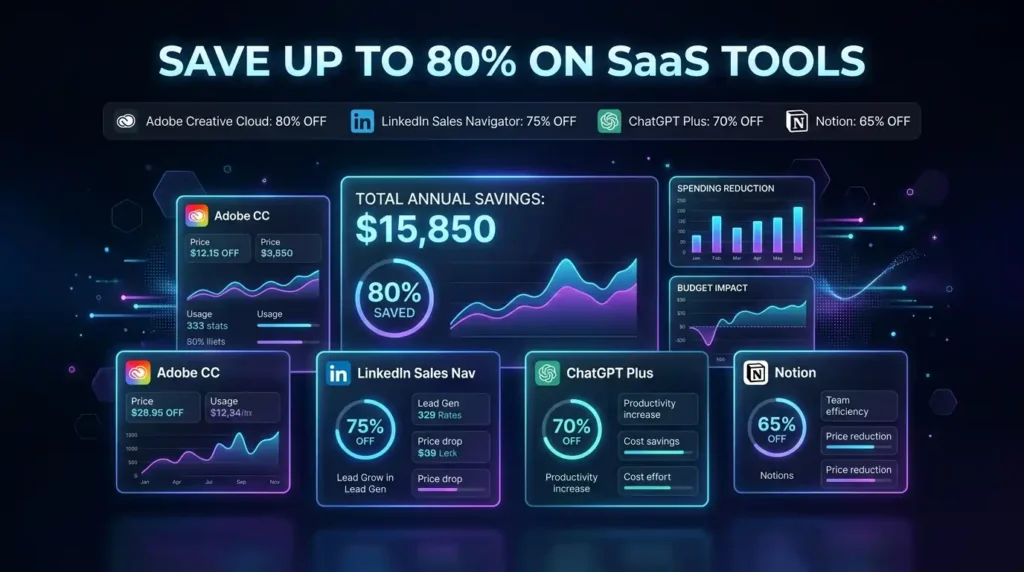
Let us make this concrete. Here is what a typical agency SaaS stack looks like when comparing official individual pricing against legitimate low cost software subscriptions:
| Tool | Official Plan Type | Typical Saving via Smart Licensing |
| Adobe Creative Cloud (All Apps) | Individual annual plan | Up to 80% savings |
| LinkedIn Sales Navigator | Core individual plan | Up to 75% savings |
| ChatGPT Plus | Individual monthly plan | Up to 70% savings |
| Notion Business | Per-seat team plan | Up to 65% savings |
| Grammarly Premium | Individual annual plan | Up to 60% savings |
| Canva Pro | Individual annual plan | Up to 55% savings |
| n8n Cloud | Starter plan | Up to 50% savings |
| Gemini Advanced | Individual Google One plan | Up to 65% savings |
When you combine a full stack of six to eight tools and apply these savings across each one, the difference between official individual pricing and a legitimate cheap saas tools reseller can be several hundred dollars every single month.
For a small agency, that money does not disappear – it moves into client acquisition, team growth, freelance help for a big project, or simply keeping the business stable through slower months. The tools stay the same. The work stays the same. Only the financial pressure changes.
Also Read – Figma vs Adobe XD – Best UI/UX Tool?
Where to Buy Budget-Friendly SaaS Tools Safely in India and Globally?
This is the question every other article on this topic avoids. And it deserves a real, honest answer.
Not all resellers are equal. When you are trusting a platform with access to tools that your agency depends on every day, you need to know exactly what you are getting and who you are getting it from. Here is what to look for when choosing a cheap saas tools provider:
- Clear explanation of the licensing model – A trustworthy provider will tell you directly how their access works. They use team plans, family licenses, or authorized reseller agreements. They do not obscure this. If a provider is vague about how they provide access, that is a warning sign worth taking seriously.
- Full warranty and replacement policy – Business-critical tools cannot have extended downtime. A legitimate provider offers a complete warranty for your subscription period and replaces access within hours if any issue ever arises. Confirm this policy before you purchase anything.
- Responsive, human support – If a tool stops working on a project deadline day, you need someone who picks up. Look for providers with clear support windows, a direct WhatsApp or email line, and a track record of fast responses – not a ticket system that replies in three days.
- Real community and verified track record – Active customer communities, visible reviews, and transparent communication about how the service works are signs of a provider who has been doing this long enough to earn trust.
- Instant delivery – Quality affordable saas tools for agencies providers deliver access quickly – often within minutes – so you can get to work the same day without a lengthy verification process.
PremiumToolsHub is built exactly for agencies, freelancers, and startups across India and 15+ countries who are overpaying for software. With 650+ active members, 90% customer satisfaction, WhatsApp support available 9 AM to 11 PM IST, and a full warranty on every subscription, the entire platform was designed to close the gap between enterprise pricing and the real needs of lean digital businesses.
All access is through legitimate licensing – no cracked software, no stolen accounts – with instant delivery and fast support that actually responds when you need it.
Frequently Asked Questions About Cheap SaaS Tools for Agencies
Are cheap saas tools the same quality as full-price plans?
Yes – when accessed through legitimate team or group licensing. You are using the exact same software with the same features, the same updates, and the same performance as any user on an official plan. The price difference comes from the licensing model, not from a reduction in what you actually get.
Which cheap saas tools are the most useful for a small marketing agency?
For a small marketing agency, the highest-impact budget friendly marketing tools are ChatGPT Plus for content and communication, Canva Pro for design and visuals, LinkedIn Premium for client outreach and lead generation, Notion Business for project management, and Zapier or n8n for automation. These five tools cover the core of what a marketing agency does every day.
Is it safe to use shared SaaS subscriptions for client work?
Absolutely – when the access comes from a legitimate provider using authorized licensing. The work you produce is completely yours. There is no difference in quality, ownership, or professional standing between work made on a legitimately accessed shared plan and work made on an individual full-price plan.
How quickly can I get access after purchasing?
With trusted providers like PremiumToolsHub, access is typically delivered within minutes through WhatsApp or email. You do not wait days. You confirm your order, provide your details, and start working the same day.
What happens if a tool stops working mid-subscription?
A legitimate cheap saas tools provider replaces your access immediately at no extra cost. Always confirm the warranty and replacement policy before purchasing. PremiumToolsHub offers a full subscription-period warranty on all tools – if something breaks, they fix it.
Can I use these tools if I am based outside India?
Yes. Legitimate resellers like PremiumToolsHub serve clients across 15+ countries. Low cost software subscriptions through authorized licensing are not region-locked – they work wherever you are based.
Are there bundle deals available if I need multiple tools?
Yes. Many providers offer special pricing when you subscribe to multiple tools together. For agencies building a complete stack, bundling is one of the best ways to maximize savings beyond what individual tool subscriptions offer.
Are these the best cheap software tools 2026 has to offer?
The tools in this guide – Adobe Creative Cloud, LinkedIn Premium, ChatGPT Plus, Notion, Canva Pro, n8n, Gemini Advanced, Grammarly Premium – are industry-standard platforms used by agencies worldwide. Accessing them through legitimate affordable licensing does not change what they are. They remain the best cheap software tools 2026 agencies can invest in.
Also Read – Canva vs Figma – Which Is Better for Design Teams?
Final Verdict – Build Your Agency’s Complete SaaS Stack for Less in 2026
If you have read this far, you already know the truth: you do not need to pay enterprise prices to do enterprise-quality work.
Cheap saas tools accessed through legitimate team licensing give agencies, freelancers, and startups access to the same professional software that large companies use – at a price that actually fits a lean business. When you stop overpaying for software, the money you save goes exactly where it should: into better work, faster growth, and more clients.
Here is the recommended stack based on agency type:
| Agency Type | Must-Have Tools |
| Marketing Agency | ChatGPT Plus, LinkedIn Premium, Notion, Grammarly Premium, Ubersuggest |
| Design Studio | Adobe Creative Cloud, Canva Pro, Figma Professional, Loom Premium |
| Social Media Agency | Canva Pro, ChatGPT Plus, Zapier or n8n, Gamma App |
| Development Agency | GitHub Copilot, Replit Core, Bolt Pro, n8n |
| Full-Service Agency | AI tools + Design stack + Automation + LinkedIn Premium |
The tools exist. The savings exist. The only barrier is paying full price for software that was never designed for where your agency is today.
If you want to explore affordable saas tools for agencies with instant delivery, WhatsApp support available daily, and a full subscription warranty – PremiumToolsHub is where to start. Browse their complete services catalogue, join their WhatsApp community for the latest deals, and build the software stack your agency deserves – without the price tag that was never meant for you.
Your agency does great work. Make sure your tools reflect that – without your software bill reflecting a budget you do not have yet.