If you are comparing LinkedIn Premium vs Sales Navigator, you are probably trying to answer a practical question, not a theoretical one: which LinkedIn plan will actually help you get the result you want? That result could be getting a job, building a stronger network, finding clients, doing lead generation, or growing an agency pipeline.
This is where many people get confused. LinkedIn has more than one paid plan, and the names can sound similar. But the use case is not the same. LinkedIn Premium is built more for career growth, visibility, networking, and general business use. Sales Navigator is built for prospecting, account research, and B2B outreach. LinkedIn itself describes Premium plans as tools to advance your career or grow a small business, while Sales Navigator is positioned as a sales tool with advanced filters, buyer insights, CRM integrations, and prospecting features.
So if you have been asking things like:
- What is the difference between LinkedIn Premium and Sales Navigator?
- Is Sales Navigator better than Premium Business?
- Which is the best LinkedIn plan for B2B?
- Is Sales Navigator for lead generation really worth it?
- Which LinkedIn plan is best for agencies, job seekers, founders, or freelancers?
LinkedIn Premium vs Sales Navigator at a Glance
The fastest answer is this:
Choose LinkedIn Premium if your main goal is career growth, networking, visibility, recruiter access, and light business relationship building.
Choose Sales Navigator if your main goal is finding leads, building prospect lists, targeting decision-makers, tracking accounts, and doing regular B2B outreach. LinkedIn’s official product pages position Premium for career and small business growth, while Sales Navigator is built around advanced lead search, account targeting, and sales workflows.
Quick comparison table
| Feature | LinkedIn Premium | Sales Navigator |
| Best for | Job seekers, professionals, founders, consultants, light networking | Sales teams, agencies, SDRs, founders doing outbound, B2B lead gen |
| Main purpose | Career growth and broader business presence | Prospecting and lead generation |
| Search depth | Better than free LinkedIn, but not sales-first | Advanced lead and account search with 40+ or 50+ filters depending on page context |
| InMail | Available in Premium plans | Available, plus more sales-focused workflow support |
| Saved searches / alerts | More limited and broader use | Stronger lead/account tracking and alerts |
| CRM fit | Not built mainly for CRM workflows | CRM integrations are part of the sales positioning |
| Best for B2B outreach | Sometimes enough for light outreach | Usually the stronger choice |
| Best for job seekers | Yes | Usually no |
| Best for hiring | No, unless very light networking | No, hiring is closer to Recruiter Lite |
If you only remember one thing from this article, remember this: Premium helps you be seen. Sales Navigator helps you find and target people.
🔥 LinkedIn Premium Business Plan 12 Months
Original Price ₹23,000 • Get it ₹8XXX
🤖 Gemini AI Advanced Pro Plan
Original Price ₹19,500 • Get it ₹8XXX
💼 LinkedIn Sales Navigator Core
Original Price ₹80,000 • Get it ₹2XXXX
🎨 Canva Pro Lifetime Access
Original Price ₹3,999 • Get it ₹4XX
📚 Coursera Plus Annual Plan
Original Price ₹33,000 • Get it ₹2XXX
✨ Adobe Creative Cloud All Apps
Original Price ₹59,000 • Get it ₹4XXX
What Is LinkedIn Premium?
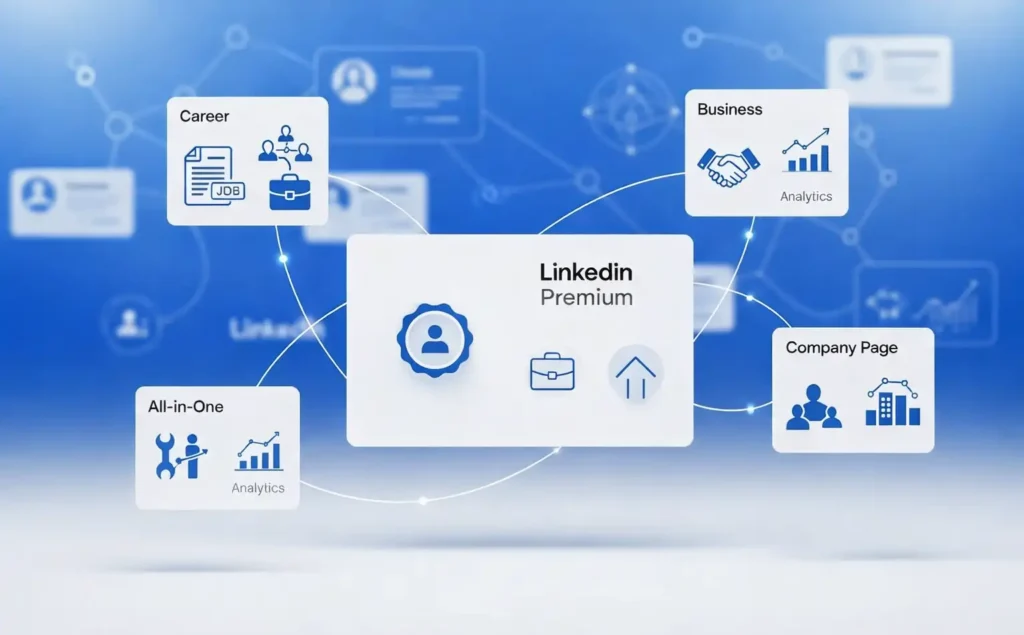
LinkedIn Premium is not one single thing anymore. LinkedIn describes its Premium subscription family as plans designed for people who want to advance their career or grow their small business. Current Premium pages mention plans such as Premium Career, Premium Business, Premium All-in-One, and Premium Company Page.
That matters because many people still think “LinkedIn Premium” only means one career upgrade plan. In reality, there are different Premium options depending on your goal.
Who should use LinkedIn Premium?
LinkedIn Premium is usually a better fit for:
- job seekers
- professionals who want more visibility
- freelancers and consultants who want to look more credible
- founders who want to grow their network
- small business owners who want stronger profile presence
- people who want light outreach, not deep sales prospecting
LinkedIn’s official Premium Business page says the plan is for people who want to build credibility, expand reach, grow their network, and find and contact the right people. That means Premium is often about presence + access, not deep outbound sales infrastructure.
Main LinkedIn Premium features
The exact features depend on the plan, but current official Premium pages highlight these kinds of benefits:
- stronger profile visibility
- ability to message people with InMail
- career-focused tools for job seekers
- networking with recruiters
- learning and skill-building support on career pages
- business credibility and reach features on business plans
For example, LinkedIn says Premium Career helps users find top jobs, stand out to hiring managers, network with recruiters, and build skills. Premium Business is framed more around showcasing credibility, being seen by more people, growing your network, and messaging people you are not connected with.
So when someone asks, “What is LinkedIn Premium best for?”, the simple answer is: career and business visibility, not dedicated sales prospecting.
What Is a Sales Navigator?
Sales Navigator is LinkedIn’s dedicated sales and prospecting product. LinkedIn describes it as a sales tool that helps users find the right people, target top prospects, use advanced filters, engage effectively, and work with CRM integrations.
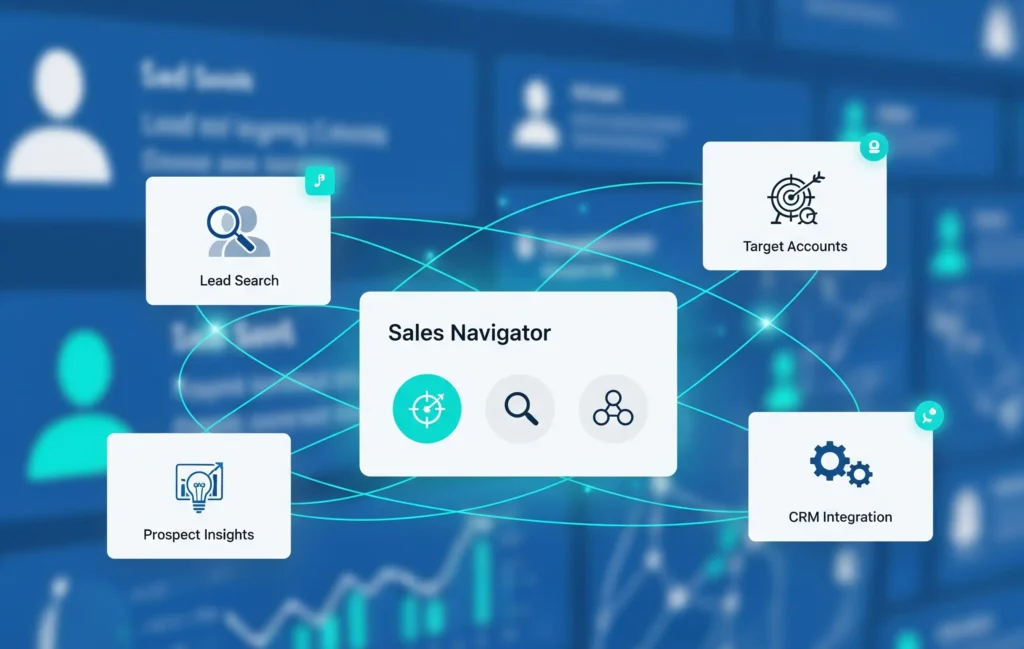
This is why the difference between LinkedIn Premium and Sales Navigator is bigger than many people think. Sales Navigator is not just a slightly stronger Premium plan. It is a different tool built around a different job.
Who should use Sales Navigator?
Sales Navigator is usually better for:
- B2B sales professionals
- agencies doing client outreach
- SDRs and BDRs
- consultants doing outbound prospecting
- founders building a target account list
- growth teams
- freelancers whose model depends on steady lead generation
LinkedIn’s official SMB and sales pages position Sales Navigator for growing a business, using advanced plan options, CRM integration, and personalized buyer insights.
Core Sales Navigator features
LinkedIn’s current Sales Navigator pages highlight features such as:
- advanced lead search
- account search
- daily lead and account recommendations
- real-time updates and alerts
- CRM integrations
- AI-supported features like Account IQ, Lead IQ, Message Assist, and Sales Assistant in beta/public beta on some pages
- prospecting filters of 40+ or 50+ depending on the feature page
That last point is important for anyone searching sales navigator features comparison. The platform is built to help you narrow down the right prospect, not just browse profiles.
This is why Sales Navigator for lead generation is a common choice. It is built for finding decision-makers, saving lists, following account changes, and doing outreach more systematically.
Also Read – LinkedIn Sales Navigator Pricing Guide
🔥 LinkedIn Premium Business Plan 12 Months
Original Price ₹23,000 • Get it ₹8XXX
🤖 Gemini AI Advanced Pro Plan
Original Price ₹19,500 • Get it ₹8XXX
💼 LinkedIn Sales Navigator Core
Original Price ₹80,000 • Get it ₹2XXXX
🎨 Canva Pro Lifetime Access
Original Price ₹3,999 • Get it ₹4XX
📚 Coursera Plus Annual Plan
Original Price ₹33,000 • Get it ₹2XXX
✨ Adobe Creative Cloud All Apps
Original Price ₹59,000 • Get it ₹4XXX
Difference Between LinkedIn Premium and Sales Navigator
Now let’s answer the exact query: what is the difference between LinkedIn Premium and Sales Navigator?
The answer comes down to six big areas.
1. Purpose
LinkedIn Premium helps you grow yourself or your business presence. Sales Navigator helps you build a pipeline.
That one line explains most of the difference.
Premium is about access, credibility, visibility, and broad networking. Sales Navigator is about targeting, researching, and engaging prospects in a more structured sales process. LinkedIn’s own pages reflect this split clearly.
2. Search power
This is one of the biggest differences.
Premium gives you a better experience than the free plan, but Sales Navigator is built around advanced search. LinkedIn’s official guides mention 40+ filters on one Sales Navigator usage page and 50+ filters on a broader sales solutions page.
That makes a real difference when you want to search by role, company type, size, geography, or prospect fit.
If your goal is “find me the right decision-maker in the right type of company,” Sales Navigator is usually the stronger tool.
3. Lead generation ability
This is where the gap gets wider.
If you are asking whether LinkedIn Premium Business vs Sales Navigator is the better choice for lead generation, Sales Navigator usually wins. LinkedIn’s sales pages directly position Sales Navigator around targeting prospects, uncovering leads, buyer signals, and sales efficiency.
Premium can help you start conversations and build relationships. But it is not built as a full lead generation system.
4. Workflow and tracking
Sales Navigator is stronger if you need to:
- save leads
- track accounts
- get updates
- work around sales timing
- connect your work with CRM systems
Its product pages repeatedly mention CRM integration and real-time updates. Premium is simpler. That can actually be a good thing if you do not want a more sales-heavy setup.
5. Job seeking vs selling
This is one of the clearest decision points.
If your question is “LinkedIn Premium or Sales Navigator for job seekers?”, the answer is usually LinkedIn Premium. Premium Career is directly positioned for finding jobs, standing out to hiring managers, networking with recruiters, and building skills.
Sales Navigator is not built for job search. It is built for sales.
6. Buyer intent and B2B targeting
For anyone searching best LinkedIn plan for B2B, Sales Navigator is usually the better answer because it is built for accounts, prospects, and sales targeting. LinkedIn’s own sales pages highlight buyer insights, advanced filters, and sales-focused workflows.
Sales Navigator vs Premium Business
This is one of the most searched comparisons, and for good reason. Many users are not choosing between free LinkedIn and Sales Navigator. They are choosing between Premium Business and Sales Navigator.
What Premium Business is designed for
LinkedIn says Premium Business is best for small business owners, leaders, and executives who want exclusive profile features, stronger credibility, more reach, and a bigger network. The Business plan also highlights finding and contacting the right people and sending InMail.
So Premium Business is useful if you want to:
- build authority
- get discovered more often
- network more effectively
- do moderate outreach
- support founder-led or consultant-led visibility
What Sales Navigator adds beyond Premium Business
Sales Navigator adds stronger prospecting infrastructure. LinkedIn’s official pages highlight:
- advanced lead search
- account targeting
- daily recommendations
- CRM integrations
- buyer insights
- sales efficiency features
- account and lead updates
That means if you are doing ongoing outreach and list building, Sales Navigator is usually more practical than Premium Business.
Which one gives better value?
It depends on what “value” means for you. If value means better personal visibility, broader networking, and business presence, Premium Business can be enough.
If value means more leads, better targeting, and a cleaner B2B outreach workflow, Sales Navigator usually gives more value.
So for the query sales navigator vs premium business, the clean answer is this:
- Choose Premium Business for light networking and personal/business positioning.
- Choose Sales Navigator for serious outbound, lead generation, and account-based selling.
🔥 LinkedIn Premium Business Plan 12 Months
Original Price ₹23,000 • Get it ₹8XXX
🤖 Gemini AI Advanced Pro Plan
Original Price ₹19,500 • Get it ₹8XXX
💼 LinkedIn Sales Navigator Core
Original Price ₹80,000 • Get it ₹2XXXX
🎨 Canva Pro Lifetime Access
Original Price ₹3,999 • Get it ₹4XX
📚 Coursera Plus Annual Plan
Original Price ₹33,000 • Get it ₹2XXX
✨ Adobe Creative Cloud All Apps
Original Price ₹59,000 • Get it ₹4XXX
Feature-by-Feature Comparison
To make this more practical, here is a simple sales navigator features comparison against Premium.
| Area | LinkedIn Premium Business | Sales Navigator |
| Profile credibility | Strong | Not the core reason to buy |
| InMail | Yes | Yes, with sales-focused usage context |
| Lead search | Limited compared to sales tool | Core strength |
| Account search | Not the main focus | Yes |
| Saved leads | Basic use possible | Stronger workflow |
| Alerts and updates | More limited | Stronger real-time updates |
| CRM support | Not core | Yes, part of product positioning |
| Best for agencies | Sometimes | Usually better |
| Best for job seekers | Better | Not built for this |
| Best for teams | Only in lighter use cases | Much stronger for sales teams |
The important thing is not which one has “more features” on paper. The important thing is which feature set matches your daily work.
Which LinkedIn Plan Is Best for Different Types of Users?
This is the section most people actually care about.
Which plan is best for job seekers?
If you are job hunting, LinkedIn Premium is usually the better choice.
Why? Because LinkedIn positions Premium Career around standing out to hiring managers, finding top jobs, networking with recruiters, and building skills.
Sales Navigator may let you research companies or people, but that is not what it is built for. For job seekers, it usually feels like too much tool for the wrong task.
So for the long-tail query Linkedin Premium or Sales Navigator for job seekers, go with LinkedIn Premium.
Also Read – LinkedIn Premium Plans – Complete Introduction & Foundation
Which plan is best for B2B sales professionals?
If your job is lead generation, prospecting, account research, or outbound selling, Sales Navigator is usually the best LinkedIn plan for B2B.
It is built for that exact purpose. LinkedIn’s sales pages talk directly about targeting prospects, buyer signals, daily recommendations, advanced filters, and CRM efficiency.
Which LinkedIn plan is best for agencies?
For the query which LinkedIn plan is best for agencies, the answer depends on the agency model.
If your agency grows mainly through referrals, visibility, and a founder brand, Premium Business may help enough.
But if your agency depends on outbound, cold prospecting, niche targeting, and building lists of decision-makers, Sales Navigator is usually the better tool.
Agencies often need volume, targeting, and repeatable prospecting. That is where Sales Navigator fits better.
Which plan is better for freelancers and consultants?
Freelancers and consultants can fall into either side.
Choose Premium if you want:
- stronger credibility
- more profile visibility
- light outreach
- better networking
Choose Sales Navigator if you want:
- steady B2B prospecting
- targeted outreach
- better lead research
- account-based list building
This is why the linkedin subscription comparison should never be reduced to “which plan is best overall?” It depends on your business model.
Which plan is better for founders and small teams?
Founders often need both visibility and clients.
LinkedIn has also introduced Premium options for small businesses, including Premium Business and Premium All-in-One, which are positioned around profile credibility, company presence, client discovery, and hiring support.
So a founder doing personal brand-led growth may like Premium Business.
A founder doing direct outbound to ideal buyers will usually get more value from Sales Navigator.
Also Read – Cheap LinkedIn Premium: How to Get It at a Lower Price (Legit, Safe, and Worth It)
Is Sales Navigator Worth It for Lead Generation?
For many users, this is the real buying question.
The answer is: yes, Sales Navigator can be worth it for lead generation if lead generation is a real and regular part of your work.
LinkedIn positions Sales Navigator around advanced lead search, prospect discovery, account tracking, buyer signals, and CRM efficiency. Those are all high-value features when your revenue depends on finding and reaching the right people consistently.
When Sales Navigator is worth it
It is usually worth it if you:
- If you do B2B outreach every week, Sales Navigator can make your workflow more efficient by helping you focus on the right prospects instead of doing broad manual searching again and again.
- If you build target account lists, it gives you a more structured way to identify companies and the people inside them who are most relevant to your offer.
- If you need to find decision-makers fast, Sales Navigator is usually more useful because it is built to narrow down the right people by role, company type, and business fit.
- If you run agency outbound, it can support a more repeatable lead generation process, especially when you need to consistently find new prospects in a specific niche or industry.
- If you do SDR or business development work, the platform fits better with your day-to-day goals because it is designed around prospecting, list building, and pipeline development.
- If you want cleaner prospect tracking, it helps you stay organized by making it easier to save leads, follow important accounts, and keep your prospecting process less messy.
When it may not be worth it
It may not be worth it if you:
- If you mostly want a better profile, LinkedIn Premium is often the better choice because it is more focused on visibility, credibility, and strengthening your professional presence.
- If you are focused on job search, Premium usually makes more sense since it is built for career growth, recruiter visibility, and job-related use cases rather than sales outreach.
- If you only send occasional messages, Sales Navigator may feel unnecessary because it is designed for people who do outreach on a more regular and structured basis.
- If you do little or no outbound, you may not use the core strengths of Sales Navigator enough to justify it, especially if prospecting is not part of your weekly workflow.
- If you do not need advanced targeting, a simpler LinkedIn Premium plan is often enough because your goals may be better profile visibility, networking, and general professional growth rather than deep prospect research.
That is why some people buy Sales Navigator and then feel it is “too much.” The tool is not the problem. The mismatch is the problem.
LinkedIn Subscription Comparison: Premium, Sales Navigator, and Recruiter Lite
A full linkedin subscription comparison is more useful when you also include Recruiter Lite, because many users compare all three.
Premium vs Sales Navigator vs Recruiter Lite
| Plan | Best for | Main use |
| LinkedIn Premium | Job seekers, professionals, small business visibility | Career and networking |
| Sales Navigator | B2B sales, agencies, prospecting teams | Lead generation and sales outreach |
| Recruiter Lite | Low-volume hiring teams and individual recruiters | Candidate sourcing and hiring |
LinkedIn says Recruiter Lite is best suited for small-to-medium businesses with low-volume hiring needs. Its pages highlight 20+ search filters, saved search alerts, candidate recommendations, and candidate outreach. Another official page says it is for people hiring less consistently and includes up to 30 InMails per month.
Sales Navigator vs Recruiter Lite
This is simple.
If you want clients, choose Sales Navigator.
If you want candidates, choose Recruiter Lite.
That is the easiest answer for the query sales navigator vs recruiter lite.
Sales Navigator is for selling. Recruiter Lite is for hiring. LinkedIn’s own product pages separate those use cases very clearly.
Pros and Cons of LinkedIn Premium
Pros
LinkedIn Premium is a strong option if you want better visibility, more credibility, recruiter access, and a smoother experience for career growth or general business networking. It is easier to understand than a sales-heavy product, and it matches job seekers and many professionals well. LinkedIn’s Premium pages directly support these use cases.
Cons
Its biggest limit is that it is not a true sales prospecting system. If your workflow depends on deep lead filters, account targeting, alerts, and CRM-linked outreach, you will likely outgrow Premium.
Pros and Cons of Sales Navigator
Pros
Sales Navigator is stronger for structured prospecting. Its value comes from advanced search, target account focus, lead recommendations, sales insights, and CRM-friendly workflow. That makes it a serious tool for B2B users.
Cons
It is usually not the best fit for job seekers, casual users, or people who mainly want visibility and networking. It can feel heavy if you do not need regular lead generation.
How to Choose the Right LinkedIn Plan
If you still feel stuck, use this decision guide.
Choose LinkedIn Premium if:
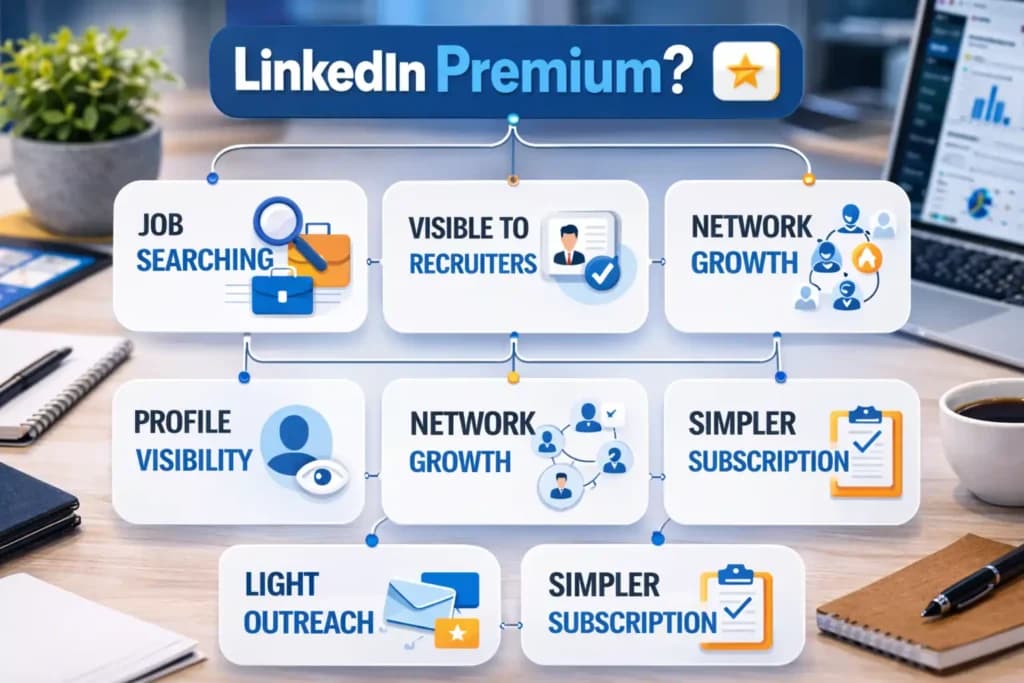
- You are job searching
If your main goal is to find better job opportunities, get noticed by hiring managers, and improve your career visibility, LinkedIn Premium is usually the right choice. It is built more around professional growth and job-related support than sales-focused work. - You want to stand out to recruiters
If being more visible to recruiters matters to you, LinkedIn Premium can be more useful than Sales Navigator. It supports a stronger professional presence and fits better for people who want to improve how they appear in a hiring context. - You want stronger profile visibility
If your focus is on making your profile look more credible and increasing how often the right people notice you, Premium is a better match. It is more aligned with profile strength, presence, and general networking than deep prospecting. - You care about network growth
If you want to grow your professional network in a broader way, LinkedIn Premium can help without giving you a more complex sales workflow. It is a better fit for relationship building than for structured lead generation. - You do light outreach, not full prospecting
If you message people occasionally for networking, partnerships, or general business conversations, Premium may be enough. You may not need a full sales tool if outreach is only a small part of how you use LinkedIn. - You want a simpler subscription
If you prefer a plan that is easier to understand and fits common professional use cases, LinkedIn Premium usually feels simpler. It works well for users who want useful upgrades without moving into a more sales-heavy setup.
Choose Sales Navigator if:
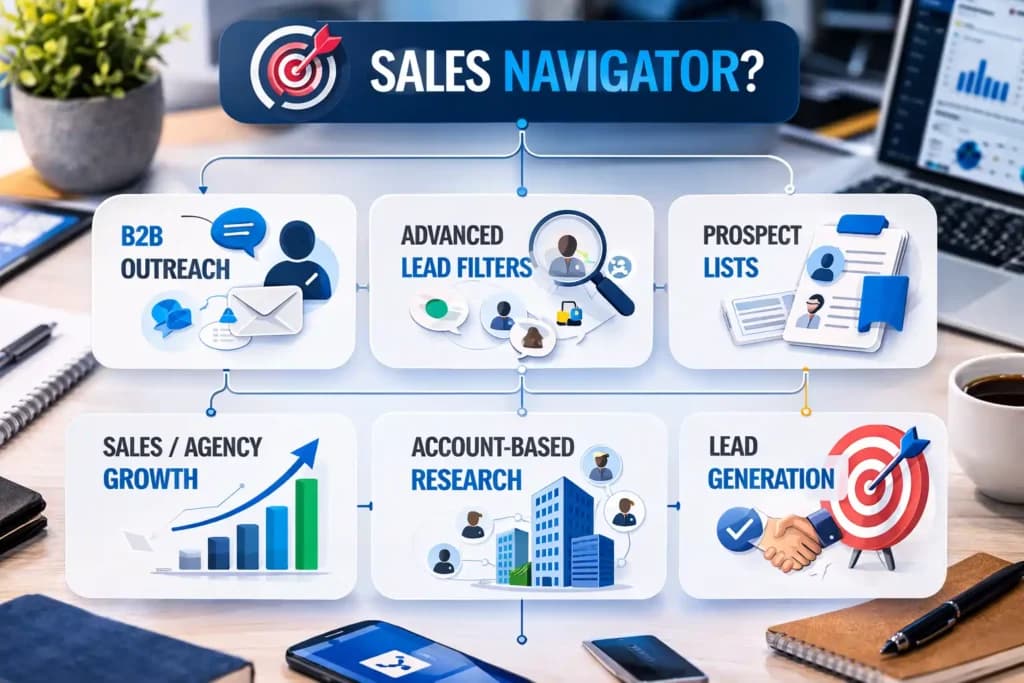
- You do B2B outreach often
If contacting prospects is something you do regularly, Sales Navigator is usually the better fit. It helps make outreach more targeted and supports a workflow built around finding and approaching the right people. - You need advanced lead filters
If you want to narrow down prospects based on role, company type, industry, size, or other business details, Sales Navigator is much stronger. It is built for users who need more precision than basic LinkedIn search can offer. - You build prospect lists
If list building is part of your sales process, Sales Navigator gives you a more organized way to save, manage, and return to the right leads. This is especially useful when you work with ideal customer profiles or target account lists. - You work in sales or agency growth
If your work depends on finding clients, building pipeline, or creating repeatable outreach systems, Sales Navigator fits better. It is designed more for revenue-focused teams than for general professional networking. - You want account-based research
If you research companies first and then identify the people inside those companies, Sales Navigator is a stronger option. It supports a more structured account-based approach instead of broad profile browsing. - You need a tool for lead generation, not just networking
If your main goal is to generate opportunities and not just make connections, Sales Navigator is usually the better choice. It is built for prospecting and pipeline support, while Premium is better for visibility and broader networking.
Choose Recruiter Lite if:
- You are hiring, not selling
If your goal is to find candidates instead of clients, Recruiter Lite is a more suitable option. It is made for recruiting workflows, while Sales Navigator is built for sales use cases. - You need candidate sourcing
If you regularly search for potential hires and want a tool that supports candidate discovery, Recruiter Lite makes more sense. It is better aligned with talent search than with business prospecting. - Your hiring volume is low to moderate
If you hire occasionally or run a smaller hiring process, Recruiter Lite can be a practical fit. It is often suitable for businesses or recruiters who do not need a large-scale recruiting platform. - You want a recruiting tool rather than a sales tool
If your day-to-day work is about talent acquisition, Recruiter Lite is the clearer choice. It is built around candidate search and hiring needs, not lead generation or outreach to buyers.
A good buying question is not “Which LinkedIn plan is best?”
A better question is: “What do I want LinkedIn to help me do every week?”
That one question usually makes the answer obvious.
Also Read – LinkedIn Sales Navigator vs Apollo: Which Tool Works Better?
Get LinkedIn Premium, Sales Navigator, and More at a Huge Discount from PremiumToolsHub
If you want premium tools at a much lower price, PremiumToolsHub is a website that provides all premium tools at a huge discounted price with proper payment invoice and full support. Whether you need LinkedIn Premium, Sales Navigator, Recruiter Lite, ChatGPT, Gemini, Canva, Notion, or other premium subscriptions, you can explore plans at premiumtoolshub.in and choose the one that fits your needs and budget.
Why Choose PremiumToolsHub?
- Huge discounts on premium tools
- Proper payment invoice
- Full customer support
- Multiple premium subscriptions in one place
- Easy option for individuals, freelancers, agencies, and teams
Final Verdict: LinkedIn Premium or Sales Navigator?
There is no single winner for everyone.
If your goal is career growth, recruiter visibility, networking, and general professional reach, LinkedIn Premium is usually the better fit. LinkedIn’s official Premium pages support that use case clearly.
If your goal is B2B prospecting, lead generation, account targeting, and sales outreach, Sales Navigator is usually the better fit. LinkedIn’s own sales pages frame it around exactly those jobs.
If your goal is hiring candidates, neither Premium nor Sales Navigator is the best match. That is where Recruiter Lite comes in.
So the best answer to linkedin premium vs sales navigator is this:
- For job seekers: LinkedIn Premium
- For general networking and business presence: Premium Business
- For B2B sales and agencies: Sales Navigator
- For hiring: Recruiter Lite
The right plan is the one that matches your daily goal, not the one with the longest feature list.
Frequently Asked Questions
1. What is the difference between LinkedIn Premium and Sales Navigator?
LinkedIn Premium is mainly for career growth, visibility, networking, and general business use. Sales Navigator is mainly for lead generation, account research, and B2B sales prospecting. LinkedIn’s official product pages present them in these different roles.
2. Is Sales Navigator better than Premium Business?
For lead generation and B2B outreach, yes, Sales Navigator is usually better. For credibility, profile strength, and broad networking, Premium Business can be enough.
3. Which LinkedIn plan is best for job seekers?
LinkedIn Premium, especially Premium Career, is usually the better choice because it is built around jobs, recruiter access, and career support.
4. Is Sales Navigator good for lead generation?
Yes. LinkedIn’s sales pages position it around advanced lead search, buyer insights, prospect discovery, and sales efficiency. That makes it one of the more relevant LinkedIn tools for structured lead generation.
5. What is the best LinkedIn plan for B2B?
For most B2B prospecting and outreach workflows, Sales Navigator is the best LinkedIn plan for B2B because it is built around advanced targeting and sales workflow support.