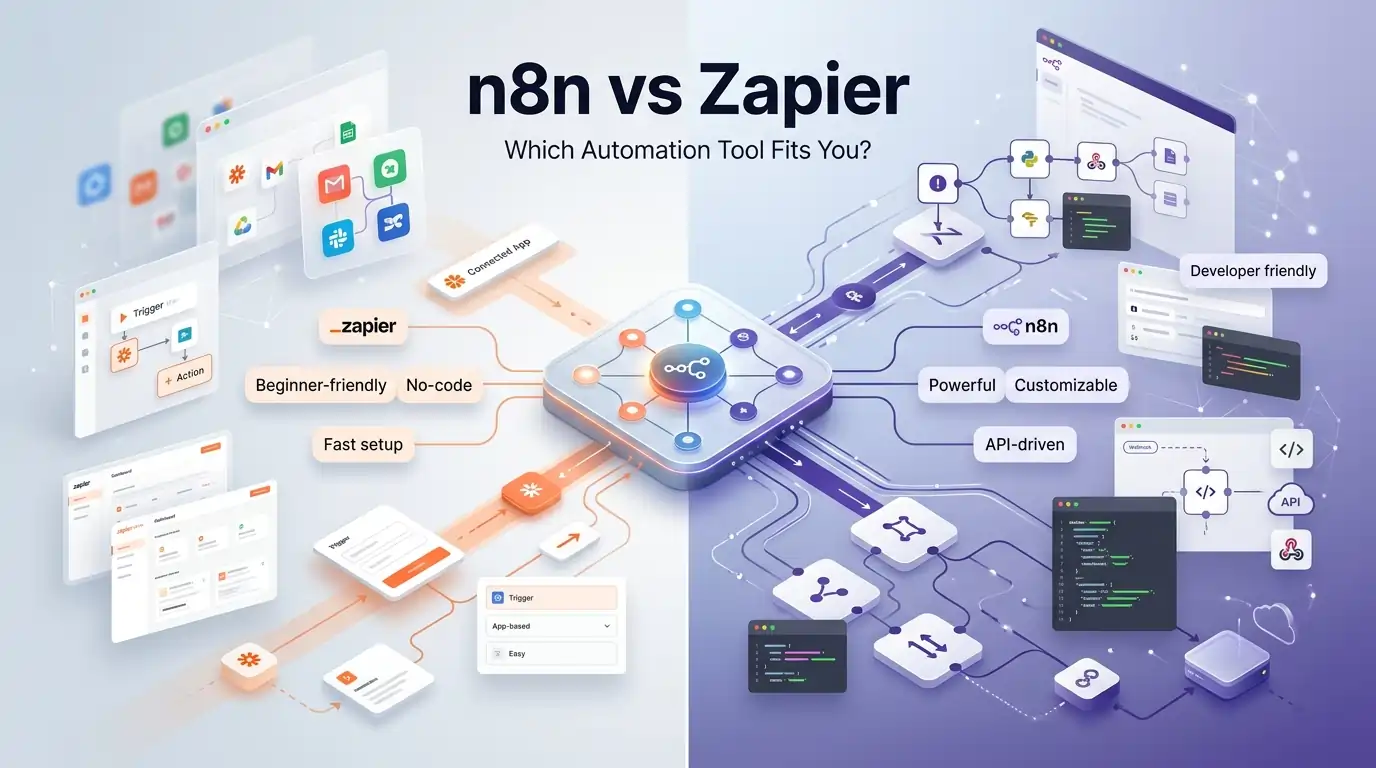
Are you spending hours every week doing the same tasks over and over – copying data, sending emails, updating spreadsheets, notifying your team? There is a better way. Automation tools like n8n vs Zapier can handle all of that for you automatically, in the background, while you focus on work that actually moves the needle.
But which one should you pick? That is exactly what we are going to answer today. This complete Automation Tools Comparison covers – across features, pricing, AI integrations, security, and real-world use cases – so you can make the right call without wasting money or time.
Let’s dive in.
What is Automation & Why Does It Matter in 2026?
What is Workflow Automation?
Workflow automation means using software to handle tasks that would normally require a human to do manually. Instead of you logging into five different apps every morning and moving data around, an automation tool connects them and does the work for you – automatically.
For example:
- Every time a new lead fills your contact form, it gets added to your CRM instantly
- When a customer pays an invoice, a welcome email goes out automatically
- When a task is completed in Trello, your team gets a Slack notification right away
You set it up once, and it runs in the background forever.
Why Businesses Are Replacing Manual Tasks with Automation Tools
In 2026, time is the most valuable resource any business has. Teams that automate repetitive work save hundreds of hours every month. They also make fewer mistakes because automation does not forget steps or get tired.
Here is why automation is growing so fast:
- It removes human error from data entry and reporting
- It helps small teams do the work of much larger teams
- It connects your apps without needing a developer every single time
- It scales with your business without requiring extra headcount
- It runs 24/7, even when your team is offline
Also Read – Notion Premium Subscription Service for Teams & Individuals
Who Should Use Automation Tools?
Almost any business or professional can benefit, but these groups see the biggest impact:
Freelancers –
If you are a freelancer, a big chunk of your time goes into tasks that have nothing to do with your actual work – sending project updates, following up on unpaid invoices, onboarding new clients with the same welcome email every single time. Automation tools take all of that off your plate. You set up a workflow once, and every new client goes through the same smooth process automatically. You look more professional, and you get your time back.
Agencies –
Agencies are one of the biggest users of automation tools – and for good reason. When you are managing workflows for 10, 20, or 50 clients at the same time, doing things manually is simply not possible. Automation lets you handle lead tracking, client reporting, task assignments, and notifications across all your clients without adding more people to your team. The right tool can genuinely replace 2–3 hours of daily manual work across the agency.
Startups –
Startups run on speed and limited resources. You cannot afford to hire a large operations team when you are still finding product-market fit. Automation tools let a small team of 3–5 people do the work that would normally take 10. Whether it is moving leads through a sales funnel, syncing data between tools, or sending onboarding emails – automation keeps things running while the team focuses on building and growing.
E-Commerce Businesses –
E-commerce is high-volume by nature. Orders, refunds, shipping updates, review requests, abandoned cart reminders – these happen hundreds of times a day. Doing any of this manually is not just slow, it is a recipe for mistakes. Automation tools connect your store, your payment gateway, your warehouse, and your customer communication into one smooth system that runs without you touching it.
Content Creators –
Content creators wear too many hats – writing, filming, editing, posting, analyzing, and then doing it all over again. Automation helps by taking care of the distribution and tracking side of things. You can schedule posts across platforms, repurpose a single piece of content into multiple formats automatically, collect performance data into one dashboard, and get weekly reports sent to your inbox – all without lifting a finger after the initial setup.
Developers –
Developers love automation tools – especially n8n – because they are not limited to pre-built templates. You can write custom JavaScript or Python directly inside your workflows, call any API, build complex conditional logic, and connect tools that have no native integration anywhere. For developers, automation tools become a powerful low-overhead way to build internal tools, data pipelines, and product features without spinning up a full backend service.
Also Read – What Is Lovable AI? The AI Web Engineer That Builds Apps for You
🔥 LinkedIn Premium Business Plan 12 Months
Original Price ₹23,000 • Get it ₹8XXX
🤖 Gemini AI Advanced Pro Plan
Original Price ₹19,500 • Get it ₹8XXX
💼 LinkedIn Sales Navigator Core
Original Price ₹80,000 • Get it ₹2XXXX
🎨 Canva Pro Lifetime Access
Original Price ₹3,999 • Get it ₹4XX
📚 Coursera Plus Annual Plan
Original Price ₹33,000 • Get it ₹2XXX
✨ Adobe Creative Cloud All Apps
Original Price ₹59,000 • Get it ₹4XXX
What is Zapier? – Overview, History & How It Works
What Makes Zapier a No-Code Automation Leader?
Zapier was founded in 2011 and has grown into the most popular no code automation tool in the world. Today it supports over 7,000 app integrations, making it the largest ecosystem in the automation space.
The biggest selling point of Zapier is simplicity. You do not need to write a single line of code to connect two apps and automate a task. If you can use a smartphone, you can use Zapier – it is that simple.
How Zapier Works: Zaps, Triggers & Actions Explained
Zapier calls its automated workflows “Zaps.” Every Zap has two core parts:
- Trigger – the event that starts the automation (e.g., a new email arrives, a form is submitted, a new row is added to Google Sheets)
- Action – what happens in response (e.g., add a contact to HubSpot, send a Slack message, create a Notion page)
You can also add filters, delays, formatters, and multi-step actions inside a single Zap, making your workflows more powerful over time.
Example Zap:
New form submission in Typeform → Add contact to HubSpot CRM → Send welcome email via Gmail → Post notification to Slack
Who Uses Zapier?
Zapier works best for:
- Small business owners with no technical background
- Marketing teams connecting tools like Mailchimp, HubSpot, and Salesforce
- Operations managers automating internal processes
- SaaS companies building automated customer onboarding journeys
What is n8n? – The Open-Source Zapier Alternative
What Makes n8n Different from Other Automation Tools?
n8n (pronounced “n-eight-n”) is one of the most powerful Open Source Automation Tools available today, launched in 2019. What makes it genuinely different is that you can self-host it – meaning you run it on your own server, and your data never has to leave your infrastructure.
n8n gives you complete control. You can build complex workflows, write custom JavaScript or Python inside nodes, create loops and conditional logic, and connect to any API – even ones that have no pre-built integration available anywhere.
How n8n Works: Nodes, Workflows & Self-Hosting Explained
In n8n, everything is a node. There are three main types:
- Trigger nodes – start the workflow when something happens
- Action nodes – perform tasks like sending emails, updating databases, or calling APIs
- Logic nodes – add conditions (IF/ELSE), loops, and data transformations
You connect nodes visually using a drag-and-drop canvas. It looks similar to a flowchart, and you can see exactly how data moves through your workflow at every step.
n8n can be deployed in two ways:
- n8n Cloud – managed hosting by the n8n team, no server setup needed
- Self-hosted – install on your own VPS, Docker container, Raspberry Pi, or platforms like Railway or Render
Who Should Use n8n?
n8n is a perfect fit for:
- Developers who want full flexibility and control
- Agencies handling complex, high-volume automation for clients
- Businesses dealing with sensitive data who need self-hosting for compliance
- Teams that want to avoid growing Zapier bills as they scale
Also Read – How to Use Notion for Project Management
🔥 LinkedIn Premium Business Plan 12 Months
Original Price ₹23,000 • Get it ₹8XXX
🤖 Gemini AI Advanced Pro Plan
Original Price ₹19,500 • Get it ₹8XXX
💼 LinkedIn Sales Navigator Core
Original Price ₹80,000 • Get it ₹2XXXX
🎨 Canva Pro Lifetime Access
Original Price ₹3,999 • Get it ₹4XX
📚 Coursera Plus Annual Plan
Original Price ₹33,000 • Get it ₹2XXX
✨ Adobe Creative Cloud All Apps
Original Price ₹59,000 • Get it ₹4XXX
n8n vs Zapier – Head-to-Head Feature Comparison
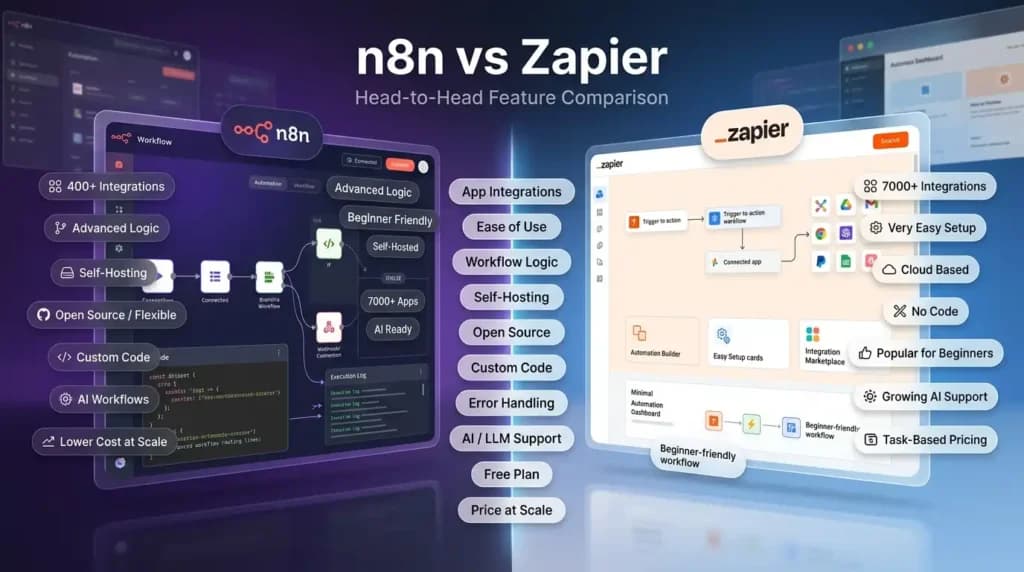
Let’s put both tools side by side on the features that matter most. This Zapier vs n8n features breakdown will help you quickly see where each tool wins and where it falls short.
| Feature | n8n | Zapier |
| App Integrations | 400+ native + any REST API | 7,000+ native integrations |
| Ease of Use | Medium (small learning curve) | Very Easy (beginner-friendly) |
| Workflow Logic | Advanced – loops, conditions, code | Basic to Moderate |
| Self-Hosting | Yes (free forever) | No (cloud only) |
| Open Source | Yes | No |
| Custom Code Inside Workflows | Yes (JS & Python) | Very Limited |
| Error Handling | Advanced with error trigger nodes | Basic |
| AI / LLM Native Support | Deep (OpenAI, Claude, Gemini, local) | Growing (via app integrations) |
| Free Plan | Unlimited workflows (self-hosted) | 100 tasks/month |
| Price at Scale | Very Low (especially self-hosted) | Gets Expensive Fast |
Which Tool Has More App Integrations?
Zapier wins on sheer number – over 7,000 app integrations vs n8n’s ~400 native ones. But here is an important nuance: n8n lets you connect to any REST API using its HTTP Request node. So in practice, the gap is much smaller than it looks.
If you need a very specific niche app – like a lesser-known Indian SaaS tool or a hyper-specific CRM – Zapier is more likely to have it ready to go without custom setup.
Which is Easier to Use – n8n or Zapier?
Zapier is easier for complete beginners. The interface is clean, guided, and you can set up your first working automation in under 10 minutes without watching a single tutorial.
n8n has a slightly steeper learning curve, especially for non-developers. But once you understand how nodes and connections work, it becomes incredibly flexible. Most non-developers get comfortable within a few days.
Which Tool Offers Better Workflow Logic?
n8n is the clear winner. It supports:
- Full IF/ELSE conditional branching
- Loop nodes to repeat actions on lists of items
- Custom JavaScript and Python code inside any node
- Sub-workflows (one workflow calling another)
- Dedicated error trigger nodes to handle failures gracefully
Zapier has improved with “Paths” and “Filters,” but it still cannot match n8n when you need complex, multi-step logic.
Which Platform Handles Error Management Better?
n8n. You can set up dedicated Error Workflows that trigger whenever something goes wrong in a main workflow. This means your team gets notified, the data gets logged, and the failure does not silently disappear.
Zapier does send email alerts for failed Zaps, but the recovery and logging options are more limited.
Where Can You Run Each Tool?
- Zapier runs only on the cloud. Every piece of data that flows through your automation passes through Zapier’s servers.
- n8n can run on the cloud or entirely on your own infrastructure – a very affordable VPS server is all you need.
Also Read – How to Use Superhuman for Faster Email
🔥 LinkedIn Premium Business Plan 12 Months
Original Price ₹23,000 • Get it ₹8XXX
🤖 Gemini AI Advanced Pro Plan
Original Price ₹19,500 • Get it ₹8XXX
💼 LinkedIn Sales Navigator Core
Original Price ₹80,000 • Get it ₹2XXXX
🎨 Canva Pro Lifetime Access
Original Price ₹3,999 • Get it ₹4XX
📚 Coursera Plus Annual Plan
Original Price ₹33,000 • Get it ₹2XXX
✨ Adobe Creative Cloud All Apps
Original Price ₹59,000 • Get it ₹4XXX
n8n vs Zapier Pricing Comparison – How Much Does Each Cost?
How Much Does Zapier Cost?
Zapier pricing is based on “tasks” – every time an action fires inside a Zap, it counts as one task. The more your automations run, the more you pay.
| Plan | Pricing | Tasks/Month |
| Free | Free forever | Limited tasks |
| Starter | Affordable / Starts low | Small volume |
| Professional | Mid-range | Moderate volume |
| Team | Higher tier | Moderate + collaboration |
| Company | Custom (contact sales) | Unlimited |
The problem with this model is that costs scale quickly. A busy agency or e-commerce store running many automations can easily hit $300–$500/month on Zapier alone.
How Much Does n8n Cost?
n8n Pricing is one of its biggest advantages – it offers a free self-hosted option for those who want full control, and affordable cloud plans for teams that prefer a managed setup, so there is a plan that fits almost every budget.
| Plan | Pricing | What You Get |
| Community (Self-hosted) | Free forever | Unlimited workflows & executions |
| Starter (Cloud) | Starts low | Good for small teams |
| Pro (Cloud) | Mid-range | High volume executions |
| Enterprise | Custom (contact sales) | SSO, advanced security, SLA |
Which is Cheaper for High-Volume Workflows?
For high-volume users, n8n is dramatically cheaper – or practically free if you self-host. A set of workflows running at high volume would cost significantly more on Zapier. On n8n self-hosted, your only cost is a basic VPS server – which is very affordable.
Why n8n Can Save Up to 90% Compared to Zapier for Growing Teams
Many agencies and startups have reported switching from high Zapier monthly bills to n8n self-hosted at a fraction of the cost. That kind of saving – sometimes over 90% – is real money that goes back into the business.
n8n vs Zapier for Agencies – Which is Better?
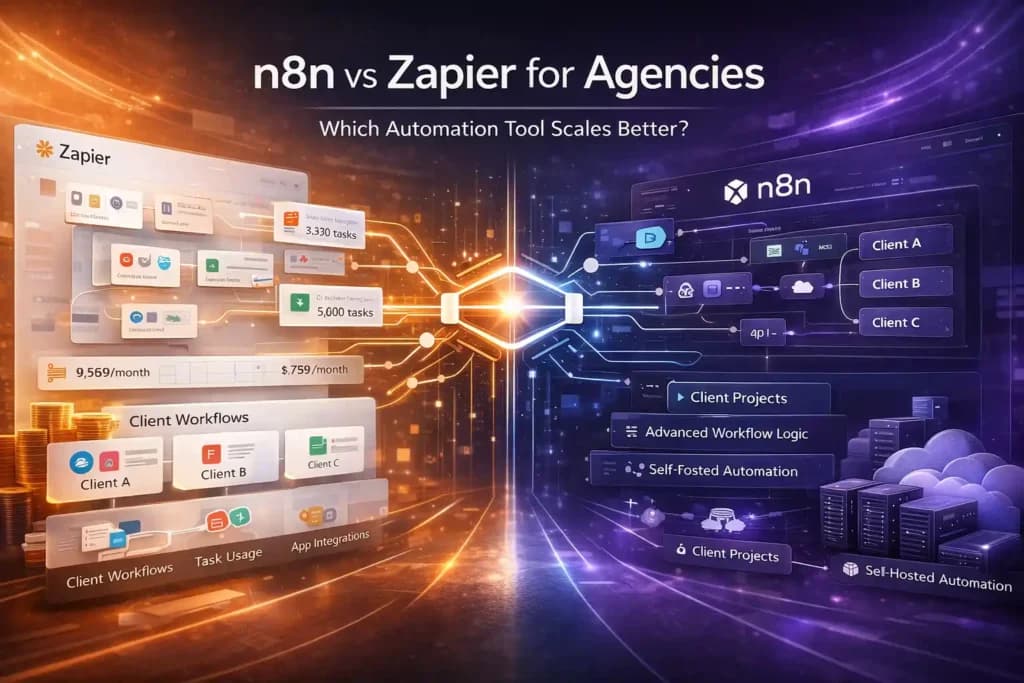
Why Agencies Are Switching from Zapier to n8n
Agencies often run dozens – sometimes hundreds – of workflows for their clients. On Zapier, this translates into thousands of tasks per month and a bill that keeps growing. Many agencies share that their Zapier cost became their single biggest software expense over time.
n8n solves this with the self-hosted model. You pay a flat infrastructure cost, and your workflow volume does not increase your bill.
How Agencies Manage Client Workflows on –
When it comes to managing client workflows, both tools take a very different approach. On Zapier, each client typically needs a separate account, which means you end up juggling multiple logins, billing plans, and dashboards – making centralized management and oversight quite tricky as your client list grows.
On n8n, however, you can create separate projects or environments for each client within a single instance, keeping everything neatly organized under one roof. For an agency handling multiple clients at once, that difference alone can save hours every week.
Which Tool Scales Better for Agency Use Cases?
For agencies, n8n is the better long-term choice – especially once you cross 10 or more active client workflows. The cost savings, workflow complexity support, and self-hosting flexibility make it the smarter investment as the agency grows.
n8n vs Zapier for Startups – Best Automation Tool to Start With
Why Startups Choose Zapier to Get Started Quickly
Zapier is a natural first choice for early-stage startups that:
- Have no developer on the founding team
- Need to connect tools and start moving in hours, not days
- Are still experimenting with their tech stack and changing tools frequently
The simplicity means a non-technical co-founder can set up automation on their own without pulling in a developer.
Why Funded or Technical Startups Prefer n8n
Once a startup grows and starts thinking seriously about data privacy, cost control, and complex product workflows, n8n becomes very attractive. Technical startups love it because:
- Developers can write code directly inside workflow nodes
- Data stays on your own servers – important for GDPR, HIPAA, and investor due diligence
- You can build integrations that do not exist anywhere else
- There is no per-task pricing model eating into your runway
What to Consider Before Choosing as a Startup
Before making a decision about the best automation tool for startups, ask yourself:
- Do I have a developer on the team? → n8n is a strong option
- Am I in the idea stage and just need speed? → Start with Zapier’s free plan
- Will I run more than 5,000 tasks per month? → n8n will save you money
- Do I handle sensitive customer data? → n8n self-hosted gives better control
Also Read – Microsoft 365 and LinkedIn Premium Free for Students
Did You Know? n8n is built on a fair-code license, which means you can self-host it completely free and use it for personal or business workflows without paying a single rupee in subscription fees. Most people do not realise that one of the most powerful automation tools in the world can be running on your own server at virtually zero cost.
AI & LLM Integration – Which Tool Connects Better with AI Platforms?
This is one of the most critical sections for 2026 because AI is now part of almost every modern business workflow.
How Zapier Integrates with ChatGPT, Claude & Google Gemini
Zapier has added integrations with several major AI platforms:
- ChatGPT / OpenAI – for text generation, summarization, and classification
- Google Gemini – for AI-assisted responses and data processing
- Anthropic Claude – available via Zapier’s app ecosystem
- Zapier AI Actions – allows AI agents to trigger Zaps through natural language
These integrations are easy to use and work well for common tasks. The limitation is that customization is restricted to what Zapier’s pre-built nodes support.
How n8n Connects with OpenAI, Anthropic, HuggingFace & Local LLMs
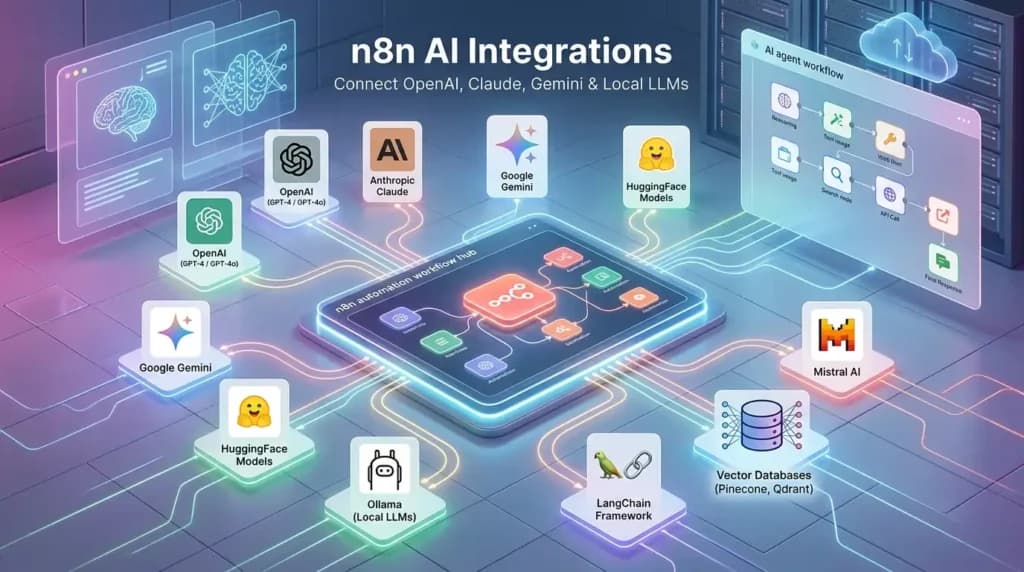
n8n has built deep, native AI support that covers a wide range of platforms:
| AI Platform | n8n Support |
| OpenAI (GPT-4, GPT-4o) | Native Node |
| Anthropic Claude | Native Node |
| Google Gemini | Native Node |
| HuggingFace Models | Native Node |
| Ollama (Local LLMs) | Run locally, no API cost |
| Mistral AI | Supported |
| LangChain Framework | Deep Integration |
| Vector Databases (Pinecone, Qdrant) | Native Support |
n8n’s AI Agent node lets you build autonomous AI agents that can reason, use tools, search for information, and complete multi-step tasks – all inside a visual workflow canvas.
Which Tool is Better for Building AI-Powered Workflows in 2026?
For anyone building AI-powered workflows, n8n is clearly stronger in 2026. With n8n you can:
- Build RAG (Retrieval-Augmented Generation) pipelines to chat with your own documents
- Connect to vector databases like Pinecone or Qdrant for semantic search
- Create AI chatbots with long-term memory
- Build multi-agent workflows where different AI models collaborate on a task
- Use local LLMs via Ollama – no API costs, full privacy
n8n vs Zapier for AI Agents – Who Wins?
n8n wins for AI agents. Its LangChain integration and native agent nodes let you build complex, reasoning AI agents that can search the web, write code, call APIs, and chain multiple AI models – all triggered by a webhook or schedule. This is the kind of powerful AI automation that agencies and product teams are building right now.
Zapier Alternatives – Other Tools Worth Considering
Sometimes neither tool is the right fit. Here is a quick automation tools comparison to help you decide between the top options.
Make (Integromat) vs Zapier vs n8n – Quick Comparison
| Tool | Best For | Pricing Style |
| Zapier | Beginners, quick setups, huge app library | Per task, gets expensive |
| n8n | Developers, agencies, AI workflows, data privacy | Free self-hosted, flat cloud plans |
| Make | Visual complex workflows at a mid-price point | Per operation, more affordable than Zapier |
Other No-Code Automation Tools to Know About
If you are looking beyond these two, here are more no code automation tools worth considering:
- Pabbly Connect – very affordable, one-time pricing option available, popular in India
- Activepieces – open-source, growing fast, clean UI, good Zapier alternative for beginners
- Pipedream – developer-first, excellent for API integrations and serverless workflows
- Relay.app – focused on human-in-the-loop workflows where a person approves steps
When Should You Look Beyond Zapier and n8n?
It really comes down to your specific situation. If monthly subscriptions do not work for your budget and you want a one-time payment, Pabbly Connect is a solid option that is especially popular among Indian businesses. If you like the idea of open-source but find n8n a little too complex to start with, Activepieces gives you a cleaner and simpler experience without sacrificing flexibility.
Developers who prefer writing code over dragging nodes will feel right at home with Pipedream, which is built around a code-first approach and works great for API-heavy workflows. And if your business runs processes where a real person needs to review and approve a step before things move forward, Relay.app is designed exactly for that kind of human-in-the-loop automation.
Also Read – Notion vs ClickUp – Best Project Management Tool?
Security, Privacy & Compliance – Where Does Your Data Go?
This question matters far more than most people realise when choosing an automation tool.
How Zapier Handles Your Data (Privacy & GDPR)
Zapier is a cloud-only platform. All workflow data – the content of emails, form submissions, CRM records, customer information – passes through Zapier’s servers to execute each step.
Zapier is GDPR compliant and follows strong security practices including SOC 2 Type II certification. But the core point remains: your data leaves your servers and passes through a third-party platform every single time.
Why n8n Self-Hosting Gives You Full Data Control
When you self-host n8n on your own server, your workflow data never leaves your own infrastructure. No third party ever touches it. This is critical for:
- Healthcare businesses handling patient records
- Legal firms managing confidential client documents
- Fintech startups dealing with financial data
- Any business operating under GDPR, HIPAA, or similar regulations
Which is More Secure for Enterprise & Sensitive Workflows?
For enterprise and compliance-sensitive businesses, n8n self-hosted is the clear winner. It offers:
- Full data sovereignty – your servers, your rules
- Role-based access control (RBAC) for team permissions
- Detailed execution logs for audit trails
- Option to run completely air-gapped with no internet connection
- SSO (Single Sign-On) support on enterprise plan
Real-World Use Cases – How People Use n8n & Zapier
How to Automate Lead Generation with Zapier
Here is a simple lead gen automation that any non-technical person can set up on Zapier:
- The visitor fills a contact form on your website – The moment someone submits your contact or lead form, this becomes the trigger that starts the entire automation. No manual checking required – Zapier picks it up instantly.
- Zapier triggers and adds the lead to HubSpot CRM – Zapier automatically creates a new contact in your HubSpot CRM using the form data. The lead’s name, email, and any other details are mapped and saved without you doing anything.
- A personalised welcome email is sent from Gmail – A welcome email goes out from your Gmail account immediately, addressed to the lead by name. It feels personal, but it is 100% automated behind the scenes.
- The lead is posted to a Slack channel for the sales team – Your sales team gets a real-time Slack notification with the lead’s details the moment they come in. No one has to keep refreshing a dashboard or waiting for a daily report.
- A follow-up task is created automatically in Asana – A follow-up task is added to Asana and assigned to the right team member so the lead never slips through the cracks. Everything is tracked and accountable from day one.
All of this happens in under 30 seconds, without anyone touching a thing.
How to Build a CRM Automation Workflow in n8n
Here is a more advanced workflow built in n8n:
- A webhook receives new lead data from your website
- n8n checks if the contact already exists in your CRM (IF node)
- If the lead is new → create a contact in Pipedrive
- Call the OpenAI node to generate a personalised outreach message based on the lead’s data
- Send the personalised email via Gmail
- Log the activity and AI-generated message in a Google Sheet
This kind of multi-step, AI-assisted, logic-driven workflow is where n8n genuinely shines and Zapier starts to feel limited.
How Content Creators Use Automation Tools
Content creators are some of the biggest beneficiaries of automation. Instead of manually posting the same content across multiple platforms, you can write once in a Notion database and let automation publish it to Twitter, LinkedIn, and Instagram automatically – all at the right time, without you logging into each app. If you create videos, automation can take your YouTube video transcript, pass it through an AI node, and turn it into a ready-to-publish blog post in minutes.
On top of that, you can set up a workflow that tracks your content performance metrics across platforms and delivers a clean weekly summary straight to your inbox – so you always know what is working without digging through multiple dashboards. And every piece you publish gets automatically saved into a content archive in Airtable, giving you a searchable library of everything you have ever created.
How E-Commerce Brands Automate with n8n and Zapier
E-commerce businesses love automation because the use cases are so high-volume:
- Send abandoned cart emails automatically after 1 hour
- Sync product inventory between Shopify and a supplier spreadsheet
- Create a support task when a customer initiates a return
- Send post-purchase review request emails exactly 7 days after delivery
- Notify the warehouse team via WhatsApp when a new bulk order arrives
Also Read – Superhuman vs Gmail – Which Is Faster for Email?
Did You Know? Zapier charges you every single time an action fires inside a workflow – this is called a “task.” So if you have 10 automations running 500 times a day, your task count adds up faster than most people expect. This is the exact reason why growing businesses start looking for Zapier alternatives like n8n once their automation volume picks up.
Which is Better – n8n or Zapier? Final Verdict
After comparing everything above, the most common question people ask is: which is better n8n or Zapier? Honestly, both tools are excellent – but for very different people and situations. Here is the straightforward answer: it depends on who you are and what you need.
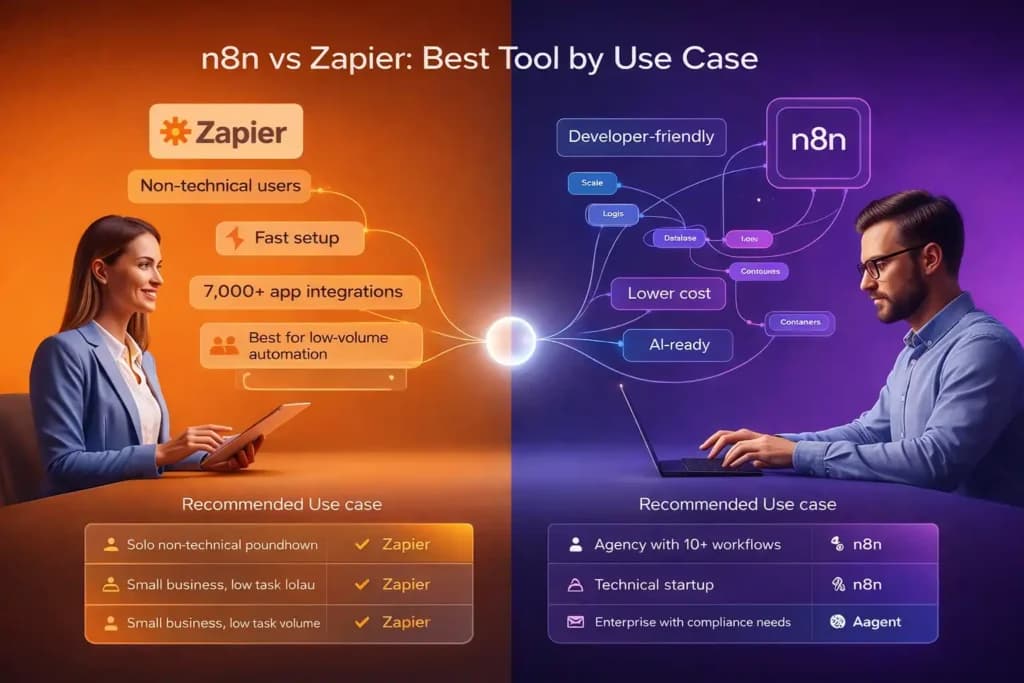
Choose Zapier If…
- You are non-technical and want something that just works out of the box
- You need access to 7,000+ native app integrations immediately
- You are an early-stage startup moving fast with no developer
- Automation volume is low and pricing is not a concern right now
- You need to hand over workflows to a non-technical team member
Choose n8n If…
- You are a developer or have technical people on your team
- You want to cut costs significantly as automation volume grows
- You need self-hosting for data privacy, GDPR, or compliance
- You are building AI-powered or LLM-connected workflows
- You run an agency managing workflows for multiple clients
Our Recommendation Based on Your Use Case & Budget
| Your Situation | Best Tool |
| Solo non-technical founder | Zapier |
| Agency with 10+ active client workflows | n8n |
| Technical startup with a developer | n8n |
| Small business, low task volume | Zapier Free Plan |
| Enterprise with compliance requirements | n8n Self-hosted |
| Building AI agent workflows | n8n |
| Need one-time pricing, tight budget | Pabbly Connect |
Frequently Asked Questions (FAQ)
Is n8n completely free?
Yes – the self-hosted version of n8n is completely free and open-source. You can run unlimited workflows with no task limits and no usage fees. The only cost is the server you run it on, which is very affordable on platforms like DigitalOcean, Hetzner, or Railway.
Can n8n replace Zapier?
Yes, in most cases n8n can fully replace Zapier – especially for technical users and agencies. The one scenario where Zapier has an edge is if you need a very specific niche app integration that n8n does not have natively. But even then, n8n’s HTTP Request node can often connect to the same app via its API.
Is Zapier worth the price?
For small teams running low-volume workflows, Zapier is absolutely worth it. The ease of use saves hours of setup time. However, as your task volume grows beyond a few thousand per month, the pricing model becomes hard to justify when n8n self-hosted achieves the same results for a fraction of the cost.
Which automation tool is best for beginners?
Zapier is the best choice for beginners. Its interface is clean and guided, there are thousands of ready-made templates, and you can go from zero to a working automation in under 10 minutes – no technical knowledge required.
Does n8n work without coding?
Yes – the vast majority of n8n workflows require zero coding. You configure everything visually by connecting and setting up nodes. The option to write JavaScript or Python inside nodes is there for advanced users who need it, but it is never required for standard automation tasks.
What is the best free Zapier alternative?
n8n (self-hosted) is the best free alternative for technical users who want power and flexibility. For non-technical users looking for a simpler free option, Activepieces is a growing open-source alternative with a cleaner interface.
Get Premium Automation Tools at a Discounted Price
Now that you know which tool is right for you, the next step is getting access – without burning a hole in your pocket.
If you are looking for n8n, Zapier, or any other premium tool at a heavily discounted price, Premium Tools Hub is the place to go. It is a trusted vendor and reseller platform where you can get access to top premium tools at a fraction of their original cost – with a proper payment invoice and full support included.
Whether you are a freelancer just starting out, an agency scaling up, or a startup watching every rupee – Premium Tools Hub makes sure you get the tools you need without overpaying for them. Every purchase comes with genuine support so you are never left stuck after buying.
Visit – premiumtoolshub.in and get your premium tools today at the best price.
Conclusion – Stop Overpaying for Automation in 2026
Whether you end up choosing n8n or Zapier, the most important thing is to start automating. Both tools will save you real time, reduce mistakes, and help your business grow in ways that manual work simply cannot.
If you are just starting out and want something that works immediately, Zapier is your first move. If you are ready to take full control, save serious money, and build powerful AI-connected workflows, n8n is where the future is heading.
And the best part? You do not have to commit forever. Start with Zapier’s free plan. When you hit the limits – or when the bill starts to hurt – migrating to n8n is entirely possible. Many growing businesses have done exactly that.
Stop doing repetitive work by hand. Pick a tool today, set up your first workflow, and get your time back.