If you have ever spent hours on a design – only to feel like the tool you were using was working against you – you are not alone. Choosing the wrong software can slow you down, drain your budget, and limit what you can actually create. Choosing the right one, on the other hand, can completely change how fast you work and how good your results look.
The good news is that 2026 is one of the best years to be a designer – or someone who needs to create great visuals without being a professional designer. There are now more options, more AI-powered features, and more affordable choices than ever before.
This guide covers the best graphic design tools available today. Whether you are a complete beginner, a freelancer managing client projects, an agency scaling a creative team, or a startup trying to build a brand on a tight budget – you will find exactly what you need here.
We have compared ten of the top design software options in 2026 across features, use cases, collaboration capabilities, and value – so you do not have to spend weeks figuring it out yourself.
What Are Graphic Design Tools and Why Does Your Choice Matter in 2026?
Graphic design tools are software applications that help you create visual content – logos, social media posts, website layouts, presentations, video thumbnails, marketing materials, and much more.
But here is something most people overlook: not every design tool is built for the same purpose or the same person. Some tools give you pixel-level control for complex professional work. Others are built for speed and simplicity so you can go from idea to finished post in under ten minutes. Choosing the wrong one can cost you time, money, and a lot of frustration.
In 2026, the stakes of this choice are even higher for three reasons:
- AI has become part of nearly every major design tool. Features like text-to-image generation, auto-layout, background removal, generative fill, and smart resizing are now built directly into tools like Adobe Firefly, Canva Dream Lab, and Microsoft Designer. These features save hours every week.
- Remote and hybrid work has made real-time collaboration a non-negotiable. Whether you are a two-person startup or a twenty-person agency, you need software where multiple people can work together without emailing files back and forth.
- The number of options has exploded – and so has the quality gap between them. Choosing the right one from the list of top design software 2026 has never mattered more.
The best graphic design tools are no longer just about having a nice interface. They are about helping you create more, stress less, and deliver results that actually move the needle for your business or your clients.
How Has Graphic Design Software Evolved in 2026?
Not long ago, the design world was almost entirely ruled by Adobe. Photoshop and Illustrator were the only tools taken seriously in professional settings, and learning them could take years.
Then came a major shift. Browser-based tools like Canva made design accessible to people with zero training. Figma changed the way agencies and product teams collaborate on design. And now in 2026, AI has become the single biggest evolution in top design software – tools that once required hours of manual work now take minutes, because AI handles the tedious parts automatically.
The result is a design landscape that is more open and more powerful than ever. Someone with no design background can now create professional-looking content in minutes. And experienced designers can spend less time on repetitive tasks and more time on the creative work that actually requires their skills.
Also Read – Adobe Creative Cloud Pricing Guide: Plans, Costs, and Best Value in India
🔥 LinkedIn Premium Business Plan 12 Months
Original Price ₹23,000 • Get it ₹8XXX
🤖 Gemini AI Advanced Pro Plan
Original Price ₹19,500 • Get it ₹8XXX
💼 LinkedIn Sales Navigator Core
Original Price ₹80,000 • Get it ₹2XXXX
🎨 Canva Pro Lifetime Access
Original Price ₹3,999 • Get it ₹4XX
📚 Coursera Plus Annual Plan
Original Price ₹33,000 • Get it ₹2XXX
✨ Adobe Creative Cloud All Apps
Original Price ₹59,000 • Get it ₹4XXX
How to Choose the Best Graphic Design Tools: 6 Factors That Matter
With so many options available, making a decision can feel overwhelming. Here is a practical way to think about your choice before you commit to any subscription or purchase:
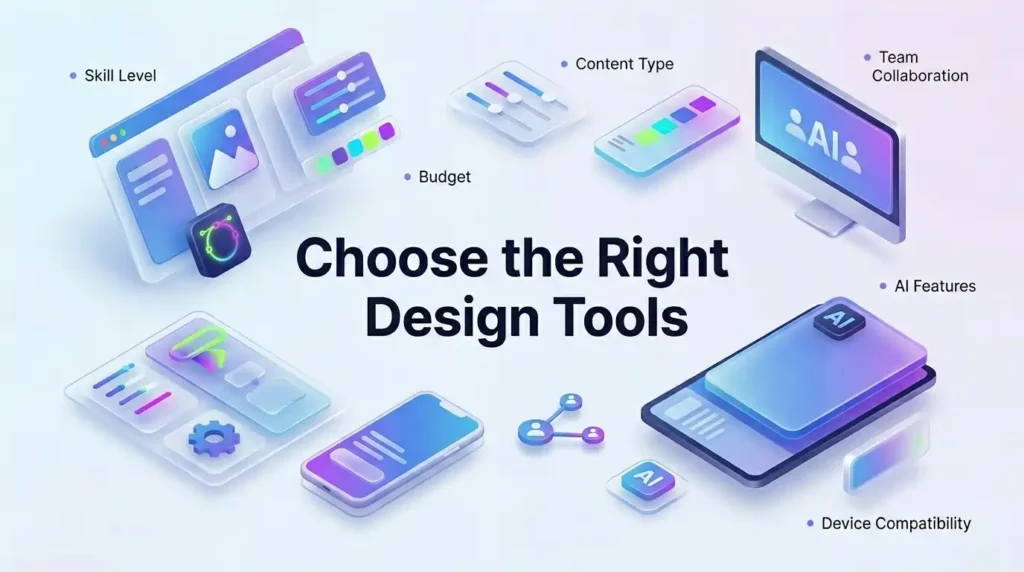
1. What is your skill level? Some tools have steep learning curves. Others are completely drag-and-drop. If you are just starting out, you want something forgiving and intuitive. If you are a professional, you probably need more control and advanced features that a beginner tool cannot offer.
2. What is your budget? Affordable design tools exist at every price point – including completely free options that are genuinely useful. But premium tools often save you enough time to more than justify their cost. Think about what you currently spend on design work versus what you could save with better software.
3. What kind of content are you creating? Social media graphics, website designs, print materials, and video content all have different requirements. A tool that is perfect for Instagram posts might not handle print-ready brochures well. Matching the tool to your content type matters more than most people realise.
4. Do you work alone or with a team? If you are working with other people, collaboration features are essential. Real-time editing, shared libraries, comment tools, and client presentation modes can save hours of back-and-forth communication every single week.
5. Do you need AI features? In 2026, AI is no longer a bonus feature – it is quickly becoming a basic expectation. Tools with strong AI capabilities help you generate ideas faster, create more variations in less time, and handle repetitive tasks automatically.
6. Which devices do you work on? Some tools are desktop-only. Some are purely browser-based. Many now offer both. Make sure the tool you choose works reliably on the devices that are already part of your everyday workflow.
Who Should Use Which Graphic Design Tool?
Before we get into detailed recommendations, here is a quick mapping to help you identify which category you fall into:
| User Type | What They Need | Best Tool Match |
| Beginners | Simple, template-driven, fast results | Canva, Adobe Express |
| Freelancers | Professional output, flexible formats | Adobe CC, Affinity Suite |
| Design Agencies | Real-time collaboration, shared systems | Figma, Adobe CC Teams |
| Startups | Brand consistency, speed, social-first | Canva Pro, Framer |
| Social Media Managers | High-volume templates, multi-platform sizing | Canva, CapCut |
| Developer-Designer Teams | Design-to-code handoff, prototyping | Figma, Framer |
Also Read – How to Use Canva Pro for Social Media Design- Beginner to Advanced
Best Graphic Design Tools for Beginners in 2026 (Easy to Learn, Powerful Results)
If you are just getting into design, the most important thing is to choose a tool where you can open it and start creating something useful in under five minutes – without watching a three-hour tutorial first.
The best graphic design tools for beginners are the ones where the learning curve feels like a gentle slope, not a wall. Here are three tools that have consistently earned that reputation, especially for anyone looking for the best tools for social media graphics and everyday visual content.
Is Canva Still the Best Free Design Tool in 2026?
Yes – and the reasons keep growing.
Canva has maintained its position at the top of the beginner market by continuously adding powerful features without making the experience more complicated. In 2026, Canva’s Magic Studio brings AI-powered design into the hands of anyone who can type a sentence. You describe what you want, and the tool generates a ready-to-use design in seconds.
What makes Canva one of the strongest graphic design tools for beginners right now:
- An enormous library of customizable templates for every platform and format you can imagine – Instagram posts, LinkedIn banners, YouTube thumbnails, presentations, flyers, menus, and hundreds more. You are never starting from a blank, intimidating canvas.
- The free plan is genuinely capable. You get access to thousands of templates, a large library of design elements, and solid export options without spending anything. Most beginners will not outgrow it for months.
- The drag-and-drop editor is as intuitive as using a mobile app. There is nothing to install, nothing to configure, and no learning required to start producing content that looks good.
- AI tools like Dream Lab and Magic Write are available in the Pro plan, turning Canva into one of the best tools for social media graphics in terms of the speed at which you can go from zero to published content.
- It works seamlessly across desktop and mobile – you can start a design on your laptop during lunch and finish it on your phone on the way home.
The free plan is a great starting point. Canva Pro adds a brand kit, premium templates, advanced AI features, a content scheduler, and team collaboration – making the upgrade feel natural as your needs grow.
What Makes Adobe Express a Strong Canva Alternative for Beginners?
Adobe Express is one of the most underestimated canva alternatives available in 2026. Many people skip it because they assume anything with “Adobe” in the name must be complicated – but Express is built on the opposite philosophy.
It is simple, browser-based, and designed specifically for fast content creation. And in 2026, it has become considerably more powerful thanks to deep Adobe Firefly integration. This means you can generate AI images, remove backgrounds, and apply generative fills right inside the tool – all without any design background.
Key reasons Adobe Express deserves serious consideration:
- Firefly AI is built directly into the editor, which means you can generate original images, expand photos, and create design elements using text prompts – features that used to require expensive professional software.
- The brand kit feature lets you lock in your brand colors, fonts, and logos from day one, so every piece of content you create stays visually consistent without extra effort.
- Because it is part of Adobe’s ecosystem, any skills you build in Express transfer naturally if you ever want to move up to Photoshop or Illustrator later.
- The free plan includes AI credits – which is something very few tools offer at no cost. This makes it one of the most generous free options among canva alternatives on the market today.
Also Read – Canva Pro vs Free: What Is the Real Difference in 2026?
🔥 LinkedIn Premium Business Plan 12 Months
Original Price ₹23,000 • Get it ₹8XXX
🤖 Gemini AI Advanced Pro Plan
Original Price ₹19,500 • Get it ₹8XXX
💼 LinkedIn Sales Navigator Core
Original Price ₹80,000 • Get it ₹2XXXX
🎨 Canva Pro Lifetime Access
Original Price ₹3,999 • Get it ₹4XX
📚 Coursera Plus Annual Plan
Original Price ₹33,000 • Get it ₹2XXX
✨ Adobe Creative Cloud All Apps
Original Price ₹59,000 • Get it ₹4XXX
Best Graphic Design Software for Freelancers and Professionals in 2026
Freelancers operate in a different world from beginners. You are delivering polished work to paying clients, handling multiple file formats, and needing software that gives you full creative control without slowing you down. The best graphic design software for freelancers needs to be professional enough to handle any job and flexible enough to fit into a solo workflow.

Here are the most recommended options for freelancers in 2026:
Adobe Creative Cloud remains the industry benchmark. When a client requests a specific file type, or when you are working on a detailed brand identity with complex typography and color work, Adobe’s suite – Photoshop, Illustrator, InDesign – gives you complete control over every element. The learning curve is real, but the output quality and professional credibility are unmatched. For freelancers who regularly take on branding, editorial design, or print projects, Adobe CC remains the most trusted investment.
Affinity Suite V2 has become the most talked-about option for freelancers in 2026 who want professional capability without a monthly subscription. The suite includes three tools – Affinity Photo (comparable to Photoshop), Affinity Designer (comparable to Illustrator), and Affinity Publisher (comparable to InDesign) – all available with a single one-time purchase. For freelancers who want industry-grade tools at a price that makes sense for a solo business, this is one of the most genuinely affordable design tools available.
Photopea deserves a special mention because it is entirely free and entirely browser-based. It opens and saves PSD files, supports layers, masks, and advanced filters, and works on any device with a browser – no installation required. For freelancers who need to edit client Photoshop files without paying for Adobe, Photopea is a remarkably capable solution.
CorelDRAW has long been a favourite among freelancers who specialise in vector illustration, signage, apparel graphics, and packaging design. Its approach to vector work is different from Illustrator but highly regarded among professionals in those specific industries.
Is Adobe Creative Cloud Worth It for Freelancers in 2026?
This is one of the most frequently asked questions in the freelance design world, and the honest answer is nuanced.
Adobe CC is worth it if:
- Your clients regularly expect industry-standard formats like .ai, .psd, .indd, or .pdf with editable layers – because those are Adobe native formats that no other tool handles as cleanly
- Your projects involve complex layered editing, advanced typography, intricate illustration, or print production work where the level of control matters
- You want access to AI-powered features like Generative Fill in Photoshop and the full range of Firefly-powered tools that are now integrated across the Creative Cloud suite
- You work with other designers who are already on Adobe, because compatibility and collaboration are much smoother within the same ecosystem
Adobe CC might not be the right choice if:
- Your work is primarily digital – social media graphics, email banners, basic marketing materials – where the additional capabilities are rarely needed
- Your freelance income is still growing and you want affordable design tools that still deliver professional quality without a heavy monthly commitment
- You work independently and do not need cross-platform file sharing with other designers
In those situations, the adobe alternatives listed below often cover the same ground at a significantly lower total cost.
Which Adobe Alternatives Are Best for Freelancers on a Budget?
If Adobe CC’s subscription cost does not fit your freelance income right now, these adobe alternatives handle most professional requirements without the monthly pressure:
- Affinity Suite V2 covers the three core areas of professional design – photo editing, vector illustration, and print layout – in a single one-time purchase. No subscription, no recurring fees, and the output quality is genuinely professional. For any freelancer doing brand and print work, this is the most practical alternative to the full Adobe suite.
- Photopea is entirely free, works in any browser, and can open and edit Photoshop files with full layer support. For freelancers who need to handle client PSD files occasionally without paying for a subscription, this is one of the most practical tools available.
- GIMP is the most feature-rich free alternative to Photoshop. It has a steeper learning curve than Photopea, but the depth of its photo editing and compositing capabilities is impressive for a tool that costs nothing.
- Vectr is a lightweight, browser-based vector editor that works well for logo creation and simple illustration. It is a good entry point for freelancers who are moving from print into digital illustration work for the first time.
Also Read – How to Use Descript for Podcast Editing
Best Design Tools for Agencies: Where Collaboration Meets Creativity
Agencies operate on a completely different scale from solo freelancers. At any given time, you might have multiple designers working on the same project, account managers reviewing work, clients leaving feedback, developers waiting for handoff files, and a creative director trying to maintain visual consistency across everything.
The best design tools for agencies are not just about what one person can do – they are about what an entire team can do together, without stepping on each other’s work.
Here is what agencies genuinely need from their software:
- Real-time multi-user editing so two or more designers can work in the same file simultaneously without creating version conflicts or overwriting each other’s work
- Shared component libraries so every designer on the team is always using the exact same approved buttons, icons, typography styles, and brand elements
- Client-facing presentation and review features so sharing work with clients is smooth, professional, and does not require exporting and emailing files
- Admin controls and user management to control who can view, edit, or export different parts of a project
- Scalable per-seat pricing that grows with the team without becoming prohibitively expensive
Why Figma Is the Top Choice for Design Agencies in 2026
Figma has become the default tool for design agencies around the world – and the reasons are not hard to understand. It was built from the start for collaboration, not adapted to it. And in 2026, the addition of AI-powered features has made it even more valuable for fast-moving teams.
Here is why Figma keeps earning the top spot among the best design tools for agencies:
- Real-time multi-user collaboration is native to Figma, not an add-on. Multiple designers can work in the same file simultaneously, see each other’s cursors, and leave comments – all without ever creating a conflict or losing work. For agencies used to the chaos of versioned files and email chains, this alone is transformative.
- Design systems and shared component libraries mean that once a design system is built, every designer on the team automatically uses the exact same approved version of every element. Brand consistency across client projects becomes automatic rather than something you have to enforce manually.
- FigJam, Figma’s whiteboard tool, allows teams to run brainstorming sessions, build project briefs, map user flows, and plan sprints – all in the same platform where the design work happens, eliminating the need for a separate tool.
- Dev Mode gives developers direct access to design specs, CSS values, and exportable assets right from the design file. The handoff process – which is historically one of the most painful parts of any agency workflow – becomes significantly faster and less error-prone.
- AI layout suggestions and content auto-fill features introduced in 2025 and 2026 are helping designers produce wireframes, variations, and first drafts in a fraction of the time it used to take.
For any agency doing UI/UX, product design, digital marketing, or branding work – Figma is currently the most complete and most collaborative tool available.
How Does Adobe Creative Cloud Teams Benefit Design Agencies?
For agencies that are already embedded in the Adobe ecosystem – particularly those that also handle photography, video production, motion graphics, and print – Adobe Creative Cloud Teams adds a layer of management and coordination that individual subscriptions simply cannot offer.
The most meaningful benefits for agency use include:
- A centralised admin panel where a creative director or IT manager can control user access, manage licenses, and monitor storage across the entire team from a single dashboard – which is something that individual subscriptions make impossible
- Shared asset libraries that automatically push approved brand elements, fonts, and color palettes across every team member’s Creative Cloud account – so the brand kit is always available, always current, and always consistent
- Generous cloud storage per user ensures that large project files, source assets, and archived work are always accessible from any device, which matters when team members work from multiple locations
- Priority technical support that goes beyond the standard response times – because when a deadline is approaching and something breaks, waiting in a support queue is not an option
The key advantage of Adobe CC Teams over Figma is the breadth of the creative toolkit. When an agency’s work spans photography retouching, video editing, motion design, and print production alongside digital work – Adobe’s full suite covers every discipline under one subscription, which simplifies budgeting and eliminates the need to manage multiple separate tool subscriptions.
Also Read – Figma vs Adobe XD – Best UI/UX Tool?
🔥 LinkedIn Premium Business Plan 12 Months
Original Price ₹23,000 • Get it ₹8XXX
🤖 Gemini AI Advanced Pro Plan
Original Price ₹19,500 • Get it ₹8XXX
💼 LinkedIn Sales Navigator Core
Original Price ₹80,000 • Get it ₹2XXXX
🎨 Canva Pro Lifetime Access
Original Price ₹3,999 • Get it ₹4XX
📚 Coursera Plus Annual Plan
Original Price ₹33,000 • Get it ₹2XXX
✨ Adobe Creative Cloud All Apps
Original Price ₹59,000 • Get it ₹4XXX
Best Graphic Design Tools for Startups and Social Media Managers in 2026
Startups and social media managers share a common challenge: they need to produce a lot of high-quality visual content quickly, consistently, and without a big team or budget behind them.
The best graphic design tools for this group are ones that prioritise speed, brand consistency, and volume – while remaining genuinely affordable design tools that do not drain a tight budget. Here is what to look for:
- A brand kit feature that locks in your logo, colors, and fonts so every post looks like it came from the same place
- A large, well-organised template library so you are never starting from zero when a post needs to go out quickly
- Easy export and scheduling features so the path from finished design to published content is as short as possible
- Collaborative access at a reasonable cost as your team expands
Canva Pro remains the most practical recommendation for startups exploring design software for startups. It covers social media, presentations, pitch decks, documents, and brand materials under one subscription – and its AI features make producing content faster than any alternative at a comparable price point.
Framer has emerged as the go-to tool for startups that need a design-forward website without hiring a developer. It sits at the intersection of design and code, and it is particularly strong for early-stage teams where one person is often doing both roles.
Gamma has become indispensable for founders and marketers who produce presentations and pitch decks regularly. You describe what you want, and the tool generates a fully designed, ready-to-share deck in minutes. For a startup preparing investor materials on a tight timeline, this is a genuine advantage.
Which Tools Are Best for Creating Social Media Graphics Quickly?
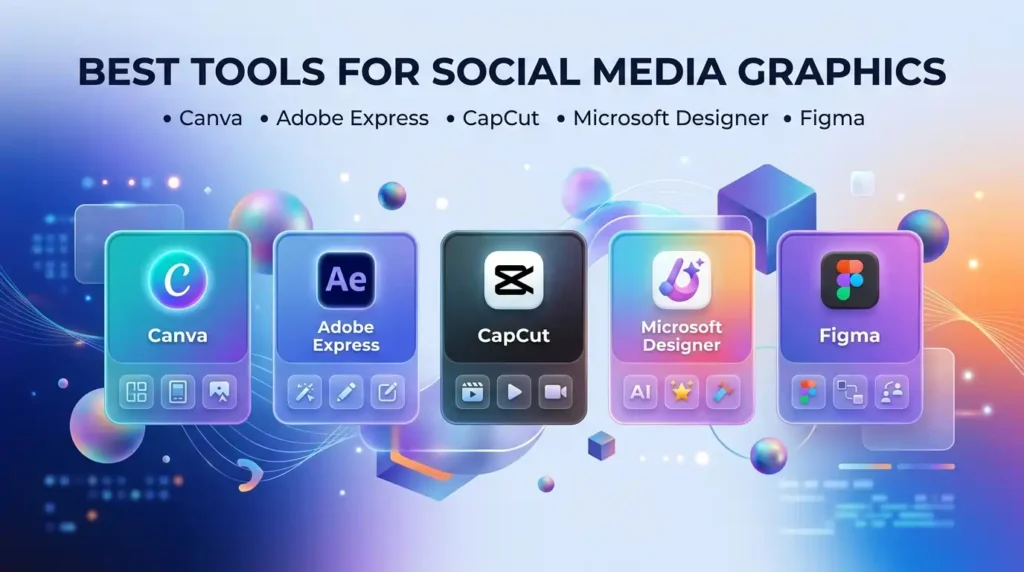
When it comes to the best tools for social media graphics, speed and multi-platform flexibility are the things that matter most. Here is how the leading tools compare across the most important dimensions:
| Tool | Speed | Platform Templates | AI Features | Best Use Case |
| Canva | Very fast | All major platforms, one-click resize | Dream Lab, Magic Studio, Magic Write | All social content types |
| Adobe Express | Fast | Solid multi-platform support | Firefly AI image generation | Brand-consistent daily content |
| CapCut | Fast | Strong for vertical video formats | AI auto-caption, video effects | Reels, Shorts, TikTok content |
| Microsoft Designer | Fast | Growing template library | DALL-E powered image generation | Quick AI-generated visuals |
| Figma | Medium | Design-focused, manual sizing | Layout AI, auto-fill tools | UI-style and product social content |
For the majority of social media managers, Canva remains the fastest path from idea to published post. CapCut has become particularly strong for anyone creating short-form video content – it handles both video editing and graphic design in a single workflow, which saves significant time for creators producing daily Reels or Shorts.
When Should a Startup Upgrade from Free to Paid Design Tools?
This question comes up constantly in early-stage startup communities, and there are five clear signals that the time has come:
- You are hitting free plan limits on a regular basis – templates are locked behind a paywall, download formats are restricted, or you cannot add your own brand colors. If you are finding workarounds to do basic things every day, the paid plan will pay for itself in saved time within the first week.
- Your brand is growing and visual consistency is becoming harder to maintain – the brand kit feature in paid tools solves this problem immediately and completely. Once your logo, colors, and fonts are locked in, every piece of content stays on-brand automatically.
- You are spending more than forty-five minutes a day in the free tool – at that usage level, the AI features, bulk creation tools, and content scheduler in a paid plan save more time per week than the subscription costs per month.
- You are trying to collaborate with even one other person – sharing designs through downloaded screenshots or Google Drive links is a real workflow killer. Paid plans include proper collaboration features that make team design actually work.
- A client or investor has mentioned that your brand feels inconsistent – this is the clearest signal of all, and it is something the right affordable design tools can fix permanently rather than temporarily.
Also Read – Adobe Photoshop vs CorelDRAW – Best for Designers?
AI-Powered Graphic Design Tools That Are Changing Everything in 2026
Something significant is happening in the design world right now, and AI is at the centre of it. The best graphic design tools in 2026 are no longer just editors – they are intelligent assistants that can generate images from text, suggest layouts, remove unwanted objects from photos, create multiple design variations in seconds, and even help you write the brief before you start designing.
Here is what the leading AI-powered tools in the top design software 2026 landscape are actually doing that traditional tools could not:
- Adobe Firefly is now integrated across the entire Creative Cloud suite, which means the AI capabilities are not a separate app you open – they are built into Photoshop, Illustrator, and every other Adobe tool you already use. You can generate entirely new images, fill in missing parts of a photograph, extend backgrounds, and create custom graphic elements using plain text descriptions. Because Firefly is trained only on licensed content, there are no copyright complications for commercial use.
- Canva Dream Lab lets you describe an image and generate it directly inside the Canva editor in seconds. There is no separate account, no additional tool to open, and no complex settings to configure. It works immediately and integrates naturally into the design process.
- Midjourney remains the highest-quality AI image generation tool for designers who need exceptional visual output. It is used for concept art, mood boards, campaign visuals, and unique brand imagery that would take a human illustrator hours or days to produce manually.
- Gamma takes AI generation to a different level entirely – instead of just generating an image, it generates a complete, fully designed presentation from a text prompt. You describe your topic, select a visual style, and the tool builds the entire deck. For founders, marketers, and consultants who produce a lot of presentations, this is a genuine productivity breakthrough.
- Microsoft Designer brings DALL-E-powered image generation directly into a design tool that integrates with Microsoft 365. For organisations already working in the Microsoft ecosystem, this is an easy and natural way to add AI-powered content creation to an existing workflow.
Is AI Replacing Traditional Graphic Design Software in 2026?
The short answer is no. The longer answer is more interesting.
AI is not replacing human creativity – it is replacing the time humans spend on repetitive, low-value tasks. The parts of design that require genuine strategic thinking – understanding what a brand should feel like, making sure a layout communicates the right emotion to the right audience, building a visual hierarchy that guides someone’s attention exactly where it needs to go – those still require a human who understands both design and people.
What AI is doing is handing back time. A designer who used to spend two hours manually removing backgrounds, resizing for different platforms, and generating three variations of a concept now does all of that in ten minutes. That time does not disappear – it goes back into the higher-value creative work that clients actually pay for.
For non-designers – founders, marketers, content creators, small business owners – AI tools are genuinely removing the barrier to entry. Someone with no design experience can now produce social media content that looks professional using Canva Dream Lab or Microsoft Designer. That is not a threat to designers – it is an expansion of the market for design thinking.
Design Software Comparison: Top 10 Graphic Design Tools Side by Side (2026)
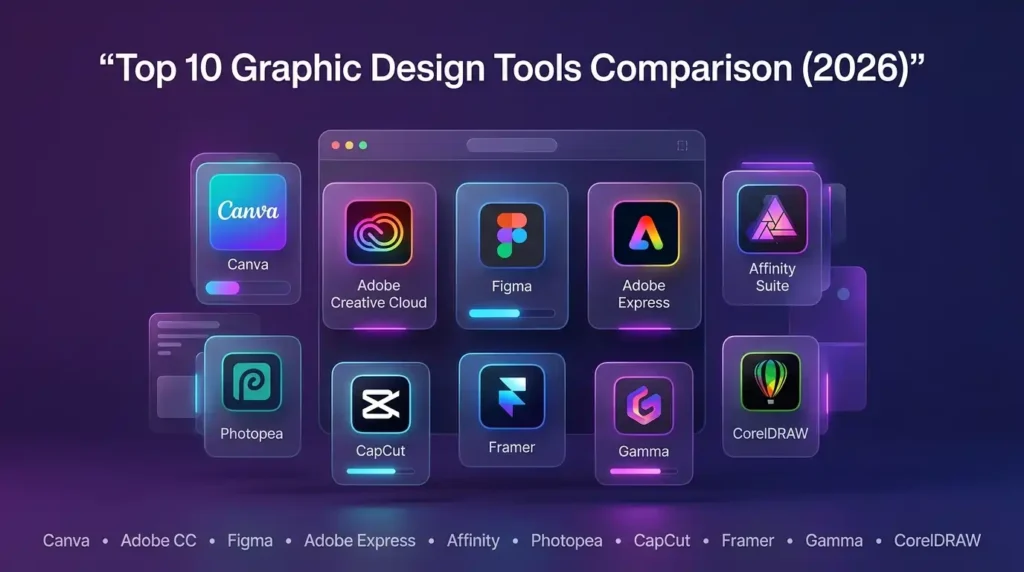
One of the most common frustrations when researching tools is that most comparisons only look at two or three options at a time. Here is a complete design software comparison of ten leading tools – covering who they are best suited for, what kind of access they offer, and where their AI features stand right now.
| Tool | Best For | Free Plan | AI Features | Real-time Collaboration | Platform |
| Canva | Beginners, Social Media, Startups | Yes – generous free tier | Dream Lab, Magic Studio, Magic Write | Yes – team sharing and comments | Web + Mobile |
| Adobe Creative Cloud | Professionals, Agencies, Print | No – paid only with trial | Firefly across all apps | Yes – with CC Teams plan | Desktop + Web |
| Figma | Agencies, Product Teams, UI/UX | Yes – limited seats | Layout AI, auto-fill, prototyping AI | Real-time multi-user editing | Web + Desktop |
| Adobe Express | Beginners, Brand Managers | Yes – includes AI credits | Firefly image generation | Limited sharing | Web + Mobile |
| Affinity Suite V2 | Freelancers, Budget Professionals | No – one-time purchase | Limited | Not available | Desktop only |
| Photopea | Freelancers, Students | Yes – fully free | None | Not available | Browser-based |
| CapCut | Social Media, Video Creators | Yes | AI video editing, auto-caption | Limited | Web + Mobile + Desktop |
| Framer | Startups, Web Designers | Yes – limited projects | AI layout and content generation | Team features available | Web |
| Gamma | Founders, Presenters, Marketers | Yes – limited slides | Full AI deck and document creation | View and share | Web |
| CorelDRAW | Print Designers, Sign Makers | No – paid subscription | Limited | Not available | Desktop |
This design software comparison covers the factors that matter most across different user types. The right weighting depends on your situation – for agencies, the collaboration column is non-negotiable. For freelancers, format support and export quality often matter more than AI features. For startups, the free plan tier and upgrade path are usually the deciding factors.
Which Graphic Design Tool Offers the Best Value for Money?
Value is entirely relative to your situation, but here is a straightforward summary for the most common cases:
- Best value for beginners and startups: Canva Free offers more design capability at zero cost than any comparable tool. Upgrade to Pro only when you regularly hit the free plan’s limits.
- Best value for freelancers who want professional output without a monthly fee: Affinity Suite V2 is a one-time purchase that covers photo editing, vector design, and layout work. The total cost over two years is a fraction of a comparable Adobe subscription.
- Best value for agencies: Figma’s collaboration features justify the per-seat cost many times over. Teams consistently report saving multiple hours per week compared to their previous file-sharing workflows.
- Best overall among affordable design tools for growing teams: Canva Pro – the brand kit, content scheduler, AI generation features, and team collaboration tools make it the most complete package for a business that is growing but not yet ready for enterprise pricing.
Frequently Asked Questions About Graphic Design Tools in 2026
What is the best graphic design tool for beginners?
Canva is the best graphic design tool for beginners in 2026. It requires zero design experience to start using, offers thousands of free templates for every content type, and has a free plan that is genuinely useful rather than a stripped-down teaser. Adobe Express is a strong second choice, especially for beginners who want stronger brand customisation and built-in AI features from day one.
Is Adobe Creative Cloud worth it for freelancers?
It depends on the type of work you do. Adobe CC is worth it when clients expect industry-standard file formats, when your projects require complex layered editing or advanced typography, or when you need to collaborate with other designers already on Adobe tools. For freelancers primarily creating digital and social media content, affordable design tools like Affinity Suite or Canva Pro often deliver equivalent results at a lower monthly cost.
Which free tool is best for social media graphics?
Canva’s free plan is the strongest option for the best tools for social media graphics. It includes platform-specific templates for Instagram, LinkedIn, Twitter, YouTube, and Pinterest – all resizable and free. Adobe Express also has a solid free offering with AI-powered features if brand customisation is a priority from the start.
When should I switch from Canva to Adobe Creative Cloud?
The right time to switch is when your work starts requiring capabilities that Canva genuinely cannot provide – editing complex Photoshop PSD files, producing print-ready vector artwork, handling advanced typography for long-form documents, or generating professional video content with frame-level control. If clients are asking for .ai or .indd source files, that is the clearest signal that you need Adobe in your toolkit.
Which graphic design tool is best for startups?
Canva Pro is the best design software for startups that need to cover social media, presentations, brand materials, and basic marketing content under one affordable subscription. For startups building a website or product with strong visual design requirements, Figma’s free plan is also worth exploring before committing to a paid plan – it handles UI design and prototyping exceptionally well at no initial cost.
Final Verdict: Which Are the Best Graphic Design Tools for You in 2026?
There is no single correct answer – the best graphic design tools depend entirely on who you are, what you create, and what you need your software to do. But here is a clear summary to help you make your decision confidently:
| Your Situation | Recommended Tool |
| Complete beginner | Canva (free plan to start) |
| Creating social media content daily | Canva or CapCut |
| Freelancer on a limited budget | Affinity Suite V2 |
| Established professional freelancer | Adobe Creative Cloud |
| Design agency needing collaboration | Figma + Adobe CC Teams |
| Startup building a brand | Canva Pro |
| Startup building a website | Framer |
| Team producing frequent presentations | Gamma |
| Learning professional skills at no cost | Photopea |
The graphic design tool landscape in 2026 is more capable, more AI-powered, and more accessible than any previous year. The best graphic design tools available today cover every skill level, every budget, and every type of creative work – and most of them offer a free plan or trial so you can test before you commit.
If you are unsure where to start, begin with Canva’s free plan. Get comfortable with basic design principles, understand what your real needs are, and then move to the tool that fits those needs as they grow. The most important step is simply to start creating.
Stop Paying Full Price for Premium Design Tools – Get Them Smarter
You have just gone through the best graphic design tools available in 2026. Now comes the real question – can you actually afford the ones you need?
Adobe Creative Cloud, Canva Pro, Figma, and most professional design tools come with subscription costs that add up fast. For freelancers, startups, and growing teams, those monthly bills can seriously eat into your income – especially when you are paying for multiple tools at the same time.
That is exactly the problem PremiumToolsHub was built to solve.
What PremiumToolsHub Offers
PremiumToolsHub gives you access to the same premium design tools you just read about – at a fraction of the official price. This is not a workaround or a grey-area service. Every tool is delivered through legitimate shared licensing, team plans, and authorized access – so you get full features with complete peace of mind.
Here is what you can access through PremiumToolsHub right now:
- Adobe Creative Cloud (All Apps) – Full access to Photoshop, Illustrator, Premiere Pro, InDesign, and the entire Adobe suite including Firefly AI. The same tool used by professional designers and agencies worldwide – available at a price that actually makes sense for freelancers and small teams.
- Canva Pro – Unlock the brand kit, premium templates, Magic Studio AI, the content scheduler, and team collaboration features that make Canva a genuine business tool rather than a free basic editor.
- Figma Professional – Full professional access for UI/UX designers, product teams, and agencies who need real-time collaboration, advanced prototyping, and design system support without enterprise-level pricing.
- LinkedIn Premium – All four plans available – Career, Business, Sales Navigator, and Recruiter Lite – for professionals who want to grow their network, reach more clients, and build their personal brand alongside their design work.