If you are trying to choose between Canva and Adobe, you are not alone. This is one of the most common design questions today. Some people want a simple tool for social media posts. Some want better control for client work. Others want one platform that helps them design faster without feeling lost. That is why Canva vs Adobe is not just a software comparison. It is really a decision about how you work, what you create, how much control you need, and how quickly you want results.
The simple answer is this: Canva is usually easier for beginners, marketers, startups, and teams that want speed. Adobe is usually better for professionals, agencies, and creators who need deep editing power, advanced tools, and more creative freedom. Canva is built to help people design fast. Adobe Creative Cloud is built to help people create at a much deeper level with apps like Photoshop, Illustrator, Premiere Pro, and more.
But that does not mean one is always better than the other. The right choice depends on what you actually do every day.
We will compare both tools in a practical way. We will look at ease of use, workflow, content creation, branding, team use, freelancer needs, social media work, startup use cases, and who should choose what. This article is written in simple language so you can make a clear decision without getting confused.
What Is the Difference Between Canva and Adobe?
The biggest difference is in the way the two platforms are built.
What is Canva? Who is it made for?
Canva is an online design platform made to help people create designs quickly. It is known for drag-and-drop editing, templates, easy collaboration, and tools that make visual content simple even for non-designers. Canva says its mission is to help everyone design anything and publish anywhere, and its platform includes templates, brand tools, AI-powered features, and collaboration features.
What is Adobe? What tools does it include?
Adobe is a full creative ecosystem. Adobe Creative Cloud includes professional apps for photo editing, graphic design, video editing, illustration, documents, and more. It is built for deeper creative work and more advanced control. Adobe positions Creative Cloud as a collection of professional creative software for photography, graphic design, video, social media, drawing, UX design, and more.
So when people search Canva vs Adobe, what they really mean is this:
- Do I need speed or control?
- Do I want simple templates or advanced editing?
- Am I a beginner or a design-heavy user?
- Do I create content alone or for clients and teams?
That is the real difference.
🔥 LinkedIn Premium Business Plan 12 Months
Original Price ₹23,000 • Get it ₹8XXX
🤖 Gemini AI Advanced Pro Plan
Original Price ₹19,500 • Get it ₹8XXX
💼 LinkedIn Sales Navigator Core
Original Price ₹80,000 • Get it ₹2XXXX
🎨 Canva Pro Lifetime Access
Original Price ₹3,999 • Get it ₹4XX
📚 Coursera Plus Annual Plan
Original Price ₹33,000 • Get it ₹2XXX
✨ Adobe Creative Cloud All Apps
Original Price ₹59,000 • Get it ₹4XXX
Canva vs Adobe at a Quick snapshot of both tools
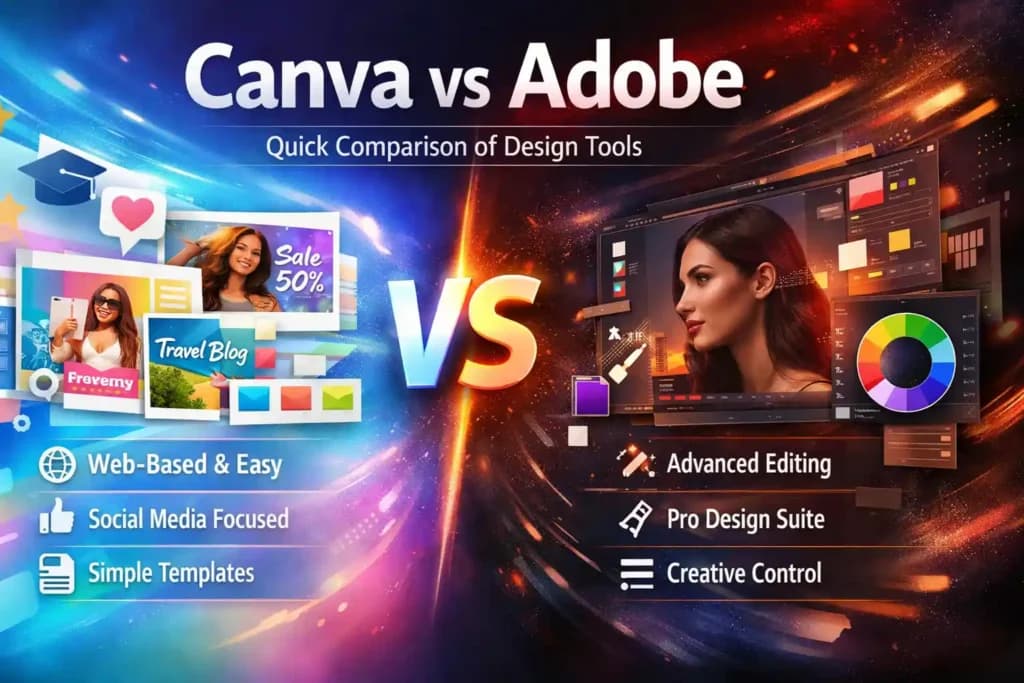
Before we go deep, here is the short version.
| Feature | Canva | Adobe |
| Type | Web-based design app | Professional creative suite |
| Best for | Beginners, marketers, social media | Professionals, designers, agencies |
| Main tools | Canva Free, Canva Pro, Canva Teams | Photoshop, Illustrator, InDesign, and more |
| Learning curve | Very easy, beginner-friendly | Moderate to steep |
| Works offline | No, browser-only | Yes, desktop apps available |
If your main goal is fast content creation, Canva often feels better. If your main goal is serious creative work, Adobe usually wins.
Which Is Easier to Use: Canva or Adobe?
For most people, Canva is easier.
This is one reason the keyword best design tool for beginners fits Canva so naturally. You do not need design training to start. You open a template, change text, upload a logo, switch colors, and your design is ready. Canva also offers brand tools, Magic Switch, content management, and team templates that make repeat work easier for businesses and creators.
Adobe is different. It gives you much more control, but it expects more from you too. Photoshop is powerful because it can handle detailed edits, object removal, advanced selections, layered image work, and far more precise editing. But that power comes with a learning curve. Adobe’s official Photoshop page highlights advanced features like complex edits, compositing, better selections, and object removal.
So if someone asks, which is easier canva or photoshop, the practical answer is Canva for most users.
Canva is easier because:
- the interface feels simple from day one
- templates guide your design choices
- drag-and-drop editing reduces confusion
- team members can create without design training
Photoshop is harder because:
- it gives more detailed controls
- you often work with layers, masks, and precise editing
- better output usually needs more skill
That is why beginners, content teams, and small businesses often start with Canva first.
🔥 LinkedIn Premium Business Plan 12 Months
Original Price ₹23,000 • Get it ₹8XXX
🤖 Gemini AI Advanced Pro Plan
Original Price ₹19,500 • Get it ₹8XXX
💼 LinkedIn Sales Navigator Core
Original Price ₹80,000 • Get it ₹2XXXX
🎨 Canva Pro Lifetime Access
Original Price ₹3,999 • Get it ₹4XX
📚 Coursera Plus Annual Plan
Original Price ₹33,000 • Get it ₹2XXX
✨ Adobe Creative Cloud All Apps
Original Price ₹59,000 • Get it ₹4XXX
Canva vs Photoshop: Which One Should You Choose?
A lot of users do not compare Canva with all of Adobe. They compare Canva with Photoshop. That makes sense because Photoshop is one of Adobe’s best-known tools.
If your work is mainly:
- Instagram posts
- YouTube thumbnails
- quick promotional graphics
- basic ads
- story posts
- simple flyers
Canva is often the faster choice.
If your work is mainly:
- detailed photo editing
- image retouching
- composite artwork
- advanced mockups
- complex product visuals
- precise brand visuals
Photoshop is the stronger choice. Adobe officially positions Photoshop around image creation, editing, scene building, remove tools, and advanced selections.
So in the canva vs photoshop debate, the better tool depends on the job.
Choose Canva when you want:
- speed
- ease
- ready-made layouts
- repeatable content creation
Choose Photoshop when you want:
- advanced edits
- total control
- layered image work
- more custom output
This is why many people who search canva vs photoshop are not really asking which tool is stronger. They are asking which tool is easier, faster, and more useful for their current work.
Also Read – Canva vs Figma – Which Is Better for Design Teams?
Adobe Creative Cloud vs Canva Pro: What Do You Get?
When we compare adobe creative cloud vs canva pro, the gap becomes even clearer.
Canva Pro focuses on helping users create better designs faster. Canva says Pro gives access to premium content, AI-powered features, background remover, Magic Resize, Brand Kit, and a large premium library of templates, images, video, fonts, and more. It is built to save time and help users create polished work without deep design skills.
Adobe Creative Cloud is a broader package. Adobe says Creative Cloud includes 20+ creative apps, such as Photoshop, Illustrator, Premiere, Acrobat Pro, Adobe Express, and Firefly AI tools. It is made to support many types of creative projects across design, photo, video, illustration, and more.
Feature-by-feature breakdown:
| Feature | Canva | Adobe |
| Templates | 500,000+ ready to use | Limited built-in, stock via Adobe Stock |
| Vector editing | Basic shapes only | Full vector control (Illustrator) |
| Photo editing | Basic filters and adjustments | Advanced – layers, masks, RAW (Photoshop) |
| Video editing | Simple, social-media ready | Full professional editing (Premiere Pro) |
| AI design tools | Magic Studio – great for beginners | Adobe Firefly – powerful and precise |
| Real-time collaboration | Yes, very easy | Yes but more complex setup |
| Works offline | No – browser only | Yes – full desktop apps |
| Print-ready file export | Limited | Full CMYK, bleed, and press-ready support |
| Learning time needed | Minutes to hours | Weeks to months |
So if you want one system for everyday design work, Canva Pro feels smooth. If you want a creative suite that can handle much more than design templates, Adobe Creative Cloud is more powerful.
🔥 LinkedIn Premium Business Plan 12 Months
Original Price ₹23,000 • Get it ₹8XXX
🤖 Gemini AI Advanced Pro Plan
Original Price ₹19,500 • Get it ₹8XXX
💼 LinkedIn Sales Navigator Core
Original Price ₹80,000 • Get it ₹2XXXX
🎨 Canva Pro Lifetime Access
Original Price ₹3,999 • Get it ₹4XX
📚 Coursera Plus Annual Plan
Original Price ₹33,000 • Get it ₹2XXX
✨ Adobe Creative Cloud All Apps
Original Price ₹59,000 • Get it ₹4XXX
Adobe vs Canva Pricing: Which One Gives Better Value?
This is where many buyers get stuck. People search Adobe vs Canva Pricing because they want to know which platform feels worth it.
Let us be honest – price is usually one of the first things people look at. And when it comes to Adobe vs Canva pricing, the difference is quite noticeable
Canva offers a genuinely useful free plan that most beginners find more than enough. When you are ready to unlock more features, the paid plan is surprisingly affordable – much less than what most people expect from a premium tool. It is a great option for individuals, freelancers, and small teams on a budget.
Adobe, on the other hand, positions itself as a professional-grade investment. A single Adobe app comes at a monthly cost that is notably higher than Canva Pro. If you want access to the full Creative Cloud – all apps together – the price jumps significantly. For professionals who use these tools daily for client work, the cost makes sense. For someone just starting out, it can feel steep.
How much does Canva Pro cost?
Canva Pro gives you access to a huge library of premium templates, advanced AI design tools, brand kits, background remover, and much more. The pricing is structured to make it accessible for individuals as well as growing teams. You can try it free before committing, which is a nice touch.
How much does Adobe Creative Cloud cost?
Adobe Creative Cloud pricing varies based on what you need. You can choose a single app plan, which gives you access to just one tool like Photoshop. Or you can go all-in with the All Apps plan that includes every tool in the suite. Adobe also offers special pricing for students, educators, and businesses, so it is worth checking what plan matches your situation.
Here is a general pricing comparison:
| Plan | Canva | Adobe |
| Free plan | Yes – very generous | Limited (free trials only) |
| Individual paid plan | Affordable and beginner-friendly | Higher monthly cost per app |
| Full suite / Teams | Canva Teams (scalable pricing) | Creative Cloud All Apps (premium) |
| Student discount | Yes, special pricing available | Yes, significant student discount |
| Best value for | Individuals, startups, small biz | Professionals, studios, agencies |
That is the real answer to Adobe vs Canva Pricing. It is not about which one is cheaper. It is about which one fits your work style so well that it saves time and gives better output.
Who Should Use Canva?
Canva is a strong fit for people who want results without a heavy learning process.
You should choose Canva if you are:
- a beginner
- a content creator
- a social media manager
- a startup founder
- a small business owner
- a student
- a marketer
- someone who needs team-friendly design tools
Canva is especially strong for brand consistency and team speed. Its Brand Kit lets users organize logos, colors, fonts, and brand assets in one place, and Canva also promotes collaboration, team templates, and easy brand use across designs.
This is why Canva is often the Best Design Tool for Beginners. It reduces friction. You do not need to think like a designer to start producing useful work.
For many businesses, that matters more than advanced creative power.
Who Should Use Adobe?
Adobe is better for people who treat design as serious work, not just quick content.
You should choose Adobe if you are:
- a graphic designer
- a brand designer
- a photo editor
- a video editor
- an illustrator
- an agency creative
- a professional freelancer
- someone who needs advanced editing and more custom output
Adobe Creative Cloud is designed around professional apps working together. Adobe highlights Photoshop, Illustrator, Premiere, Acrobat Pro, Firefly, and more as one connected ecosystem.
That makes Adobe the stronger answer for users who need:
- detailed file control
- deeper image editing
- serious branding projects
- professional production work
- creative flexibility across many formats
So if your work quality depends on precision, Adobe usually makes more sense.
Also Read – Adobe Photoshop vs CorelDRAW – Best for Designers?
Canva or Adobe for Social Media Marketing: Which Works Better?
For most daily social media work, Canva usually wins.
This is where the long-tail keyword canva or adobe for social media marketing matters. Social media teams often need speed, repeatability, branding, and fast resizing across platforms. Canva’s template system, premium library, brand tools, and Magic Switch-style resizing make this kind of work much easier.
For social media marketing, Canva is better when you need:
- daily posts
- carousels
- stories
- ads
- quote graphics
- event creatives
- quick short-form videos
- branded templates for repeat use
Adobe becomes more useful for social media when you need:
- advanced photo work
- premium motion or video edits
- stronger ad creative control
- more unique, less template-based visuals
So for most marketers, Canva is the easier answer. For high-end campaigns and more custom visual production, Adobe becomes more valuable.
Here is a use case match to help you decide:
| Use Case | Best Tool | Why? |
| Social media posts & stories | Canva | Ready-made templates for all platforms |
| Professional photo editing | Adobe Photoshop | Advanced layers, RAW file support |
| Logo & vector artwork | Adobe Illustrator | True vector control and precision |
| Quick marketing designs | Canva | Drag-and-drop, no skill needed |
| Print layouts & magazines | Adobe InDesign | Industry standard for print |
| Presentations & documents | Canva | Built-in presentation and sharing mode |
| Video editing | Adobe Premiere Pro | Full professional video control |
| Basic video for social media | Canva | Simple, fast video tools built in |
Also Read – Figma vs Adobe XD – Best UI/UX Tool?
Canva vs Adobe: Which is Better for Freelancers, Startups, and Agencies?
The best tool depends heavily on who you are and what kind of work you do. Let us break it down by user type.
Which tool is better for freelancers?
For freelancers, it really depends on the type of clients you serve. If you are doing social media management, content creation, or basic branding work, Canva Pro gives you everything you need at a fraction of the cost. You can work fast, deliver polished results, and keep your overhead low.
But if you are doing advanced photo retouching, brand identity design, packaging, or anything that needs print-ready files, you need Adobe. Many experienced freelancers actually use both – Canva for speed and client presentations, Adobe for final production files. When it comes to Adobe or Canva for freelancers, the answer is often: it depends on your niche.
Which tool do startups and small businesses prefer?
Startups and small businesses tend to love Canva because it lets them handle design in-house without hiring a full-time designer. The learning curve is low, the templates are professional-quality, and the cost is startup-friendly. The brand kit feature in Canva Pro makes it easy to keep all your visuals consistent across platforms.
For best design software for startups, Canva Pro is genuinely one of the smartest investments a growing business can make early on.
What do agencies use: Canva or Adobe?
Most agencies use Adobe as their primary production environment. Client work at the agency level requires precision, flexibility, and file formats that only Adobe tools can deliver reliably. That said, many agencies also use Canva for internal presentations, quick social content, and client mockups where turnaround time is tight.
In a Canva vs Adobe for agencies debate, Adobe usually leads for production, while Canva plays a supporting role for speed and collaboration.
Quick guide – who should use what:
| User type | Recommended tool | Reason |
| Complete beginners | Canva Free | Zero learning curve, free to start |
| Social media managers | Canva Pro | Templates, scheduling, AI tools |
| Freelancers (social/content) | Canva Pro | Speed, affordability, variety |
| Freelancers (brand/print) | Adobe Creative Cloud | Precision, quality, file standards |
| Startups & small businesses | Canva Pro | Budget-friendly, team collaboration |
| Design agencies & studios | Adobe + Canva | Adobe for production, Canva for speed |
| Photographers | Adobe Lightroom / Photoshop | RAW editing, color grading |
What are the Pros and Cons of Canva vs Adobe?
Every tool has strengths and weaknesses. Here is an honest look at both:
| Tools | Pros | Cons |
| Canva | Free plan available, extremely easy to use, fast results, great templates, AI tools, real-time collaboration, social media scheduling built in | Limited advanced editing, no offline mode, basic vector tools, not suitable for high-end print production |
| Adobe | Industry-leading tools, full professional control, offline use, supports all file formats, trusted by professionals worldwide | Higher cost, steep learning curve, can feel overwhelming for beginners, requires a powerful computer |
Also Read – Canva vs Visme – Best for Business Graphics?
When Should You Choose Canva Instead of Adobe?
Choose Canva when:
- you are a beginner
- you need content quickly
- you want templates to speed up work
- your team is not made of designers
- you create a lot of social media content
- brand consistency matters
- collaboration matters
- you want a smoother learning curve
Canva feels light, fast, and friendly. For many real businesses, that is more useful than raw creative power.
When Should You Choose Adobe Instead of Canva?
Choose Adobe when:
- you need advanced editing
- design is part of your profession
- you need pro-level photo, illustration, or video work
- your client work needs originality and more creative depth
- you want more control over outputs
- your design process goes beyond templates
Adobe works best when your creative work needs precision, not just speed. Adobe’s official product pages show that its ecosystem is built around more serious creative production across image, illustration, video, documents, and AI-supported creative workflows.
Also Read – Canva vs Piktochart – Which is Best for Infographics?
Can You Use Canva and Adobe Together?
Yes, and for many people this is the best setup.
You do not always need to choose only one. Many creators and teams use Canva for fast design work and Adobe for deeper editing. That hybrid workflow makes sense.
For example:
- build fast social drafts in Canva
- keep your brand kit and repeat templates in Canva
- edit detailed hero images in Photoshop
- use Illustrator or other Adobe apps for advanced design assets
- return finished assets to your content workflow
This approach works especially well for freelancers, agencies, and businesses that want both speed and quality.
Stop Paying Full Price for Design Tools – Get Canva Pro & Adobe at a Fraction of the Cost
Here is something most people do not know: you do not have to pay the full retail price for Canva Pro or Adobe Creative Cloud.
If the pricing of these tools has been holding you back, there is a smarter way to get access and thousands of creators, freelancers, and small businesses in India are already using it.
Premium Tools Hub is a trusted platform that gives you access to top-tier premium design tools – including Canva Pro, Adobe Creative Cloud, and many more – at heavily discounted prices that fit any budget.
What makes Premium Tools Hub different from the rest?
- Huge discounts on premium tools you actually use every day
- Proper payment invoice provided with every purchase sketchy transactions no grey area, no
- Full customer support to help you set up and get started right away
- Trusted by creators, freelancers, startups, and agencies across India
- Easy checkout process – get access faster than you think
Final Verdict: Canva vs Adobe – Which One Should You Pick?
Here is the truth: there is no single winner in the Canva vs Adobe debate. The better tool is simply the one that matches what you actually need to do.
If you are just getting started, building a brand on a budget, or creating everyday content for social media and marketing – Canva is your best friend. It is fast, affordable, and honestly impressive in what it lets non-designers achieve.
If you are a working professional whose output needs to meet the standards of the design industry – print, broadcast, branding at scale – then Adobe is not optional. It is an investment that pays for itself in the quality of work you can deliver.
And here is something worth knowing: many people use both. Canva for day-to-day content, Adobe for the big, high-stakes projects. That combination is often the smartest approach.
Quick decision guide – pick your situation:
| If you are a… | Go with | Why |
| Complete beginner | Canva (Free) | No learning curve, get started today |
| Social media manager | Canva Pro | Templates, AI tools, scheduling |
| Blogger or content creator | Canva Pro | Fast, beautiful graphics with no design skills |
| Professional graphic designer | Adobe Creative Cloud | Full creative control and industry standards |
| Photographer or retoucher | Adobe Lightroom / Photoshop | RAW editing and advanced color grading |
| Startup on a budget | Canva Pro | Affordable, professional-grade branding |
| Agency or design studio | Adobe + Canva both | Adobe for production, Canva for speed |
| Someone exploring design | Canva Free first | Try it for free, upgrade when you need more |
So in the full Canva vs Adobe comparison, Canva wins on speed, ease, and teamwork. Adobe wins on depth, control, and professional creative power.
That is why the best answer is not “Canva is better” or “Adobe is better.”
The better answer is this:
- Canva is better for fast creation
- Adobe is better for advanced creation
- the right choice depends on your real work
If your main goal is to publish content faster, keep branding consistent, and let anyone on your team design with less stress, Canva is a very smart choice. If your main goal is to do serious creative work with more freedom, Adobe is the stronger platform.
And if your work sits in the middle, using both can be the smartest move of all.
Frequently Asked Questions About Canva vs Adobe
Is Canva better than Adobe for beginners?
Yes – and it is not even a close contest. Canva was built from the ground up to be used by people who have never opened a design tool in their life. The moment you land on Canva, you will find thousands of ready-to-use templates organized by category social media posts, presentations, flyers, logos, resumes, and much more. Pick one, swap out the text, change the colors to match your brand, and download. That whole process takes less than five minutes.
Is Canva cheaper than Adobe?
Yes, Canva is considerably more affordable than Adobe – and the gap in pricing is one of the biggest reasons so many people and businesses choose Canva, especially when starting out or working with a tight budget.
Can freelancers use Canva instead of Adobe?
Yes, many freelancers can. It depends on the service they offer. For social content and light design work, Canva may be enough. For advanced design and editing, Adobe is the better fit.
Is Adobe better for agencies than Canva?
For high-end creative agencies, yes. For fast content agencies, Canva can still be very useful. The better choice depends on the kind of client work the agency delivers.
What is better for social media design, Canva or Adobe?
For daily social media design, Canva is usually better because it is faster and more template-friendly. Adobe becomes better when social media visuals need advanced editing or more unique creative work.