You are paying good money every month for a lead generation tool, and somehow you are still running out of data credits by week two. Or maybe you finally found the perfect LinkedIn prospect list, but your automation tool triggered a warning on your account and now you are scared to touch it again. If either of these situations sounds familiar, you are not alone – this is the reality for thousands of sales professionals and freelancers right now.
The world of B2B outbound prospecting has three tools that keep showing up in every conversation, every Reddit thread, and every sales team Slack channel in 2026. Those tools are Leads.cm, PhantomBuster, and Apollo.io. Each one approaches the lead generation problem from a completely different angle, and picking the wrong one for your specific situation can cost you a lot more than just money – it can cost you your email sender reputation, your LinkedIn account, or weeks of wasted effort.
We are going to do something no other comparison has done yet. We will break down Leads.cm vs PhantomBuster vs Apollo.io completely – covering what each tool actually does, who it was built for, where it genuinely wins, where it falls short, and exactly which type of user should choose which tool. Searching for the best B2B lead generation tool 2026 can feel overwhelming – but it gets much simpler when you understand what each tool is actually designed to do. Finding the right fit is not about picking the most popular name – it is about matching the right tool to your actual workflow. By the time you finish reading this, you will have a clear and honest answer – no brand bias, no vague conclusions.
What Are These 3 Tools and Who Are They Built For?
Before we start comparing, you need to understand one thing that most comparison articles skip entirely: these three tools are not doing the same job. Treating them as direct replacements for each other is like comparing a hammer, a drill, and a Swiss army knife. All three exist in the “tools” category, but they serve very different purposes in your workflow.
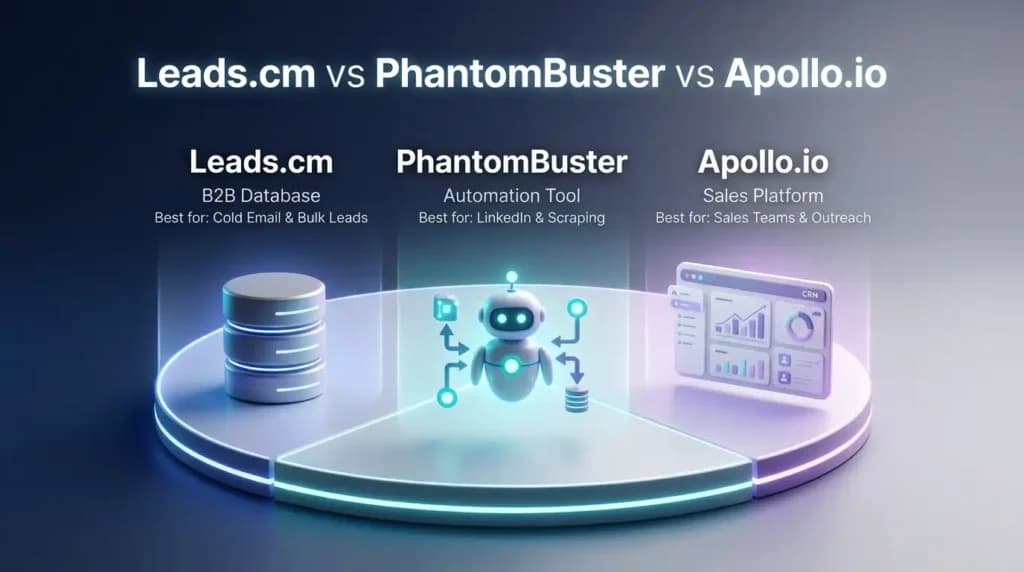
Here is a quick snapshot to set the foundation before we go deeper:
| Tool | What It Is | Who It Is Best For |
| Leads.cm | B2B contact database – unlimited exports | Cold emailers, agencies, solo marketers who need volume |
| PhantomBuster | Automation and social scraping tool | Growth hackers, LinkedIn specialists, social-first sales teams |
| Apollo.io | All-in-one sales intelligence platform | B2B sales teams, SDRs, founders who want database + outreach together |
Now let us look at each one properly.
What Is Leads.cm – The Unlimited B2B Database Built for Cold Outreach
Leads.cm is a B2B contact database that gives you access to over 700 million leads pulled from LinkedIn, Instagram, and a technology lookup database. What makes it stand out immediately is the pricing model. Unlike most tools in this space, Leads.cm charges a flat monthly fee – and that gives you unlimited email and phone number exports with no credit limits whatsoever.
You filter your target audience by job title, industry, company size, location, seniority level, or the technology they have installed on their website. Once you are happy with your list, you export it as a CSV and import it into your preferred cold email platform. That is the entire workflow.
The built-in email verification tool is free and runs before you export, which means the data you get is already cleaned. This matters enormously for cold email campaigns because unverified email lists cause high bounce rates, and high bounce rates destroy your sender reputation.
If you have been searching for how to get unlimited B2B leads without credit limits, Leads.cm is the most direct answer to that problem in 2026. There is no per-record fee, no credit top-up anxiety, and no expiring usage window. You pay once a month and you have full access, every day of that month.
What Is PhantomBuster – The Social Scraping and Automation Engine
PhantomBuster is built on a fundamentally different idea. It does not maintain its own database of B2B contacts. Instead, it connects to live platforms – LinkedIn, Sales Navigator, Twitter/X, Instagram, Google Maps, Yellow Pages, GitHub, YouTube – and scrapes data directly from those sources as they exist right now.
The core of the platform is its library of over 130 pre-built automation scripts called “Phantoms.” Each Phantom is designed to do one specific, repeatable task. There is a Phantom for extracting profiles from a LinkedIn search. There is one for automatically sending connection requests. There is one for scraping all the followers of a specific Instagram account. There is one for pulling business listings from Google Maps complete with phone numbers and reviews.
You can also chain multiple Phantoms together into what the platform calls “Workflows.” So for example, you could build a workflow that first extracts profiles from a LinkedIn event, then enriches those profiles with email addresses, and then sends each person a personalized connection request – all running automatically in the cloud while you focus on something else.
The key advantage PhantomBuster has over a static database is freshness. LinkedIn profiles are updated by real people in real time. If someone changed their job last week, a live scrape will reflect that. A database built six months ago will not.
The important limitation to know upfront: PhantomBuster is a scraping and automation tool, not an outreach tool. It collects and structures data brilliantly, but once you have that data, you still need a separate tool to actually send emails or LinkedIn messages at scale.
What Is Apollo.io – The Full-Funnel Sales Platform
Apollo.io is the most ambitious of the three. Its goal is to be the only tool a sales team needs from the moment they identify a prospect to the moment that prospect becomes a customer.
It combines a database of over 210 million B2B contacts with a built-in email sequence builder, a sales dialer for making calls, AI-powered buying intent signals that identify which companies are actively researching solutions like yours, lead scoring, CRM integrations, and detailed analytics – all inside one platform.
The idea is compelling: instead of managing five separate tools, you do everything from one dashboard. You search for leads using 65+ filters, add them to an automated multi-step outreach sequence (email, LinkedIn, phone call), track every open and click, and sync the entire activity log to your CRM automatically.
Apollo also uses AI to surface which leads are “in-market” right now – meaning they have been showing behaviors that suggest they are close to making a buying decision. For sales teams who want to prioritize their limited time, this intent data genuinely helps.
The challenge with Apollo, which we will cover in more detail shortly, is that the true cost of using it heavily is usually much higher than the advertised entry price. The credit system, the seat-based pricing, and the features gated behind higher tiers all add up in ways that catch a lot of users off guard.
Also Read – LinkedIn Sales Navigator vs Apollo: Which Tool Works Better?
🔥 LinkedIn Premium Business Plan 12 Months
Original Price ₹23,000 • Get it ₹8XXX
🤖 Gemini AI Advanced Pro Plan
Original Price ₹19,500 • Get it ₹8XXX
💼 LinkedIn Sales Navigator Core
Original Price ₹80,000 • Get it ₹2XXXX
🎨 Canva Pro Lifetime Access
Original Price ₹3,999 • Get it ₹4XX
📚 Coursera Plus Annual Plan
Original Price ₹33,000 • Get it ₹2XXX
✨ Adobe Creative Cloud All Apps
Original Price ₹59,000 • Get it ₹4XXX
Leads.cm vs PhantomBuster vs Apollo.io: Full Feature Comparison in 2026
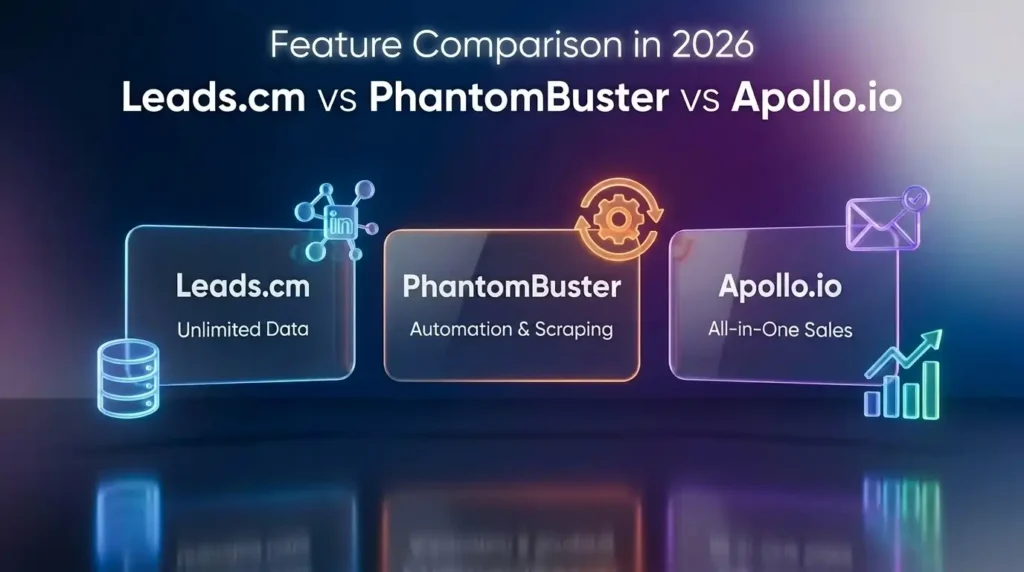
Now let us put all three tools side by side in a complete comparison. This is the most detailed three-way B2B lead scraping tool comparison of Leads.cm vs PhantomBuster vs Apollo.io that currently exists – because, interestingly, no other article has done this comparison with all three tools together.
| Feature | Leads.cm | PhantomBuster | Apollo.io |
| Own Contact Database | Yes – 700M+ contacts | No – scrapes live sources | Yes – 210M+ contacts |
| Export Limits | Truly unlimited | Limited by execution hours and slots | Credit-based – expires monthly |
| Built-in Email Verification | Free, included | Needs external credits | Included – but accuracy varies |
| LinkedIn Automation | Not available | Full automation – connections, scraping, messaging | Limited – Chrome extension only |
| Built-in Email Outreach | Not available | Not available – needs external tool | Yes – full sequence builder |
| Sales Dialer | Not available | Not available | Yes – on mid and higher plans |
| AI Buying Intent Signals | Not available | Limited | Yes – AI-powered |
| Social Platform Coverage | LinkedIn, Instagram | LinkedIn, Twitter/X, Instagram, Google Maps, and more | LinkedIn and email only |
| CRM Integration | Export-ready CSV | Via Zapier, HubSpot | Native – Salesforce, HubSpot, Pipedrive |
| LinkedIn Account Ban Risk | Zero – no LinkedIn interaction | High if limits are exceeded | Low – Chrome extension approach |
| Real-World Data Accuracy | 98% claimed with verification | Varies – depends on live platform | 65–70% based on user reports |
| Learning Curve | Very easy – filter and export | Moderate – setup and scheduling needed | Easy to start, complex at depth |
| Best Suited For | Cold emailers, agencies, bulk outreach | Growth hackers, LinkedIn automation teams | Sales teams, SDRs, full-funnel operations |
Also Read – What Is LinkedIn Sales Navigator? The Ultimate Tool for B2B Leads
Which Tool Wins on Pricing? (An Honest Cost Breakdown for Different User Types)
Pricing comparisons in this space are almost always misleading because everyone shows you the starting price without showing you what you actually end up spending. Let us be more honest than that.
Leads.cm operates on the simplest pricing model of the three: one flat monthly fee, unlimited everything. Whether you export 500 contacts or 50,000 in a month, the cost is the same. This makes it uniquely well-suited for high-volume users and anyone who needs predictable monthly expenses.
PhantomBuster’s entry-level cost is moderate, but it scales quickly once you need more automation hours, more simultaneous slots, and AI credits for personalization features. Teams running continuous LinkedIn scraping campaigns often find their costs climbing faster than expected.
Apollo.io is where the pricing gets genuinely complicated. The advertised starting price looks competitive, but it is built on a credit system where almost every useful action – revealing an email address, exporting a contact record, accessing a phone number – consumes credits. These credits expire at the end of your billing cycle whether you use them or not. Users who miss that detail end up losing the credits they paid for. On top of that, the per-seat pricing model means costs multiply directly with team size. Real-world spending on Apollo for active outbound teams tends to run two to three times the advertised base plan price once credit top-ups and upgrades are factored in.
If you are a freelancer or solo founder specifically looking for the best cheap alternative to apollo io for freelancers, Leads.cm is the clearest practical option. The flat-rate model removes all the hidden cost variables that make Apollo unpredictable at scale.
Apollo.io vs Leads.cm – Which One Has Better Data Accuracy?
This is one of the most important questions in this entire comparison, and it is one that almost no existing article answers directly.
Apollo.io’s real-world email accuracy is roughly 65 to 70 percent based on consistent reports from users across G2, Trustpilot, and community forums. In the US market it performs somewhat better, but in international markets the accuracy drops noticeably. In practical terms, this means that for every 100 contacts you pull from Apollo’s database, somewhere between 30 and 35 records will contain outdated or incorrect information. Email bounce rates from Apollo-sourced lists regularly land between 15 and 25 percent. The industry benchmark for acceptable bounce rates is under 5 percent. Sending campaigns with a 20 percent bounce rate will damage your domain’s sending reputation over time, which affects the deliverability of all your future emails – not just the ones to bad addresses.
Leads.cm claims a 98 percent accuracy rate, made possible by its built-in real-time email verification system that checks every address before it makes it into your exported file. This is a substantial difference for anyone whose business depends on cold email deliverability.
PhantomBuster’s accuracy story is more nuanced. Because it scrapes directly from live platforms like LinkedIn, the profile information it collects is current at the time of scraping. Job titles, companies, and profile data are fresh. However, PhantomBuster does not find verified email addresses on its own – you need a separate enrichment step using a tool like Hunter.io or Dropcontact, which adds both cost and complexity.
The bottom line: for raw email accuracy, Leads.cm’s approach of verified data before export gives it a meaningful advantage over Apollo’s static database model.
Also Read – Best AI Tools for Digital Marketing Agencies in 2026 – The Ultimate Guide
Which Is Better – Apollo.io or PhantomBuster for Lead Generation?
Direct answer first: for most people asking this question, Apollo.io is the faster and simpler starting point. But PhantomBuster wins in situations where live, contextual data is what you actually need.
Here is the honest breakdown:
Apollo.io is better when you need a ready-made database you can search and act on immediately. You do not need to set up any scripts or workflows. You search, you build a list, you start a sequence. For sales professionals who need to move quickly and track results in one place, that simplicity is genuinely valuable.
PhantomBuster is better when the type of data you need does not exist in a static database. For example – people who commented on a specific LinkedIn post from a competitor, or attendees of a niche industry webinar, or all the businesses in a particular city on Google Maps. PhantomBuster can find these prospects. Apollo cannot.
So how do you decide?
- Choose Apollo.io if you want speed, an all-in-one workflow, and you do not need hyper-specific behavioral targeting.
- Choose PhantomBuster if you are doing creative, social-first prospecting and you need data from places a database cannot reach.
- Choose Leads.cm if your goal is simply to get a large, clean volume of verified B2B contacts at the lowest possible cost – and you already have an outreach tool you are happy with.
The honest truth is that many professionals who compare Apollo.io or PhantomBuster overlook Leads.cm as an option entirely. But for pure data access at scale, it outcompetes both.
🔥 LinkedIn Premium Business Plan 12 Months
Original Price ₹23,000 • Get it ₹8XXX
🤖 Gemini AI Advanced Pro Plan
Original Price ₹19,500 • Get it ₹8XXX
💼 LinkedIn Sales Navigator Core
Original Price ₹80,000 • Get it ₹2XXXX
🎨 Canva Pro Lifetime Access
Original Price ₹3,999 • Get it ₹4XX
📚 Coursera Plus Annual Plan
Original Price ₹33,000 • Get it ₹2XXX
✨ Adobe Creative Cloud All Apps
Original Price ₹59,000 • Get it ₹4XXX
Is PhantomBuster Safe for LinkedIn Automation in 2026?
This question is being asked constantly in 2026 – on Reddit, in sales communities, and in support tickets – and it deserves a clear answer.
PhantomBuster can be used safely on LinkedIn, but it requires careful setup and consistent discipline around usage limits. Here is why this matters more now than it did in previous years.
LinkedIn has invested significantly in improving its automation detection systems in 2026. The platform actively monitors for behavioral patterns that look automated rather than human. Specific behaviors that trigger LinkedIn’s detection include:
- Visiting too many profiles in a short time window – for example, 300 profiles in two hours is not human behavior.
- Sending connection requests at a machine-like rate – perfectly spaced intervals that no human naturally maintains.
- Accessing LinkedIn from an IP address that does not match your usual location – PhantomBuster runs from cloud servers, which LinkedIn can identify as non-human access points.
- Running automations on accounts that were created recently and have not yet built up normal engagement history.
PhantomBuster itself recommends keeping automated LinkedIn activity well below 100 profile views per day and no more than 20 to 30 connection requests per day. Following these limits and spreading activity across the full working day rather than running it all in one burst significantly reduces detection risk.
When is PhantomBuster safe to use? When you follow the limits, use it on a well-established LinkedIn account with a real profile history, randomize your automation timing, and avoid running multiple aggressive Phantoms simultaneously.
Compare this risk profile to Apollo.io, which uses a Chrome extension that operates while you are actively browsing LinkedIn – this looks far more human-like to LinkedIn’s monitoring systems. And compare it to Leads.cm, which carries zero LinkedIn ban risk because it does not interact with LinkedIn’s live platform at all.
For businesses where their LinkedIn presence is a core asset they cannot afford to lose, this safety difference is a decisive factor.
Also Read – How to Use Perplexity AI for Research (Complete Practical Guide)
Can You Use Apollo.io for Cold Email Outreach Campaigns?
Yes – and this is one of Apollo.io’s genuinely strongest use cases. It is one of the few tools in the B2B lead generation category that handles both the data side and the outreach side inside a single platform, without requiring third-party integrations for basic campaigns.
Apollo.io is one of the few platforms that genuinely qualifies as an end-to-end cold email lead generation software – it handles contact discovery and outreach sequencing without requiring you to switch tools. Here is how the workflow actually looks in practice:
You start by using Apollo’s search to build your target list using filters like job title, company size, funding stage, technology stack, and geography. Once you have your list, you add those contacts to a “sequence” – Apollo’s term for a multi-step automated campaign that can include emails, LinkedIn connection requests, and call reminders, each with configurable delays and personalization fields.
You can A/B test different subject lines, track open rates and click rates, set up automatic follow-ups for contacts who did not reply, and see all of this data inside Apollo’s analytics dashboard. If you are using a CRM like Salesforce or HubSpot, the sequence activity syncs automatically.
The limitation that every honest reviewer eventually mentions is deliverability. Because Apollo’s contact database has a real-world accuracy rate lower than what most users expect, bounce rates from Apollo-sourced lists tend to be higher than safe thresholds. Sending cold emails to a list with a 20 percent bounce rate gradually damages your email domain’s reputation, which means future emails – even to valid addresses – are more likely to land in spam folders.
A practical workaround many cold email professionals use: pull your contact data from Leads.cm (which verifies emails before export), and then run your actual campaigns through a dedicated deliverability-focused platform like Instantly or Lemlist. This two-tool approach separates the data layer from the outreach layer and typically produces better inbox placement than relying on Apollo for both.
🔥 LinkedIn Premium Business Plan 12 Months
Original Price ₹23,000 • Get it ₹8XXX
🤖 Gemini AI Advanced Pro Plan
Original Price ₹19,500 • Get it ₹8XXX
💼 LinkedIn Sales Navigator Core
Original Price ₹80,000 • Get it ₹2XXXX
🎨 Canva Pro Lifetime Access
Original Price ₹3,999 • Get it ₹4XX
📚 Coursera Plus Annual Plan
Original Price ₹33,000 • Get it ₹2XXX
✨ Adobe Creative Cloud All Apps
Original Price ₹59,000 • Get it ₹4XXX
How to Generate B2B Leads Using PhantomBuster – Step by Step
For teams that want to use PhantomBuster specifically for LinkedIn-based lead generation, here is a practical workflow that experienced growth teams actually use. This is not theoretical – these are the steps that produce results when executed correctly and within safe limits.
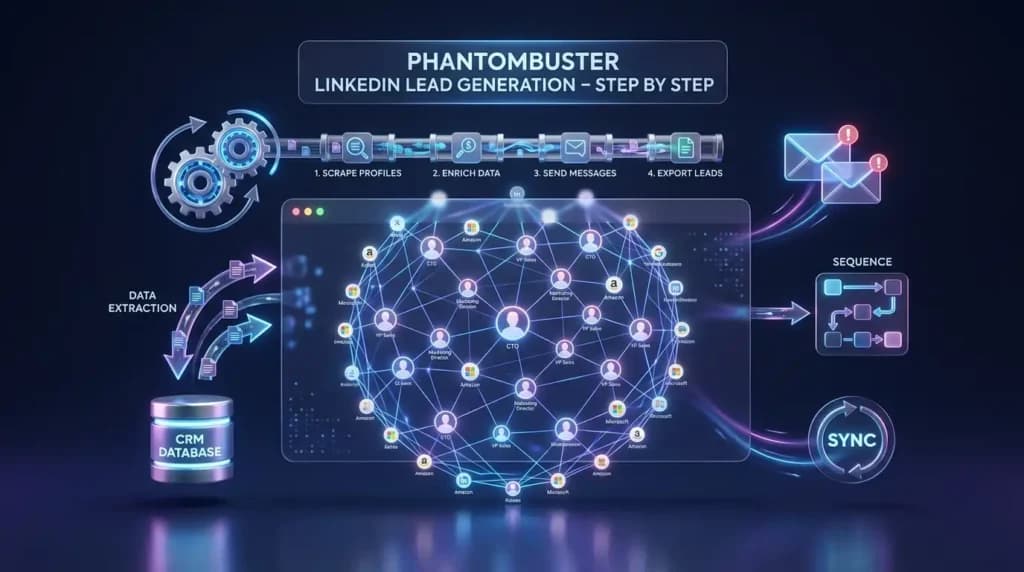
Step 1 – Build your target audience search on LinkedIn Sales Navigator
Log into LinkedIn Sales Navigator and use the advanced search filters to define exactly the type of person you want to reach. Apply filters for job title, seniority level, company size, industry, location, and any other criteria relevant to your offer. When your search results look right, copy the full URL from your browser.
Step 2 – Configure the LinkedIn Sales Navigator Search Export Phantom
Inside PhantomBuster, locate the “LinkedIn Sales Navigator Search Export” Phantom. Paste your search URL into the configuration panel. Set the number of profiles you want to extract per launch – keep this number conservative, ideally no more than 80 to 100 profiles per daily run.
Step 3 – Schedule your Phantom across the full day
Rather than running the Phantom in one single burst, use PhantomBuster’s scheduling feature to spread the execution across your working day. For example, run it for 10 to 15 minutes in the morning, again at midday, and again in the afternoon. This spread mimics natural human browsing behavior and greatly reduces the risk of LinkedIn flagging the activity.
Step 4 – Export your data and run email enrichment
After the Phantom completes, download the CSV file. You will have profile names, job titles, company names, LinkedIn profile URLs, and whatever other public data was available. To get verified email addresses, run this list through a dedicated email enrichment tool like Hunter.io, Dropcontact, or Kaspr.
Step 5 – Import the final list into your outreach platform
Once enriched, import your final contact list into your cold email platform of choice and begin your outreach sequence.
One important note: if what you actually need is a large volume of clean, verified B2B contact data without the LinkedIn risk and without the enrichment step, Leads.cm gives you the same end result through a much more direct path. The decision between the two comes down to whether you specifically need live, behavior-based data from LinkedIn, or whether clean bulk data is enough.
Also Read – Notion vs ClickUp – Best Project Management Tool?
How to Get Unlimited B2B Leads Without Credit Limits – Where Leads.cm Wins
Running out of data credits in the middle of an active campaign is one of the most disruptive things that can happen in an outbound sales operation. It breaks momentum, forces reactive decision-making, and often means either paying more than planned or pausing your pipeline entirely until the new month resets.
This problem does not exist with Leads.cm. The platform was specifically designed to eliminate credit anxiety from the equation.
Why does this matter so much for different types of users?
- For freelancers and solo founders, it removes the constant mental math of “how many credits do I have left this week?” – a problem that Apollo.io users mention repeatedly in reviews and community discussions. When you know your access is unlimited, you can focus entirely on targeting and messaging instead of rationing data.
- For cold email agencies building lead lists for multiple clients simultaneously, unlimited exports create predictable and manageable monthly costs. When a client asks for a list of 5,000 verified CEOs in the healthcare sector, you do not have to check your credit balance first. You just build the list.
- For startups scaling their outbound program rapidly, it means your data costs stay flat even as your outreach volume grows. Apollo’s per-credit model means your data costs scale directly with your activity – Leads.cm’s model means they do not.
The practical workflow is simple: go to Leads.cm, apply your target filters, review the results, export to CSV with built-in email verification, and import directly into your outreach platform. The whole process takes minutes, not hours. This is exactly why Leads.cm has become one of the fastest-growing names in the unlimited B2B leads database 2026 space – because the simplicity and cost predictability are genuinely rare in this market.
Compare that to the Apollo.io experience, where every email reveal, every phone number access, and every data export consumes credits from a monthly pool that expires whether you use it or not.
Also Read – Superhuman vs Gmail – Which Is Faster for Email?
Leads.cm vs PhantomBuster vs Apollo.io – Who Should Use Which Tool?
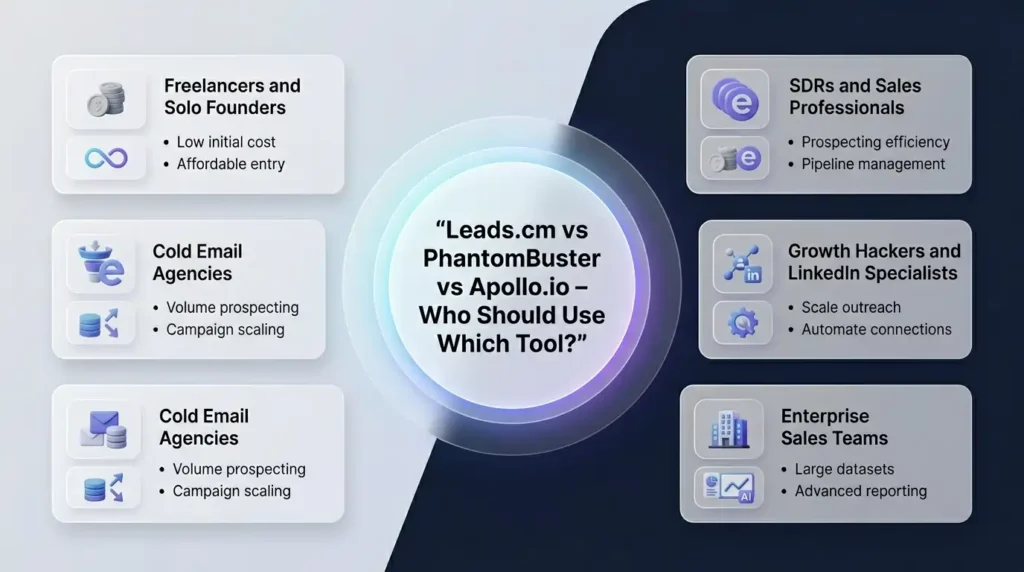
In this full comparison of Leads.cm vs PhantomBuster vs Apollo.io, there is genuinely no universal winner. The right answer depends on who you are, what your outreach workflow looks like, and what problem you are actually trying to solve. Here is a clear verdict by user type.
Freelancers and Solo Founders
If you are running cold email campaigns on your own with a limited monthly budget, and you need reliable data without credit stress, Leads.cm is the most practical choice available right now. The flat-rate model means you always know exactly what you are spending, and the unlimited exports mean you never have to stop or ration your prospecting.
SDRs and Sales Professionals
If your job requires you to prospect, reach out, follow up, track results, and log activity – all as part of a structured daily workflow – Apollo.io is the most complete solution. Its built-in sequence builder and CRM integration mean you are not jumping between four different tools to close a single deal. The learning curve is real, but the payoff in workflow efficiency is genuine.
Growth Hackers and LinkedIn Specialists
If LinkedIn is central to your lead generation strategy, and you specifically need to target audiences based on behaviors – like people who interacted with a particular post, or members of a specific LinkedIn group – PhantomBuster gives you capabilities that neither Leads.cm nor Apollo can replicate. The trade-off is the setup complexity and the LinkedIn account risk.
Cold Email Agencies
Agencies doing high-volume outbound for multiple clients need volume, predictability, and low data costs. Leads.cm is built for exactly this. The unlimited export model scales perfectly with agency operations, and the built-in email verification means list quality is consistent across clients.
Enterprise Sales Teams
For larger teams with dedicated revenue operations, Apollo.io offers the most complete infrastructure. The native CRM sync, team collaboration features, advanced reporting, and AI intent signals are features that go well beyond what the other two tools offer at the team level.
When Should You Combine All Three Tools Together?
Here is something that no other comparison article on this topic covers: you do not have to choose just one of these tools. For high-performance outbound teams, combining all three creates a significantly more powerful lead generation stack than using any single tool in isolation.
A combined workflow looks like this:
- Use PhantomBuster to identify high-intent, behaviorally-targeted prospects on LinkedIn – for example, people who just started a new role (a classic sales trigger), or people who recently liked a post from a company in your niche.
- Use Leads.cm to bulk-pull a larger verified contact list of everyone who fits your ideal customer profile in a given industry or geography.
- Use Apollo.io to run structured multi-step sequences on the final combined list, with full tracking, CRM sync, and analytics.
Each tool handles the one job it does best. The result is the kind of LinkedIn lead generation tool comparison 2026 experts rarely publish – one that covers every stage of the pipeline – more targeted at the top, more scalable in the middle, and more measurable at the end. This is what a modern B2B lead generation tool comparison rarely covers: the power of running a coordinated stack instead of choosing just one. This approach does carry a higher combined monthly cost, but for agencies or sales teams doing serious outbound volume, the return on investment at each stage justifies the spend.
Also Read – How to Use LinkedIn Sales Navigator: The Definitive Guide for 2026
Pricing Comparison 2026: What Do You Actually Pay?
Here is an honest look at the real cost structure of each tool – not just the advertised starting price, but what active users actually end up spending.
| Tool | Pricing Model | Hidden Costs to Watch | Real Monthly Spend |
| Leads.cm | Flat monthly fee – all-inclusive | None – truly unlimited | Stays the same as base price |
| PhantomBuster | Entry + execution hours + slots | AI credits, extra automation time for scaling | Can rise significantly for heavy users |
| Apollo.io | Per user per month + credit system | Credits expire, seat multiplier, feature gates | Often 2–3x the advertised base for active teams |
The clearest pattern here: the bigger your outbound volume, the more expensive Apollo’s credit model becomes relative to Leads.cm’s flat structure. PhantomBuster sits in the middle – reasonable for moderate use, but scaling costs catch teams off guard.
Final Verdict: Which Tool Should You Choose in 2026?
After going through every angle of this Leads.cm vs PhantomBuster vs Apollo.io comparison, here is the clearest and most honest summary possible.
Leads.cm is the right tool if your primary problem is data volume and cost predictability. Unlimited exports, flat pricing, built-in email verification, and a massive 700M+ contact database make it the strongest choice for cold emailers, freelancers, and agencies running high-volume outbound campaigns. If you have been frustrated by Apollo’s credit limits, Leads.cm solves that problem immediately.
PhantomBuster is the right tool if LinkedIn automation and real-time behavioral targeting are central to your strategy. It does things neither of the other two tools can do – scraping live social data, automating LinkedIn actions, pulling intent-based audiences from events and posts. The trade-off is complexity and LinkedIn account risk, but for the right user, the capabilities are genuinely unmatched.
Apollo.io is the right tool if you lead a structured sales team that needs everything under one roof. Database access, email sequences, a dialer, intent signals, and CRM sync in one platform is a compelling offer – just budget honestly for what the total monthly cost will actually be, not just the starting plan price.
Get These Premium Tools at a Discounted Price
Now that you know which tool is right for you, the next step is actually getting access – without burning a hole in your pocket.
If you are looking for Leads.cm, PhantomBuster, Apollo.io, or any other premium B2B tool at a heavily discounted price, Premium Tools Hub is the place to go. It is a trusted vendor and reseller platform where you can get access to top premium tools at a fraction of their original cost – with a proper payment invoice and full support included.
Whether you are a freelancer just starting out, an agency scaling up, or a startup watching every rupee – Premium Tools Hub makes sure you get the tools you need without overpaying for them. Every purchase comes with genuine support, so you are never left stuck after buying.
Frequently Asked Questions
Which is better – Apollo.io or PhantomBuster for lead generation?
It depends on what you mean by lead generation. Apollo.io is the better choice if you want a large pre-built database you can search and act on immediately, with built-in email sequences and tracking in one platform. PhantomBuster wins if you need live, real-time data scraped from LinkedIn, Google Maps, or social platforms – especially when you are targeting based on specific behaviors like event attendance or post engagement. If you are primarily cost-conscious and need bulk verified data without the credit system, Leads.cm is often the better third option that this debate overlooks.
Is PhantomBuster safe for LinkedIn automation in 2026?
PhantomBuster can be used safely on LinkedIn in 2026 if you follow strict usage limits. LinkedIn has strengthened its automation detection this year, so exceeding around 80 to 100 profile views or 20 to 30 connection requests per day significantly raises your account suspension risk. Running PhantomBuster on a new LinkedIn account, using it in large bursts, or running too many simultaneous Phantoms all increase the danger. If protecting your LinkedIn account is a priority, Leads.cm carries zero LinkedIn risk as an alternative for getting B2B contact data.
Can I use Apollo.io for cold email outreach campaigns?
Yes – Apollo.io includes a full sequence builder for automated email campaigns, and it works well for teams that want database access and outreach in one place. The key limitation is data accuracy: real-world bounce rates from Apollo-sourced lists can reach 15 to 25 percent, which damages your email domain reputation over time. Many experienced cold email professionals use Leads.cm for verified data and a dedicated sending platform like Instantly or Lemlist for outreach, keeping the two functions separated for better deliverability.
What is the difference between a lead database and automation tools?
A lead database – like Leads.cm or Apollo.io – is a stored collection of B2B contact information that you can search, filter, and export. The data was collected previously and is maintained in a searchable format. An automation tool like PhantomBuster does not store contact data. Instead, it scrapes live data from platforms in real time and automates platform actions like connection requests or profile visits. One gives you fast access to pre-existing stored data. The other collects fresh, current data continuously from live sources. Most effective outbound stacks eventually use both types of tool for different jobs.
What is the cheapest way to get unlimited B2B leads in 2026?
The most cost-effective way to access unlimited B2B leads without paying per contact or managing a credit system is through Leads.cm. Its flat monthly pricing includes unlimited email and phone number exports, built-in email verification, and access to its LinkedIn and Instagram databases with no usage caps. If you want to get access to Leads.cm at a discounted price with full support, Premium Tools Hub at premiumtoolshub.in is worth checking before committing to any full-price subscription.