If you are in sales, marketing, or recruitment, you already know how exhausting it is to manually search for leads every single day. You open LinkedIn, scroll through hundreds of profiles, copy names and email addresses into a spreadsheet, and by the time you finish, half the day is gone – and you have barely made a dent in your prospecting list. That is exactly the problem PhantomBuster promises to solve.
In this PhantomBuster Review 2026, we have put together everything you need to know in one place – what the tool actually does, who it is built for, how to use it effectively, whether it is safe for LinkedIn, how the pricing is structured, and how it compares to other options in the market. By the time you finish reading, you will have a clear, honest answer to the one question that actually matters: is PhantomBuster worth it for your business this year?
Let us get into it.
What Is PhantomBuster and How Does It Work?
At its core, PhantomBuster is a cloud-based automation tool that helps you collect lead data and automate repetitive tasks across social media platforms and websites – all without writing a single line of code. The platform was founded in 2016 in Paris and has grown to serve over 2.5 million users worldwide. Today, it processes more than 270,000 automated tasks every single day for sales teams, marketers, recruiters, and growth hackers who cannot afford to spend their time on manual data collection.
The way it works is simple once you understand the two building blocks it is built around.
What Are Phantoms and How Are They Different from Workflows?
PhantomBuster uses two types of automation – Phantoms and Workflows – and understanding the difference between them is key to getting real value from the tool.
- Phantoms are individual automation scripts that perform one specific task. For example, the LinkedIn Profile Scraper Phantom visits a list of LinkedIn profiles and extracts information like names, job titles, company names, email addresses, education, and location data – all automatically. Each Phantom is pre-built and ready to use. There are over 150 of them in the library, covering everything from LinkedIn and Instagram to Google Maps and Twitter.
- Workflows are multi-step automation sequences that chain multiple Phantoms together into one smooth pipeline. So instead of running four different Phantoms one by one and manually moving data between them, a Workflow can automatically find leads from a LinkedIn search, extract their profile data, find their email addresses, and push everything into your CRM – all in a single automated sequence that runs while you focus on other work.
The real power comes from combining these two. You set the whole thing up once, and it runs entirely on PhantomBuster’s servers – meaning your laptop does not even need to be switched on.
Which Platforms Does PhantomBuster Support in 2026?
One of the strongest PhantomBuster features is its multi-platform coverage. It is not just a LinkedIn tool. In 2026, the platform supports automation across more than 15 platforms:
- LinkedIn and LinkedIn Sales Navigator – its most powerful and widely used use case by far, covering profile scraping, connection automation, and Sales Navigator exports
- Twitter/X – follower extraction, tweet data collection, and engagement monitoring
- Instagram – profile scraping, post engagement data, and hashtag-based lead discovery
- Facebook – group member exports and page data collection
- Google Maps – local business names, phone numbers, addresses, ratings, and review counts
- YouTube, Reddit, GitHub, Yellow Pages, and more – for niche-specific prospecting needs
Also Read – LinkedIn Premium Pricing Guide 2026: Cost, Plans, India Price & Is It Worth It?
🔥 LinkedIn Premium Business Plan 12 Months
Original Price ₹23,000 • Get it ₹8XXX
🤖 Gemini AI Advanced Pro Plan
Original Price ₹19,500 • Get it ₹8XXX
💼 LinkedIn Sales Navigator Core
Original Price ₹80,000 • Get it ₹2XXXX
🎨 Canva Pro Lifetime Access
Original Price ₹3,999 • Get it ₹4XX
📚 Coursera Plus Annual Plan
Original Price ₹33,000 • Get it ₹2XXX
✨ Adobe Creative Cloud All Apps
Original Price ₹59,000 • Get it ₹4XXX
Who Should Use PhantomBuster – and Who Should Avoid It?
Before committing to any tool, it is important to understand whether it actually fits your situation. Based on this PhantomBuster Review 2026 and real user feedback gathered from G2, Capterra, and Trustpilot, here is an honest breakdown of who gets the most value – and who probably should not bother.
Why Sales Teams and B2B Reps Love PhantomBuster
PhantomBuster lead generation capabilities are strongest for B2B sales teams that rely on LinkedIn as their main prospecting channel. Here is why sales professionals consistently rate it highly:
- They can build targeted lead lists in hours instead of days. Using the Sales Navigator Export Phantom, a sales rep can pull hundreds of qualified prospect profiles – including job title, company size, location, and contact information – and have them ready in a spreadsheet within the same afternoon. Work that used to take two to three days of manual research now takes a few hours at most.
- They can automate outreach at a manageable and consistent volume. PhantomBuster allows you to send personalized LinkedIn connection requests and follow-up messages automatically. You define the message template, set the target list, and the tool handles the sending – freeing you up to focus on actual conversations with people who respond.
- It connects directly with CRMs like HubSpot, Salesforce, and Pipedrive. Lead data flows straight from PhantomBuster into your existing sales pipeline without any manual data entry, which saves time and eliminates copy-paste errors that make CRM data unreliable.
Is PhantomBuster a Good Fit for Digital Marketing Agencies?
This comes up often – is PhantomBuster worth it for digital marketing agencies in 2026? The honest answer is yes, but with some important caveats.
Agencies benefit from PhantomBuster because they serve multiple clients across different industries and regularly need lead data from various platforms. A single agency workspace can run LinkedIn automation for a B2B software client, Google Maps scraping for a local services client, and Instagram data collection for a social media client – all from the same dashboard, without paying for separate tools for each job.
That said, the slot and execution time limits can feel restrictive for agencies managing a very large number of clients simultaneously. Agencies with five to ten active clients will likely find the Pro plan sufficient, while larger operations managing twenty or more concurrent campaigns may need the Team plan to avoid workflow interruptions.
How to Use PhantomBuster for Lead Generation – Step by Step
If you have been wondering how to use PhantomBuster for lead generation, the process is more accessible than it might look from the outside. Here is a clear, step-by-step breakdown of how it actually works.
How to Set Up Your First Phantom in Under 5 Minutes
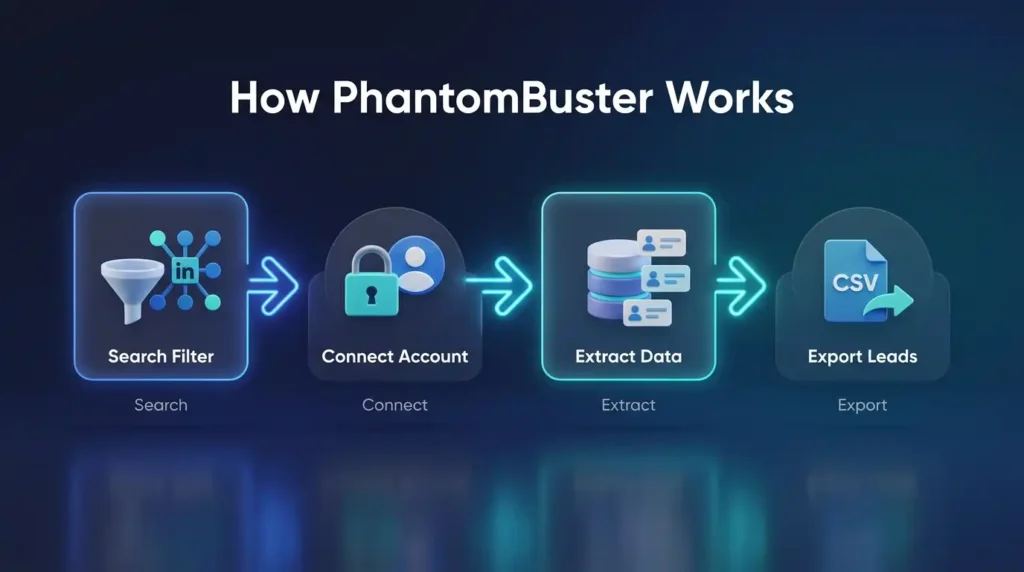
You do not need any coding knowledge to get started with PhantomBuster. The setup process for a basic Phantom looks like this:
- Go to the PhantomBuster dashboard and browse the Phantom library. You can filter by platform – LinkedIn, Instagram, Google Maps – or by goal, such as lead extraction, outreach automation, or data enrichment. This makes it easy to find the right starting point for your specific use case.
- Select a Phantom and start the configuration process. For LinkedIn lead generation, the LinkedIn Search Export Phantom is the most common starting point. The tool will prompt you to connect your LinkedIn account using your session cookie – a small authentication token that tells PhantomBuster you are logged in, without sharing your actual password.
- Give the Phantom a target to work from. For LinkedIn, this means going to LinkedIn, running a search with your preferred filters – industry, job title, location, company size – and pasting that search results URL into PhantomBuster. This tells the Phantom exactly which profiles you want it to collect data from.
- Set your limits and schedule. Define how many profiles you want extracted per session, pick a time to run (ideally during normal business hours), and click Launch. The Phantom then runs on PhantomBuster’s cloud servers – your device can be completely off.
How Does PhantomBuster LinkedIn Automation Actually Work?
PhantomBuster LinkedIn automation works by mimicking the way a real human browses LinkedIn. Unlike tools that use LinkedIn’s official API – which has strict rate limits – PhantomBuster uses real browser automation, visiting pages as a person would and reading publicly available information.
This approach gives it flexibility that API-based tools cannot match. But it also means careful usage is essential. The most popular LinkedIn Phantoms include:
- LinkedIn Profile Scraper – visits a list of profile URLs and extracts visible data including name, job title, company, location, education, skills, and email addresses when available.
- Sales Navigator Search Export – pulls entire search result pages from LinkedIn Sales Navigator directly into a spreadsheet with all profile data included.
- LinkedIn Connection Request Sender – automatically sends personalized connection requests to a targeted list of profiles using a message template you define upfront.
- LinkedIn Message Sender – sends messages to your existing connections at scale, with custom variables like first name and company name to make each message feel personal rather than automated.
When Should You Run Your Phantoms for Best Results?
Timing has a direct impact on both data quality and account safety. The best practice is to schedule your Phantoms to run during normal business hours in your target audience’s timezone – typically between 9 AM and 6 PM. This keeps the activity pattern looking like natural human behavior to LinkedIn’s monitoring systems.
Running automations through the night or in continuous back-to-back sessions is one of the most common mistakes new users make. LinkedIn’s systems flag accounts with unusual activity patterns, and an account that appears to be browsing profiles at 3 AM for six hours straight is a clear signal that something is automated.
Also Read – LinkedIn Premium vs Sales Navigator: Which LinkedIn Plan Is Best for You in 2026?
🔥 LinkedIn Premium Business Plan 12 Months
Original Price ₹23,000 • Get it ₹8XXX
🤖 Gemini AI Advanced Pro Plan
Original Price ₹19,500 • Get it ₹8XXX
💼 LinkedIn Sales Navigator Core
Original Price ₹80,000 • Get it ₹2XXXX
🎨 Canva Pro Lifetime Access
Original Price ₹3,999 • Get it ₹4XX
📚 Coursera Plus Annual Plan
Original Price ₹33,000 • Get it ₹2XXX
✨ Adobe Creative Cloud All Apps
Original Price ₹59,000 • Get it ₹4XXX
PhantomBuster Features 2026 – What Makes It Stand Out?
Beyond the core scraping and automation functionality, here is a closer look at what makes the platform worth paying attention to in 2026.

Which AI Features Does PhantomBuster Offer in 2026?
PhantomBuster has added a meaningful set of AI-powered capabilities in its latest updates, and these are worth knowing about:
- AI LinkedIn Message Writer uses GPT technology to generate personalized outreach messages based on each prospect’s profile data. Instead of sending the same generic message to 500 people, the tool creates slightly different, contextually relevant messages tailored to each person’s job title, industry, or recent activity – which significantly improves reply rates compared to bulk template messages.
- AI LinkedIn Profile Enricher takes your list of scraped profiles and automatically adds structured information like company size, industry, seniority level, and other attributes that make the list more actionable for your sales or marketing team.
- AI LinkedIn Post Responder generates suggested comment replies to LinkedIn posts from your target audience. This is particularly useful for warming up prospects with genuine engagement before reaching out to them directly with a connection request.
These AI features run on AI credits that are included with paid plans. The number of credits available varies by plan tier, with higher plans offering significantly more credits per month.
How Does PhantomBuster Integrate with CRMs Like HubSpot and Salesforce?
PhantomBuster integrates natively with HubSpot, Salesforce, and Pipedrive. The setup allows you to push enriched lead data directly into your CRM – including contact information, job title, company details, and any enrichment data you have added – without any manual data entry. This keeps your pipeline accurate and up to date automatically.
For teams using other tools, PhantomBuster also connects through Zapier and Make, which opens up integrations with hundreds of additional platforms including Slack, Notion, Airtable, and Google Sheets. If your workflow involves any of these tools, connecting them to PhantomBuster is straightforward and does not require technical skills.
Also Read – Notion vs Obsidian – Best Knowledge Management Tool?
Is PhantomBuster Safe for LinkedIn Automation in 2026?
This is the most important question anyone should ask before using this tool, and it deserves a completely honest answer. Based on this PhantomBuster Review 2026 and verified user experiences from multiple review platforms: PhantomBuster is safe for LinkedIn automation when used carefully and within recommended limits – but there is a genuine risk if you push the tool too hard.
Why Do Some PhantomBuster Users Get Their LinkedIn Accounts Banned?
LinkedIn actively monitors for unusual activity. When a tool sends too many connection requests in a short window, scrapes too many profiles too quickly, or creates browsing patterns that no human would produce, LinkedIn’s detection systems flag the account. The most common reasons users experience restrictions include:
- Running automations at volumes that far exceed what a real human could do manually. Sending 200 or more connection requests in a single day, or scraping thousands of profiles in one continuous session, are among the clearest red flags. LinkedIn’s safe threshold is generally much lower than most new users assume.
- Operating Phantoms through the night or around the clock. Activity patterns that appear outside of normal working hours – especially sustained high-volume activity from 11 PM to 7 AM – are a strong signal to LinkedIn’s systems that the account is automated rather than human-operated.
- Jumping to high volumes immediately without a warm-up period. Newer LinkedIn accounts that start running heavy automation from day one face a much higher risk of restriction than established accounts that have built up a history of normal activity first.
How to Use PhantomBuster Safely – 5 Rules You Must Follow
If you want to use PhantomBuster LinkedIn automation over the long term without putting your account at risk, these five practices are non-negotiable:
- Keep your daily scraping volume below 1,000 to 1,500 profiles, and never extract all of them in one continuous session. Split your daily target into two or three smaller batches spread across the day to maintain a natural-looking activity rhythm.
- Send no more than 20 to 30 connection requests per day from a single LinkedIn account. Most automation practitioners agree this is the range that stays safely below LinkedIn’s detection thresholds. Going above 50 per day starts increasing your risk meaningfully.
- Always build in time gaps between your Phantom sessions. A minimum of four to eight hours between runs is the widely recommended standard. This keeps your activity pattern looking like a real person taking breaks rather than a script running non-stop.
- Use a warm-up period for any LinkedIn account you plan to automate. For the first two to four weeks, run at very low volumes – maybe 200 to 300 profile views per day and 10 connection requests maximum. Then scale up gradually. Jumping straight to full speed on a newer account is one of the most common mistakes.
- Review your PhantomBuster execution dashboard every week. Check how much execution time you are consuming, look for failed runs or error messages, and adjust your settings if anything looks off before it escalates into a bigger problem.
🔥 LinkedIn Premium Business Plan 12 Months
Original Price ₹23,000 • Get it ₹8XXX
🤖 Gemini AI Advanced Pro Plan
Original Price ₹19,500 • Get it ₹8XXX
💼 LinkedIn Sales Navigator Core
Original Price ₹80,000 • Get it ₹2XXXX
🎨 Canva Pro Lifetime Access
Original Price ₹3,999 • Get it ₹4XX
📚 Coursera Plus Annual Plan
Original Price ₹33,000 • Get it ₹2XXX
✨ Adobe Creative Cloud All Apps
Original Price ₹59,000 • Get it ₹4XXX
PhantomBuster Pricing 2026 – Which Plan Is Worth Your Money?
PhantomBuster pricing 2026 is structured around three main paid plans plus a free 14-day trial. Understanding what each plan actually gives you – beyond the headline price – is important for choosing the right option for your situation.
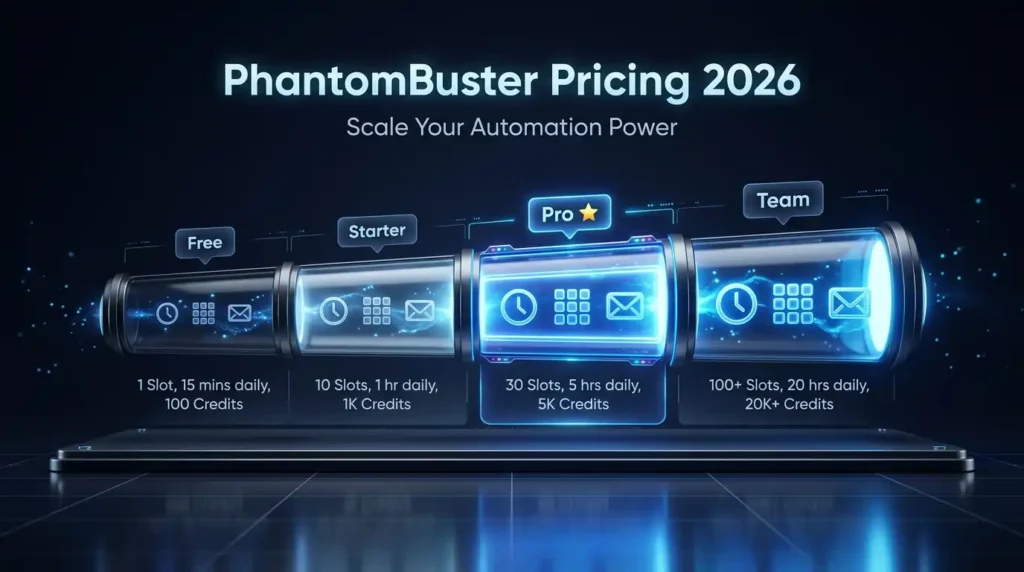
| Plan | Best For | Execution Time | Phantom Slots | Email Credits |
| Free Trial | Testing before committing | Limited daily hours | 5 slots | 50 credits total |
| Starter Plan | Individuals and solo marketers | 20 hours/month | 5 slots | 500 credits/month |
| Pro Plan | Growing sales teams and agencies | 80 hours/month | 15 slots | 2,500 credits/month |
| Team Plan | Large agencies and enterprise teams | 300 hours/month | 50 slots | 10,000 credits/month |
The pricing model is built around execution time – you pay for how long your automations actually run on PhantomBuster’s servers rather than paying per lead or per action. Each plan also includes a set number of AI credits, URL finder credits, and email credits that reset at the start of each billing cycle.
What Do You Get in the Starter, Pro, and Team Plans?
The Starter plan works well for individuals or solo marketers who want to automate a handful of LinkedIn tasks without needing large volumes. With five Phantom slots and 20 hours of monthly execution time, you can comfortably run a basic lead generation workflow – but you will hit limits quickly if you try to scale beyond light individual use.
The Pro plan is the most popular tier and makes the most sense for small to mid-sized sales teams or marketing agencies. It gives you 15 Phantom slots and 80 hours of monthly execution time – enough to run several Workflows simultaneously and handle real business-scale prospecting without hitting walls mid-month. The significantly higher AI and email credit allocations also unlock the AI personalization features in a meaningful way.
The Team plan is designed for larger agencies and enterprise teams managing multiple clients or running heavy automation continuously. The 50 slots and 300 hours of monthly execution make it possible to run dozens of parallel Workflows without throttling. Annual billing is available across all plans and typically saves around 19 to 20% compared to paying month by month – worth considering once you have validated the tool for your specific needs.
What Is the Cheapest Way to Use PhantomBuster in 2026?
If budget is a concern, the smartest starting point is the free 14-day trial – no credit card required. This gives you access to all features at limited volume, which is genuinely enough to test whether the tool fits your workflow before you spend anything.
For ongoing access at a lower cost than the official subscription plans, digital tool resellers like PremiumToolsHub offer affordable PhantomBuster access plans that give you full platform functionality without the full official price tag. This is a practical option for freelancers, small agencies, and startup teams that need the tool but find the standard pricing steep for their current stage. Reach out to PremiumToolsHub on WhatsApp to find out which access option works best for your budget and use case.
Also Read – How to Use Notion for Content Planning
PhantomBuster Alternatives 2026 – Which Tool Should You Choose Instead?
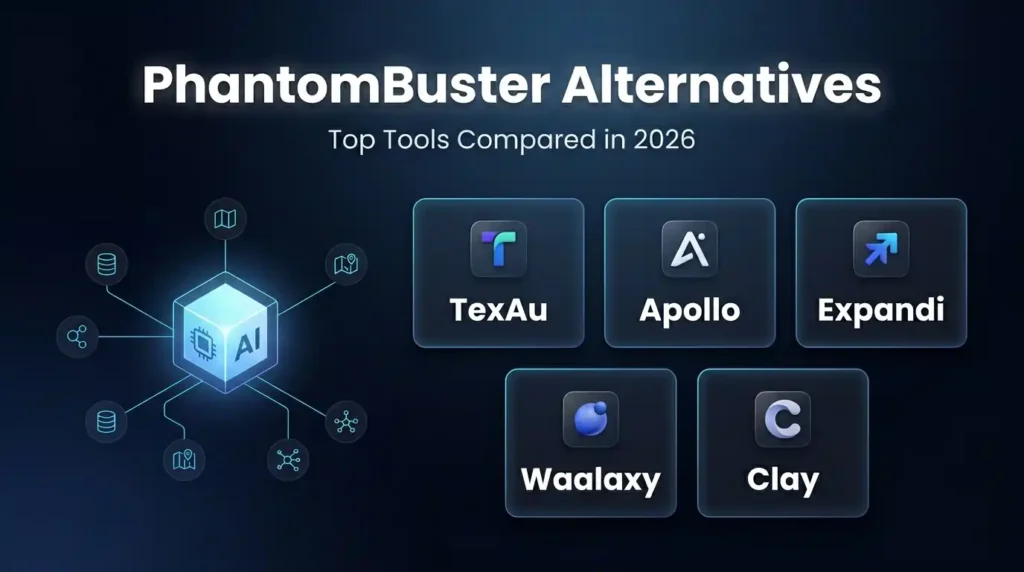
Not every business needs PhantomBuster. Here is an honest look at how it stacks up against the main PhantomBuster alternatives 2026 so you can make an informed decision.
How Does PhantomBuster Compare TexAu and Apollo.io?
| Tool | Best For | Platforms | Ease of Use | LinkedIn Safety |
| PhantomBuster | Multi-platform data extraction | 15+ platforms | Moderate | Medium risk |
| TexAu | Budget-friendly alternative | 10+ platforms | Easier | Medium risk |
| Apollo.io | B2B database + built-in outreach | Own database | Very easy | Low risk |
| Expandi | LinkedIn-only automation | LinkedIn only | Easy | Lower risk |
| Waalaxy | LinkedIn + email sequences | LinkedIn + Email | Beginner-friendly | Lower risk |
| Clay | Deep data enrichment | 75+ sources | Easy | Low risk |
PhantomBuster is the strongest option when you genuinely need lead data from multiple platforms – for example, combining LinkedIn prospecting with Google Maps business data and Instagram engagement tracking in the same workflow. No other tool in this price range matches that level of breadth.
Apollo.io is a better choice if you primarily need a clean, ready-made B2B contact database with built-in outreach sequences. It does not scrape LinkedIn directly, which also means significantly lower account risk. If your team is not technical and wants something that works without a learning curve, Apollo is a much smoother experience.
Expandi and Waalaxy are better choices if LinkedIn is your only prospecting channel and you want a simpler, safer setup designed specifically for LinkedIn outreach campaigns.
When Should You Pick an Alternative Over PhantomBuster?
There are a few clear situations where an alternative makes more sense:
- If you only work on LinkedIn, a dedicated tool like Expandi or Waalaxy will be simpler, safer, and often more affordable for that single use case. PhantomBuster’s multi-platform architecture adds complexity you simply do not need if LinkedIn is your only channel.
- If you are a complete beginner to automation, Apollo.io or Waalaxy will give you a much flatter learning curve. PhantomBuster’s cookie-based authentication and Workflow configuration can feel overwhelming if you have never used automation tools before.
- If you need custom scraping from websites that PhantomBuster does not support, Apify is a more flexible option that can scrape almost any website. It requires more technical knowledge, but it covers use cases that no pre-built Phantom library can anticipate.
PhantomBuster Pros and Cons – What the Reviews Actually Say in 2026
We looked at hundreds of verified reviews across G2, Capterra, and Trustpilot as part of this PhantomBuster Review 2026. Here is what real users consistently highlight.
| Pros | Cons |
| 150+ ready-made Phantoms – set up in under 10 minutes, no coding needed | Execution time pricing is confusing and hard to budget predictably |
| Cloud-based – runs 24/7 without your device needing to stay on | Steep learning curve for advanced multi-step Workflows |
| Supports 15+ platforms – LinkedIn, Google Maps, Instagram and more in one dashboard | LinkedIn account restriction risk is real if automation is misused |
| AI message writer improves outreach personalization meaningfully | Execution time caps can interrupt campaigns mid-month on lower-tier plans |
| Native CRM integrations with HubSpot, Salesforce, and Pipedrive | Some Phantoms break when platforms update their UI – reliability varies |
| Team-based workspace pricing is cost-effective for growing teams | Occasional slow execution and uninformative error logs frustrate users |
Is PhantomBuster Worth It in 2026? – Our Final Verdict
After reviewing the features, use cases, safety considerations, pricing structure, and genuine user feedback, here is a clear and honest final answer.
PhantomBuster is worth it in 2026 if you need lead data from multiple platforms, have a team of two or more people who can share workspace costs, and are comfortable investing a few hours into setup and learning the tool properly. For sales teams, growth marketers, and digital marketing agencies that are ready to move beyond manual prospecting, it remains one of the most capable multi-platform automation tools in the market.
PhantomBuster is probably not the right fit if you only need LinkedIn automation – a dedicated tool will be simpler and safer. It also may not suit complete beginners who want a fully plug-and-play experience, or teams that need built-in outreach management in addition to data collection.
If you want to get access to PhantomBuster at a more affordable price point than the official plans, PremiumToolsHub offers shared access options that give you full platform functionality at a budget-friendly rate. It is a practical choice for freelancers, small agencies, and startup teams. Connect with PremiumToolsHub on WhatsApp to find the right plan for your needs.
Also Read – What Is Lovable AI? The AI Web Engineer That Builds Apps for You
Want Affordable Access to PhantomBuster?
If you are exploring PhantomBuster for lead generation, LinkedIn automation, or multi-platform prospecting, PremiumToolsHub is a platform that provides access to premium digital tools – including PhantomBuster – often at more affordable pricing than official subscription plans.
PremiumToolsHub serves 650+ professionals across 15+ countries, with support available from 9 AM to 12 AM IST and a 4.8/5 rating from verified users. Whether you are a freelancer, a small agency, or a startup team, you can reach out directly on WhatsApp to find out which access option fits your budget and use case.
Frequently Asked Questions About PhantomBuster
What is PhantomBuster and how does it work?
PhantomBuster is a cloud-based automation tool that collects lead data and automates repetitive tasks across platforms like LinkedIn, Instagram, Twitter, Google Maps, and more. It works through pre-built automation scripts called Phantoms – each one handles a specific task like scraping profiles or sending connection requests. You configure a Phantom with your target criteria, set a schedule, and it runs entirely on PhantomBuster’s servers without needing your device to be active. Multiple Phantoms can be chained into Workflows for fully automated, multi-step lead generation pipelines.
Is PhantomBuster safe for LinkedIn automation?
PhantomBuster is safe for LinkedIn automation when used carefully and within recommended limits. The key is keeping your daily volumes low – most experienced users recommend staying below 30 connection requests per day and 1,000 to 1,500 profile views per session. Scheduling gaps between automation runs and operating during normal business hours also significantly reduces your account risk. No tool can completely eliminate LinkedIn’s restriction risk, but responsible use means many teams run PhantomBuster long-term without any issues.
How to use PhantomBuster for lead generation?
To use PhantomBuster for lead generation, start by selecting a Phantom from the library – the LinkedIn Search Export or Sales Navigator Export Phantoms are the most popular starting points. Connect your LinkedIn account through your session cookie, provide a search results URL as your starting point, set how many profiles you want extracted per session, and schedule the Phantom to run. Extracted data is automatically saved as a CSV file or pushed to Google Sheets or your CRM. From there, additional Phantoms can find email addresses, send connection requests, or enrich the lead data further.
Is PhantomBuster worth it for digital marketing agencies in 2026?
Yes, PhantomBuster is worth it for digital marketing agencies in 2026, especially those managing multiple clients across different industries who need lead data from various platforms regularly. The team-based workspace pricing becomes increasingly cost-effective as the team grows. However, agencies with a very large client base may find execution time limits restrictive on lower-tier plans. The Pro plan is usually the right starting point for agencies, with the Team plan available for those running heavy concurrent automation across many clients.
What is the cheapest way to use PhantomBuster in 2026?
The cheapest way to get started is the free 14-day trial – no credit card required – which gives you access to all features at limited volume. For ongoing affordable access, digital tool resellers like PremiumToolsHub offer shared access plans that deliver full PhantomBuster functionality at a fraction of the official subscription cost. This is particularly useful for freelancers, solo marketers, and early-stage teams that need the tool but find the standard plans expensive at their current scale. Official annual billing also saves around 20% compared to monthly payments for those going direct.