You just signed up for Notion. You look at the plans page. And suddenly you have a simple question that feels anything but simple – do you stay on the free plan, go for Plus, or jump straight to Business?
This is one of the most common questions Indian professionals, students, and startup founders type into Google every week. And the answer is not one-size-fits-all.
In this complete guide, we break down the Notion Business vs Personal plan 2026 comparison – plan by plan, feature by feature, use case by use case. Whether you are a college student in Delhi, a freelancer in Mumbai, or building a 10-person startup in Bengaluru, this Notion Business vs Personal plan 2026 guide will tell you exactly which plan makes sense for you by the end of this blog.
What Exactly Is Notion – And Why Do So Many Indians Use It in 2026?
Notion is an all-in-one workspace that combines note-taking, databases, project management, wikis, and now AI – all inside a single tool. Instead of juggling five different apps, you run everything from one place.
In India, Notion has seen explosive growth over the last two years. Students use it to build study systems. Freelancers use it to manage client projects. Startups use it as their company wiki, product roadmap, and internal knowledge base. Marketing teams use it for content calendars. HR teams use it for onboarding docs.
The reason Notion works so well for Indian users is simple: Notion pricing plans India are affordable compared to alternatives like Confluence, Asana, or Monday.com – and the free tier is genuinely generous.
But here is the thing – Notion has four plans in 2026: Free, Plus, Business, and Enterprise. The confusion around the Notion Business vs Personal plan 2026 choice comes from the fact that there is no official plan called ‘Personal.’ What people actually mean when they say ‘personal plan’ is the Free or Plus tier – designed for individual or light use. The Business plan is the step up for teams who need more control, security, and AI.
Let us break all of this down clearly.
🔥 LinkedIn Premium Business Plan 12 Months
Original Price ₹23,000 • Get it ₹8XXX
🤖 Gemini AI Advanced Pro Plan
Original Price ₹19,500 • Get it ₹8XXX
💼 LinkedIn Sales Navigator Core
Original Price ₹80,000 • Get it ₹2XXXX
🎨 Canva Pro Lifetime Access
Original Price ₹3,999 • Get it ₹4XX
📚 Coursera Plus Annual Plan
Original Price ₹33,000 • Get it ₹2XXX
✨ Adobe Creative Cloud All Apps
Original Price ₹59,000 • Get it ₹4XXX
How Many Plans Does Notion Have – And Which Ones Matter for You?
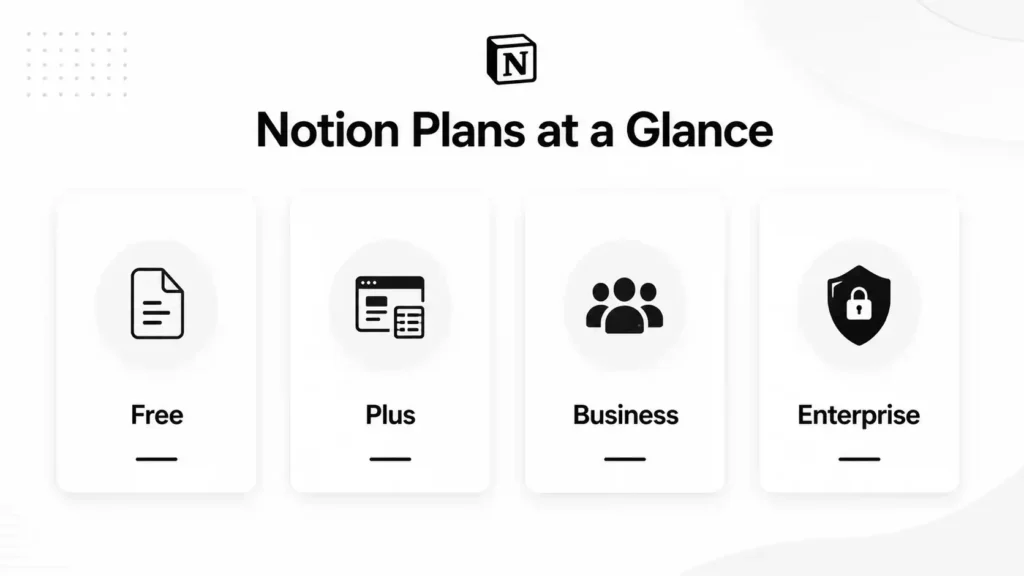
Notion offers four plans as of 2026. Each one is built for a different stage of usage. Here is a quick overview before we go deeper:
- Free Plan – Best for solo users, students, and anyone just getting started
- Plus Plan – Best for freelancers, small teams, and power individual users
- Business Plan – Best for startups, growing teams, and organizations needing security features
- Enterprise Plan – Best for large companies with compliance, audit, and security requirements
For most Indian users, the real decision happens between the first three. Enterprise is a sales-led plan for large organizations and is not relevant to the average user. So in this blog, we focus on Free (personal use), Plus (personal/small team), and Business.
What Does the Notion Free Plan Give You – And Where Does It Fall Short?
The Notion Free plan is genuinely one of the best free tiers in the productivity tool space. Here is what you actually get:
- Unlimited pages and blocks – create as many notes, databases, and wikis as you want
- All core database views – table, board, calendar, gallery, list, and timeline
- Basic page analytics
- 7-day page history – restore any version from the past 7 days
- Up to 10 guest collaborators
- 5 MB per file upload limit
- Notion Calendar and Notion Mail (Gmail sync)
- Public API access for basic integrations with tools like Zapier and Slack
Where does it fall short? Three things hit most users quickly:
1. The 5 MB file upload cap is surprisingly restrictive. PDFs, presentations, and images often exceed this limit.
2. If you invite even one person to collaborate on editing – not just view – the workspace enters a limited block trial mode. This is Notion’s nudge to upgrade.
3. The 7-day page history means if you accidentally delete something 10 days ago, it is gone forever.
For personal use with no collaboration needs, the Free plan works well. The moment teamwork enters the picture, you will feel the limits fast.
Also Read – Leads.cm Review 2026: Is This B2B Lead Database Actually Worth It?
What Does the Notion Plus Plan Offer That Free Does Not?
The Plus plan is where Notion becomes a proper tool for both individual power users and small teams. The key upgrades over Free are:
- Unlimited file uploads – no more 5 MB cap
- 100 guest collaborators – enough for most freelancers sharing work with clients
- 30-day page history – more breathing room for version control
- Full access to Notion AI as of 2026 – this is a major upgrade. Notion AI includes content generation, translation, and auto-fill features
- Unlimited database syncs and rows (up to 20,000 rows per database)
- Custom domain support for Notion Sites
- Priority support
The Notion Plus plan features make it the sweet spot for most Indian freelancers and small teams. You get 90% of what Notion has to offer at a fraction of the Business plan cost.
What Makes the Notion Business Plan Different From the Rest?
The Notion Business plan is where things get serious for teams. It includes everything in Plus, plus the features that matter to organizations – not just individuals:
- Private teamspaces – create spaces visible only to specific team members. HR docs stay hidden from engineers. Finance stays hidden from interns.
- SAML SSO (Single Sign-On) – secure login via your organization’s identity provider like Okta or Azure AD
- 90-day page history – three months of version tracking for compliance
- Advanced database permissions – control who can view, comment, or edit at a granular level
- Up to 250 guest collaborators – enough for agencies and companies with many external stakeholders
- Bulk PDF export – export your entire workspace for backup or legal purposes
- Full Notion AI access – including AI Agents and Enterprise Search beta
The jump from Plus to Notion Business plan worth it territory is almost entirely about security, privacy, and team administration. If your team does not need SSO or private spaces, Plus handles most workflows perfectly.
Notion Business vs Personal Plan 2026: A Side-by-Side Feature Comparison
Here is the complete side-by-side breakdown of what the difference between Notion Free and Business plan actually looks like in 2026:
| Feature | Free Plan | Plus Plan | Business Plan |
| Best For | Students, solo users | Freelancers, small teams | Startups, growing teams |
| Pages & Blocks | Unlimited (solo) | Unlimited (all members) | Unlimited (all members) |
| File Upload Size | 5 MB limit | Unlimited | Unlimited |
| Guest Collaborators | Up to 10 guests | Up to 100 guests | Up to 250 guests |
| Page History | 7 days | 30 days | 90 days |
| Notion AI Access | Limited trial only | Included (2026) | Full AI – Agents, Search |
| Private Teamspaces | Not available | Not available | Yes – full control |
| SAML SSO | No | No | Yes |
| Advanced Permissions | Basic only | Basic only | Granular DB permissions |
| Bulk PDF Export | No | No | Yes |
| Billing Model | Free forever | Per user/month | Per user/month |
Looking at this table, the what is the difference between Notion free and Business plan question becomes very clear: it is not just about features – it is about who you are. Solo user? Free is excellent. Small collaborating team? Plus. Team that needs security controls? Business.
| Want to access Notion at the best price in India?PremiumToolsHub offers Notion plans at significantly lower prices than official rates – pay via UPI or Paytm. WhatsApp us at +91-90291-51181 or visit premiumtoolshub.in |
Also Read – Notion vs ClickUp – Best Project Management Tool?
🔥 LinkedIn Premium Business Plan 12 Months
Original Price ₹23,000 • Get it ₹8XXX
🤖 Gemini AI Advanced Pro Plan
Original Price ₹19,500 • Get it ₹8XXX
💼 LinkedIn Sales Navigator Core
Original Price ₹80,000 • Get it ₹2XXXX
🎨 Canva Pro Lifetime Access
Original Price ₹3,999 • Get it ₹4XX
📚 Coursera Plus Annual Plan
Original Price ₹33,000 • Get it ₹2XXX
✨ Adobe Creative Cloud All Apps
Original Price ₹59,000 • Get it ₹4XXX
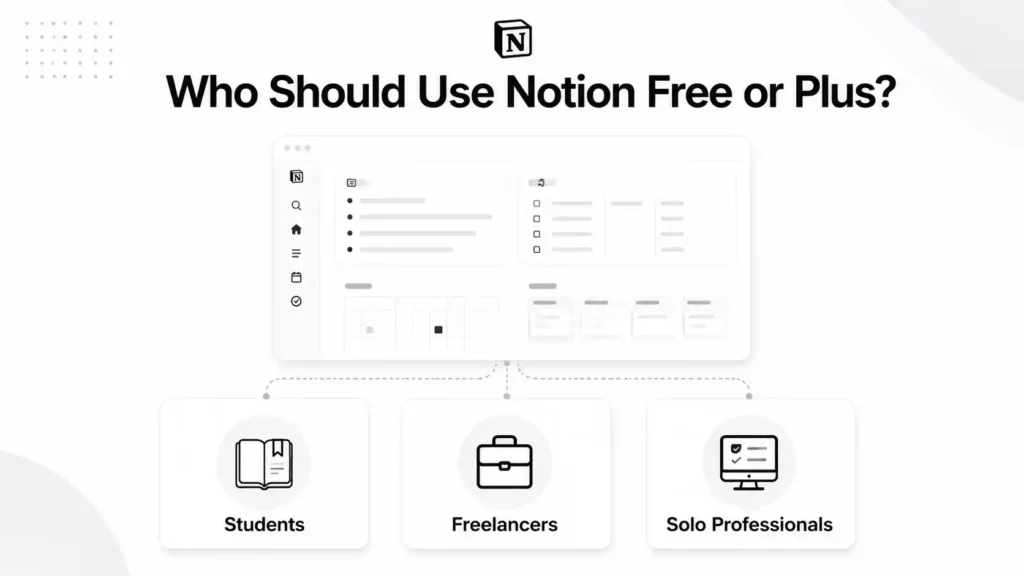
Who Should Use the Notion Free or Plus Plan? (Personal Use Cases)
Let us get specific. If you are wondering which plan fits your life as a student, freelancer, or solo professional, this section is for you.
Why Is Notion Free the Best Starting Point for Students in India?
Students across Indian colleges – from IITs and NITs to local engineering colleges – have embraced Notion as their second brain. And the Free plan handles almost everything a student needs:
- Lecture notes and study databases
- Assignment trackers with deadlines
- Project wikis for group work (read-only sharing is free)
- Resource libraries for exam preparation
- Personal journaling and habit tracking
The Notion free vs paid plan debate for students is simple: stay free. You get unlimited pages and blocks for solo use – you will rarely hit a real limit.
The only reason a student would need Plus is if they are running a college startup, shared project with multiple editors, or internship-level client work that requires more than 10 guest collaborators.
Also worth noting: Notion offers the Plus plan completely free to students and educators with a valid .edu email address. If your institution provides one, you can access Plus-level features at zero cost.
How Should Indian Freelancers Decide Between Free and Plus?
For freelancers, the decision depends on one key question: do you share Notion pages with clients for review or editing?
- If you only share view-only pages with clients – Free works fine. Clients can read and comment without needing paid seats.
- If clients need to edit pages directly – you need Plus. Free only allows solo editing.
- If you frequently share files like design mockups, PDFs, or presentations with clients – Plus removes the 5 MB upload barrier.
- If you manage 3-5 clients simultaneously – Plus gives you 100 guest slots vs Free’s 10.
The best Notion plan for freelancers India is almost always the Plus plan the moment client collaboration becomes a regular part of your workflow. It replaces Trello, Google Docs, and a basic CRM – all in one tool.
| Did You Know?On the Notion Free plan, if you invite even one person to your workspace as an editor (not a guest viewer), Notion immediately puts your workspace into a limited block trial mode. This means existing content becomes read-only for team members until you upgrade. This is the number one reason Indian teams find themselves upgrading to Plus faster than they planned. The fix? Add collaborators as guest viewers (not workspace members) if they only need to read and comment – this stays within the free tier. |
Also Read – Why Notion Premium Is a Preferred Productivity Tool
Who Should Use the Notion Business Plan? (Team and Business Use Cases)
The Business plan is not just a bigger Plus plan. It is a fundamentally different tier – built for teams where data privacy, controlled access, and organizational structure matter. Here is who it is actually for.
Why Do Indian Startups Choose the Notion Business Plan Over Plus?
Indian startups – especially those building in Bengaluru, Mumbai, and Delhi NCR – often use Notion as their entire internal operating system. Product roadmaps, engineering docs, HR wikis, meeting notes, OKRs, and onboarding checklists all live in Notion.
At this scale, Plus starts to show limitations that Business solves directly:
- Your HR team needs a space that engineers cannot stumble into – private teamspaces make this possible
- Your investors or enterprise clients require SAML SSO for security compliance – Business provides it
- You have crossed 10-15 team members and need to control who can edit what at the database level – advanced permissions handle this
- You need 90 days of version history because legal or compliance requires it
For a which Notion plan is best for startups in India answer – once your team crosses 10 people and starts handling sensitive business data, the Notion Business plan stops being optional and starts being the right infrastructure decision.
What Are Private Teamspaces and Why Do Teams Need Them?
The Notion Business plan features private teamspaces, SAML SSO India-compatible login, and granular permissions – three things that separate it from every plan below it. This is the most misunderstood Business plan feature. Many Indian teams upgrade without fully understanding what private teamspaces do – or upgrade to Plus thinking it solves this problem when it does not.
Here is how it works. In Notion, a teamspace is like a section of your workspace. By default, most spaces are open and visible to everyone in the workspace. Private teamspaces are visible only to the specific members you add.
Why does this matter for real teams?
- HR documents – offer letters, salary details, performance reviews – should not be visible to every engineer in the workspace
- Finance docs – P&L, investor updates, cap table – need to stay with the core founding team
- Client-specific workspaces – if you are an agency managing multiple clients, Client A should never accidentally see Client B’s project
- Security-sensitive product docs – certain feature specs or security architecture docs should be restricted to senior engineers only
The Plus plan does not offer private teamspaces. This is a Business-only feature and it is the most common reason growing Indian teams upgrade from Plus to Business.
| Did You Know? In mid-2025, Notion made a major change to how its AI is bundled. Previously, Notion AI was a separate paid add-on that cost extra per user per month on any plan. In 2026, full Notion AI is included in the Business plan at no extra charge. This means Business plan users get access to AI Agents (which can complete multi-step tasks autonomously), Enterprise Search (natural language search across your entire workspace and connected apps like Slack and Google Drive), and AI Meeting Notes. For Indian teams already considering the Business plan for security features, this AI inclusion makes the upgrade even more compelling. |
| Unlock Notion Business at a Fraction of the Official Cost PremiumToolsHub gives Indian startups and teams access to Notion Business plan at the most affordable price available. UPI, Paytm, and bank transfer accepted. Contact us on WhatsApp: +91-90291-51181 | premiumtoolshub.in |
🔥 LinkedIn Premium Business Plan 12 Months
Original Price ₹23,000 • Get it ₹8XXX
🤖 Gemini AI Advanced Pro Plan
Original Price ₹19,500 • Get it ₹8XXX
💼 LinkedIn Sales Navigator Core
Original Price ₹80,000 • Get it ₹2XXXX
🎨 Canva Pro Lifetime Access
Original Price ₹3,999 • Get it ₹4XX
📚 Coursera Plus Annual Plan
Original Price ₹33,000 • Get it ₹2XXX
✨ Adobe Creative Cloud All Apps
Original Price ₹59,000 • Get it ₹4XXX
How Much Does Notion Cost in India – And How Do You Get It Affordably?
The how much does Notion cost per month in India question comes up constantly in Indian productivity communities. Here is the honest breakdown.
What Is the Real Cost of the Notion Business Plan for an Indian Team?
Notion uses per-seat pricing. That means every editor in your workspace costs money. The official pricing is in US dollars, and at current exchange rates, this adds up quickly for Indian teams:
- A 5-person team on the Business plan for 12 months at the official rate works out to a significant annual expense at INR conversion
- This is why many Indian freelancers and startups look for more affordable access to the same plan features
This is where Notion pricing plans India becomes a very practical concern. The official dollar pricing, converted to INR, can feel steep – especially for solo freelancers or early-stage startups where every rupee counts.
| Important Note on Billing Notion charges per seat, per month. If you add a team member mid-year on an annual plan, you pay for that seat for the entire remaining year on a pro-rated basis. Think carefully before committing to annual billing unless your team size is stable. |
Where Can Indian Users Get Notion at the Best Price?
The Notion Business vs Personal plan 2026 cost concern is a real one for Indian users. Here are the options:
- Official Notion website – full dollar pricing, credit card required. Works but expensive in INR.
- Notion for Students – if you have a .edu email, you get Plus plan for free. Worth checking before paying anything.
- Notion for Startups – if you are an early-stage company, Notion offers credits worth up to $1,000 for eligible startups.
- PremiumToolsHub – Indian users can access Notion plans at significantly lower prices than official rates, with UPI and Paytm payment options and WhatsApp support.
When Should You Upgrade – And When Should You Stay on Your Current Plan?
This is the section most comparison blogs skip. They tell you what each plan includes but not when to actually make the move. Here is a clear, practical guide.
5 Clear Signs You Are Ready to Move to Notion Business Plan
1. Your team has grown past 10 members and you are starting to worry about who can access what.
2. Your IT department or investors are asking for SAML SSO before they will approve Notion for company-wide use.
3. You have had an uncomfortable moment where someone from one team accidentally saw a sensitive document from another team.
4. You manage client workspaces and cannot afford for Client A to ever see Client B’s information.
5. Your team relies heavily on Notion AI for daily workflows – the Business plan gives you full AI access including Agents and Enterprise Search.
The Notion plan comparison for remote teams India 2026 perspective adds one more signal: if your team is fully remote across multiple cities like Bengaluru, Mumbai, and Delhi – private teamspaces and advanced permissions become critical for keeping work organized without accidental cross-team visibility.
Also Read – How to Use Perplexity AI for Research (Complete Practical Guide)
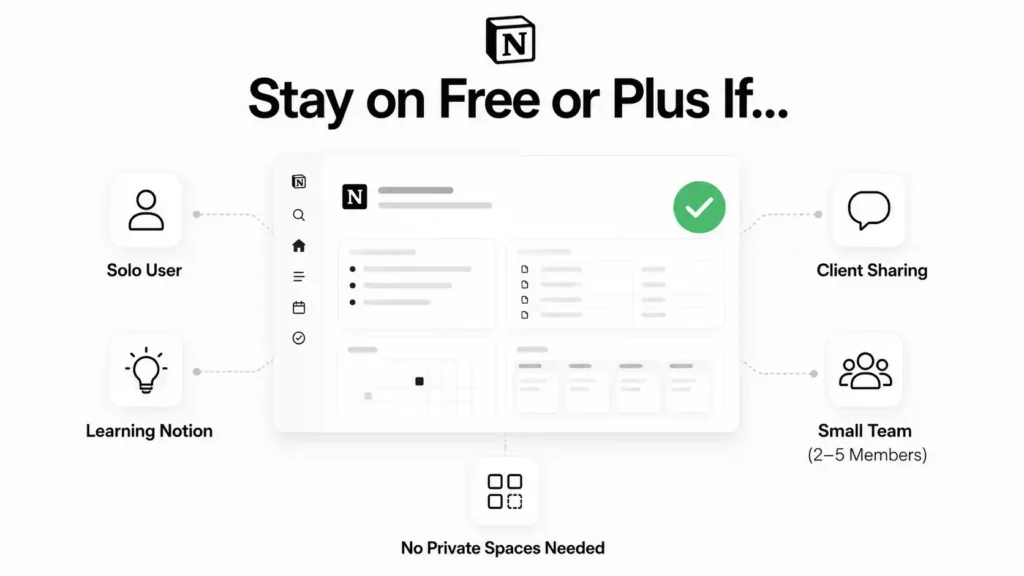
5 Signs You Should Stay on Free or Plus for Now
- You are the only person using your Notion workspace – the free plan handles solo use with zero limitations on pages and blocks.
- You share pages with clients for viewing and comments only – this works on the free tier without needing Plus.
- Your team is 2-5 people and you have no compliance or SSO requirements – Plus gives you 90% of what you need.
- You are still figuring out how to use Notion – do not pay for Business features you will not use for months.
- You do not need private teamspaces because your team is small enough that everyone is working on the same visible projects.
The honest answer to Notion Business vs Personal plan 2026 is this: most individuals and small teams are genuinely fine on Plus. The Business plan upgrade becomes necessary – not just nice-to-have – only when organizational security and privacy become real requirements.
Here is a quick reference table to help you decide:
| Plan | Best For (India) | When to Upgrade |
| Free | Students, solo learners, personal note-takers, anyone exploring Notion for the first time | When you need to share files larger than 5 MB or invite more than 10 guests |
| Plus | Freelancers sharing client work, small teams of 2-10, educators, side project builders | When your team needs SSO, private spaces for HR/legal, or your headcount crosses 20+ |
| Business | Indian startups, agencies managing multiple clients, cross-functional teams, remote-first companies | Already there – this plan scales with most growing Indian teams up to 200 people |
| Did You Know? Notion’s annual billing plan gives you a meaningful discount compared to month-to-month pricing. However, there is a catch that catches many Indian users off guard: when you add a new team member to an annual plan mid-cycle, Notion charges you for that seat for the entire remaining year upfront – not just the remaining months. This means if you add someone in month 9 of a 12-month plan, you pay for a full new year from that point. Experts recommend: start on monthly billing, validate that Notion is central to your workflow, confirm your team size is stable, and only then switch to annual for the savings. |
| Get Notion Plans in India – Pay via UPI or Paytm PremiumToolsHub makes Notion affordable for Indian freelancers, students, and startups. No dollar conversion headaches. Chat with us on WhatsApp: +91-90291-51181 or visit premiumtoolshub.in |
Frequently Asked Questions About Notion Plans
These are the most commonly searched questions about Notion plans in India, answered directly:
What is the difference between Notion Free and Business plan?
The what is the difference between Notion free and Business plan comes down to three things: collaboration scale, security features, and AI access. The Free plan gives you unlimited solo pages with a 5 MB upload cap, up to 10 guests, and 7-day page history – perfect for personal use. The Notion Business plan worth it answer becomes clear when you see what it adds: private teamspaces, SAML SSO, 90-day page history, advanced permissions, bulk PDF export, 250 guest slots, and full Notion AI access including Agents and Enterprise Search. These are not just bigger numbers – they are organizational-grade features that small teams and individuals simply do not need.
Is Notion Business plan worth it for small teams?
For small teams under 10 people – probably not yet. The Notion Business plan worth it calculation flips in your favor only when you have real security requirements: SSO mandated by IT, private teamspaces needed for department separation, or compliance requiring 90-day version history. A 3-8 person Indian startup without these requirements runs perfectly well on the Plus plan. Save the Business plan upgrade for when your team size, security needs, or compliance requirements make it genuinely necessary.
Can I use Notion for free forever?
Yes – and the Notion free vs paid plan debate genuinely favors staying free for solo users. Notion’s Free plan has unlimited pages and blocks for individual use with no time limit. You do not need to pay anything as long as you are working alone, your files are under 5 MB, and you do not need more than 10 guest collaborators. The free plan is not a trial – it is a legitimate long-term option for personal productivity. Upgrade only when you hit a real limit that is blocking your actual work.
Which Notion plan is best for freelancers?
The best Notion plan for freelancers India depends on your client workflow. If you share view-only pages with clients, Free is enough. If clients need to edit documents directly or you share large files regularly, Plus is the right upgrade. Most Indian freelancers – content writers, designers, consultants, developers – find the Plus plan handles everything they need: unlimited file uploads, 100 guest slots, 30-day history, and full Notion AI access. The Business plan is rarely necessary for solo freelancers unless you are running an agency with multiple client teams.
Does Notion Business plan include AI?
Yes – as of 2026, the Notion Business plan includes full Notion AI at no additional cost. This is a significant change from 2024, when Notion AI was a separate paid add-on for every plan. Business plan users now get access to the complete AI feature set: AI Agents for autonomous multi-step task completion, Enterprise Search for natural language queries across your workspace and connected apps, AI Meeting Notes, content generation, translation, and auto-fill features. Plus plan users also get Notion AI included in 2026, but with fewer advanced features compared to the Business tier.
Conclusion: Which Notion Plan Is Right for You in 2026?
The Notion Business vs Personal plan 2026 decision is actually simpler than it looks once you map your actual needs to what each plan offers. And whatever you decide – Free, Plus, or Business – the right answer is always the one that matches where you are right now, not where you hope to be in two years.
Use the Free plan if you are a student, solo learner, or individual professional who works alone in Notion without heavy file sharing. It genuinely has no meaningful limits for personal use.
Use the Plus plan if you are a freelancer sharing work with clients, part of a small team of 2-10 people, or a power user who wants full Notion AI and unlimited file uploads. This is the sweet spot for most Indian users.
Use the Notion Business vs Personal plan 2026 Business tier if your team has grown past 10 people, you have security or compliance requirements, you need private teamspaces for department-level data separation, or you require SAML SSO. It is the right infrastructure decision for scaling Indian startups and cross-functional teams.
Whatever plan you choose – the most important thing is not to pay more than you need to. Start on Free, upgrade to Plus when collaboration demands it, and move to Business only when organizational security becomes a real requirement.
| Access Notion at the Best Price in IndiaPremiumToolsHub offers Notion plans at prices significantly lower than official rates – designed for Indian freelancers, students, and startups. Pay via UPI or Paytm. No dollar conversion. WhatsApp: +91-90291-51181 | premiumtoolshub.in |