You’ve been applying for jobs for weeks. You tweak your resume, rewrite your cover letter, and refresh your inbox every hour. And still – silence. If that feeling sounds familiar, you’re not alone. According to LinkedIn’s own research, around 80% of job seekers feel underprepared while searching for a job in today’s market. And in the first place most of them look for a solution?
LinkedIn Premium. But here’s the real question – is linkedin premium for job seekers actually worth the money, or is it just a subscription you’ll end up forgetting to cancel? In this guide, we break down every feature, every plan, every rupee, and tell you the honest truth – so you can make a smart decision before you spend anything.
Whether you’re a fresh graduate applying for your first job, a mid-career professional looking to switch industries, or someone who’s been job hunting for a while without results – this guide is written for you.
What Is LinkedIn Premium for Job Seekers?
LinkedIn is already the world’s largest professional network with over 1 billion members globally. India alone has more than 120 million LinkedIn users – that’s a massive pool of recruiters, hiring managers, and career opportunities sitting in one place. The free version of LinkedIn lets you connect with people, apply for jobs, and build a basic profile.
But LinkedIn Premium takes things several steps further. It’s a paid subscription that unlocks advanced tools specifically designed to help you get noticed faster, connect with decision-makers directly, and understand where you stand compared to other applicants. Think of the free version as a basic bicycle – it gets you from A to B. LinkedIn Premium for job seekers is more like a motorcycle – same road, but a completely different speed.
The plan designed specifically for job seekers is called LinkedIn Premium Career. It focuses on helping you find jobs, stand out to recruiters, and build the skills that employers are actually looking for right now.
Which LinkedIn Plans Are Available?
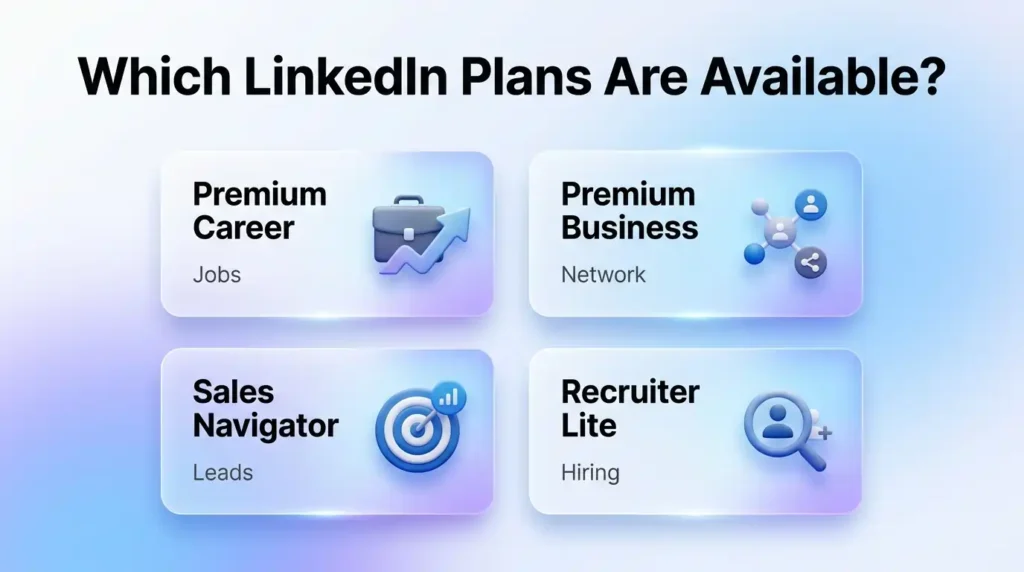
LinkedIn isn’t a one-size-fits-all product. There are different subscription plans, each built for a different kind of professional:
| Plan | Best For | Key Focus |
| Premium Career | Job seekers & freshers | Job search, recruiter visibility, skill building |
| Premium Business | Entrepreneurs & networkers | Network growth, business insights, unlimited browsing |
| Sales Navigator | Sales professionals | Lead generation, advanced search, CRM tools |
| Recruiter Lite | HR & talent teams | Candidate search, hiring tracking, pipeline management |
For anyone focused on getting hired, LinkedIn Premium Career plan is the right starting point. The other plans are powerful tools, but they’re built for different goals entirely.
| Did You Know? LinkedIn Premium for job seekers users are reportedly 2.6 times more likely to get hired within 90 days compared to free users – according to LinkedIn’s internal research. That’s not a small advantage in a competitive job market. The key, however, is knowing exactly which features to use and when. |
Also Read – How to Use LinkedIn Sales Navigator: The Definitive Guide for 2026
🔥 LinkedIn Premium Business Plan 12 Months
Original Price ₹23,000 • Get it ₹8XXX
🤖 Gemini AI Advanced Pro Plan
Original Price ₹19,500 • Get it ₹8XXX
💼 LinkedIn Sales Navigator Core
Original Price ₹80,000 • Get it ₹2XXXX
🎨 Canva Pro Lifetime Access
Original Price ₹3,999 • Get it ₹4XX
📚 Coursera Plus Annual Plan
Original Price ₹33,000 • Get it ₹2XXX
✨ Adobe Creative Cloud All Apps
Original Price ₹59,000 • Get it ₹4XXX
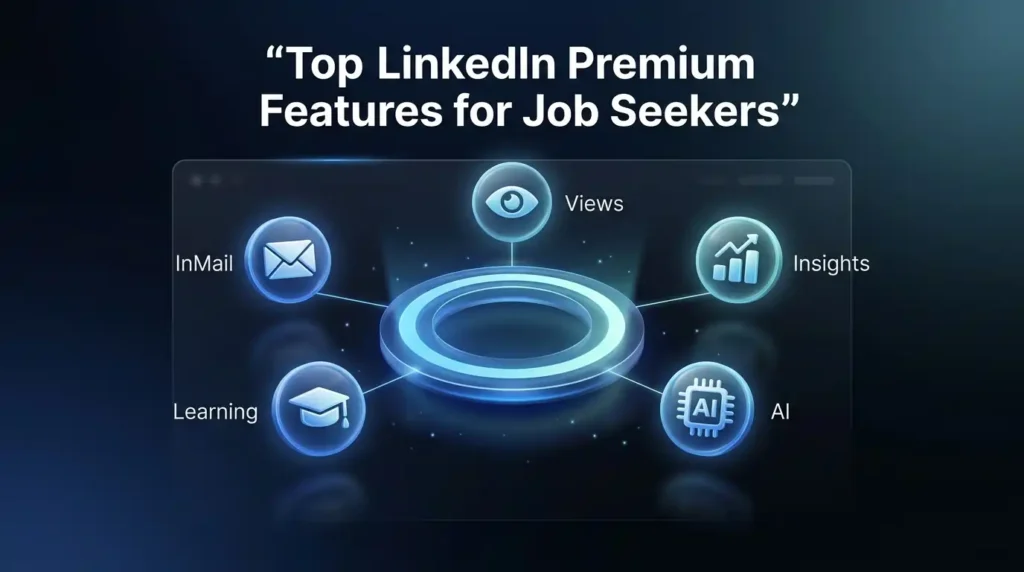
Top LinkedIn Premium Features for Job Seekers (With Step-by-Step Tips)
Most blogs will just list the features and leave you guessing. We’re going to show you exactly how to use each one – because having access to a tool means nothing if you don’t know how to use it properly.
How to Use InMail to Reach Recruiters Directly
One of the biggest hurdles in a job search is getting past the application black hole. You apply, and you hear nothing. InMail changes that by letting you message anyone on LinkedIn – even people you’re not connected with, including recruiters and hiring managers at your dream companies.
Here’s how to make your InMails actually work:
- Don’t just say you’re looking for a job. Start with something specific about the person’s company or their recent work. Show that you did your homework – recruiters get dozens of generic messages daily, and yours needs to feel personal from the first line.
- Keep it short – three to four lines maximum. Your first message should spark curiosity, not tell your entire career story. Save the details for when they reply.
- End with one clear, easy-to-answer question. Something like ‘Would you be open to a quick 15-minute chat this week?’ works much better than asking for a job in your opening message.
- LinkedIn Premium Career gives you 5 InMail credits per month. Use them wisely – target people who are actually relevant to roles you want, not random recruiters in unrelated industries.
How to Use ‘Who Viewed Your Profile’ to Follow Up Strategically
This feature is massively underused by most job seekers. With Premium, you can see everyone who visited your profile over the past 90 days – including their name, company, and job title.
Here’s the simple strategy that actually produces results:
- Every morning, check your profile viewers list. If a recruiter or hiring manager from a company you’re interested in has viewed your profile, send them a connection request within 24 hours – while your name is still fresh in their mind.
- Personalise your connection request with something like: ‘Hi [Name], I noticed you visited my profile – I’m actively exploring opportunities in [field] and would love to connect.’ It’s direct, honest, and respectful of their time.
- LinkedIn Premium benefits like this one work best when you act quickly. A recruiter who viewed you today may forget you by next week.
How Applicant Insights Help You Stand Out
When you apply for a job on LinkedIn with Premium, you get access to Applicant Insights – data that shows you how your profile compares to other people who applied for the same role. You can see things like the average years of experience of other applicants, their educational background, and what skills they have.
This information is genuinely useful because it shows you what you’re up against. If you’re applying for a software engineer role and the majority of applicants have a specific certification you don’t have – you now know exactly what to do next.
Premium also gives you a Featured Applicant badge on certain job listings, which means your application gets highlighted to the recruiter. It doesn’t guarantee a callback, but it does mean your profile is more likely to get looked at – especially in the first 24 hours after a job is posted.
Where LinkedIn Learning Fits in Your Job Search
LinkedIn Learning is included with all Premium plans and gives you access to over 22,000 expert-led video courses on everything from data analysis and Python programming to communication skills and interview preparation. For job seekers, this is a hidden gem.
The smartest way to use it during a job search is to complete 2-3 short, relevant certifications that directly match the requirements listed in job postings you’re applying for. When these certifications show up on your LinkedIn profile, they act as proof of your current commitment to learning – something recruiters genuinely notice.
Job search tools that double as skill-building platforms are rare. LinkedIn Learning is one of the few that genuinely serves both purposes at once.
AI-Powered Profile Optimisation – Is It Actually Useful?
LinkedIn Premium for job seekers now includes AI writing tools that help you improve your profile headline, summary, and job descriptions. It analyses your profile against recruiter searches and suggests ways to make your content more discoverable.
Honestly? It’s useful as a starting point, especially if you’re not sure how to write about yourself professionally. That said, free tools like ChatGPT or Claude can also help you rewrite your LinkedIn headline with more customisation and depth. Premium’s AI tools win in convenience – they’re built right into the platform, so there’s no copy-pasting required.
Also Read – LinkedIn Premium vs Sales Navigator: Which LinkedIn Plan Is Best for You in 2026?
LinkedIn Premium Career Pricing – India & Global (2026)
Let’s talk about the part that makes most people hesitate – the linkedin premium cost. Here’s something important that most blogs miss: LinkedIn charges different amounts in different countries. Indian users typically get significantly lower pricing than users in the US or UK, which is great news if you’re job hunting within India.
LinkedIn Premium is available on two billing cycles:
- Monthly billing – You pay month to month, no long-term commitment. This is ideal if you’re in the middle of an active job search and plan to cancel once you land a role.
- Annual billing – You pay upfront for the full year and save around 30-40% compared to the monthly rate. This makes more sense if you’re planning a longer job search or want to use Premium for ongoing career development.
A 30-day free trial is available for new users across all plans. You’ll need to add payment details to activate it, but you can cancel before the trial ends and won’t be charged. One important note: the free trial can typically only be used once every 12 months, so use it wisely.
Which LinkedIn Subscription Plan Is Best for Job Search?
If you are purely focused on getting hired, LinkedIn Premium Career plan is the right choice. Here’s a simple breakdown to help you decide:
| Your Goal | Best LinkedIn Plan | Why It Works |
| Get hired at a company in India | Premium Career | InMail, applicant insights, profile visibility |
| Build a professional network fast | Premium Business | Unlimited browsing, 15 InMails/month |
| Switch careers or upskill quickly | Premium Career | LinkedIn Learning + AI profile tools |
| Find recruiter contacts in bulk | Sales Navigator | Advanced search filters, lead lists |
| Entry-level job search (fresher) | Premium Career | Most affordable, covers core features |
The bottom line: for the best linkedin plan for job search, Premium Career covers everything a typical job seeker actually needs. You don’t need Sales Navigator or Recruiter Lite unless you’re in a sales or HR role specifically.
How to Get LinkedIn Premium at an Affordable Price in India
Here’s something most job seekers don’t know – and this is exactly the kind of tip that can save you a significant amount of money. The official linkedin premium career pricing can still feel steep, especially if you’re a fresher, student, or between jobs with limited income. The good news is, you don’t have to pay the full official rate to get access to 100% genuine Premium features.
PremiumToolsHub is an authorised reseller and digital tools supplier that provides legitimate shared access to LinkedIn Premium and many other professional tools at a fraction of the original cost. It’s completely legal – the platform uses family plans, team licenses, and authorised reseller programs to make premium software affordable for Indian professionals, students, and startups.
With PremiumToolsHub, you can save up to 85% compared to the official price. Delivery is done via WhatsApp or email, support is available from 9 AM to 12 AM IST, and the platform has a community of 650+ verified users. If the linkedin premium cost has been holding you back from trying it, this is worth exploring.
| Did You Know? Indian LinkedIn users often get 30 to 40% lower pricing compared to US-based users for the same LinkedIn Premium Career plan. And when you combine that with authorised reseller options like PremiumToolsHub, the savings can go even higher – making it genuinely accessible even on a fresher’s budget. The smarter you are about where you buy, the more of your money stays in your pocket. |
Also Read – Sales Navigator vs Recruiter Lite: Which LinkedIn Plan Is Right for You in 2026?
🔥 LinkedIn Premium Business Plan 12 Months
Original Price ₹23,000 • Get it ₹8XXX
🤖 Gemini AI Advanced Pro Plan
Original Price ₹19,500 • Get it ₹8XXX
💼 LinkedIn Sales Navigator Core
Original Price ₹80,000 • Get it ₹2XXXX
🎨 Canva Pro Lifetime Access
Original Price ₹3,999 • Get it ₹4XX
📚 Coursera Plus Annual Plan
Original Price ₹33,000 • Get it ₹2XXX
✨ Adobe Creative Cloud All Apps
Original Price ₹59,000 • Get it ₹4XXX
LinkedIn Premium Review for Freshers – Is It Really Worth It?
Let’s be honest for a second. If you’re a fresher just entering the job market, every rupee matters. You’re not drawing a salary yet, your expenses are real, and spending money on a tool that might not work is a scary thought. We hear you.

Here’s the honest linkedin premium review for freshers: Yes, it can make a real difference – but only if you use it with a clear plan. The feature that freshers benefit most from is not InMail (since most freshers aren’t cold-messaging senior recruiters just yet). It’s actually the combination of LinkedIn Learning certifications, applicant insights, and the AI profile optimisation tools.
Here’s why these features matter specifically for freshers:
- LinkedIn Learning certifications help you fill in the gaps that your college degree might have left. If you’re applying for a digital marketing role and you complete a LinkedIn Learning course on Google Analytics or Meta Ads, that certification shows up directly on your profile – it’s one of the fastest ways to add credibility to a profile that doesn’t have much work experience yet.
- Applicant Insights are genuinely eye-opening for first-time job applicants. When you see that 60% of people who applied for a role you want have a specific skill you’re missing, you don’t panic – you go learn that skill. This is the kind of data that helps freshers make smarter decisions about what to prioritise.
- The Profile Visibility boost that comes with Premium means recruiters are more likely to see you in search results. For freshers whose profiles don’t have years of work experience to help them rank, this extra visibility can genuinely level the playing field.
Many students and freshers find the official linkedin premium cost difficult to justify. That’s why affordable access through platforms like PremiumToolsHub becomes a real game-changer – you get all the same features without breaking your bank account.
Who Should Buy LinkedIn Premium – And Who Shouldn’t
LinkedIn Premium benefits aren’t universal. Here’s a clear breakdown to help you decide which side you fall on:
Buy LinkedIn Premium if:
- You are actively applying for jobs right now and want every possible edge in a competitive market – especially in cities like Bengaluru, Mumbai, Delhi, Pune, or Hyderabad where hundreds of people apply for the same role.
- You are trying to switch careers or enter a new industry and need to build credibility quickly through certifications, profile optimisation, and direct recruiter outreach.
- You want to reach hiring managers directly without waiting for your application to be picked from a pile – InMail lets you bypass the queue entirely.
- You’re a fresher who has a strong educational background but a thin work profile, and you need tools that help you show your potential beyond your resume.
Skip LinkedIn Premium (for now) if:
- You are doing a very passive or casual job search and check LinkedIn maybe once or twice a week. The features won’t deliver value if you’re not actively using them.
- You work in an industry where LinkedIn isn’t the primary hiring platform – some sectors like blue-collar jobs, certain creative fields, or local businesses operate primarily through referrals, job fairs, or industry-specific boards.
- You already have recruiters reaching out to you regularly and your profile is performing well with the free version – no need to fix what isn’t broken.
When Is the Best Time to Activate LinkedIn Premium During Job Search?
This is the question no competitor seems to answer – and it’s one of the most important ones. Because LinkedIn Premium is most powerful during specific phases of your job search, not throughout the entire thing.
Think of your job search in three phases:
- Phase 1 – Preparation (Weeks 1-2): This is when you’re updating your profile, identifying target companies, and figuring out what roles to apply for. LinkedIn Learning is especially valuable here – use your free trial to complete 2-3 relevant certifications before you even start applying.
- Phase 2 – Active Application (Weeks 3-8): This is when Premium shines the brightest. You’re sending InMails to recruiters, monitoring who’s viewing your profile, checking applicant insights before applying, and getting the Featured Applicant badge. This is the window where linkedin premium for job seekers delivers the highest ROI.
- Phase 3 – Interview & Offer Stage (Weeks 9+): At this point, Premium is less critical. You’re talking to companies, preparing for interviews, and your profile has already done most of its work. This is a good time to consider pausing your subscription if you’ve activated the monthly plan.
The smartest approach is to activate Premium right at the start of Phase 2 – when you’re ready to apply actively and engage with recruiters. Don’t waste your free trial during preparation – save it for when you’re fully ready to take action.
How to Maximise Your LinkedIn Premium Free Trial (30-Day Strategy)
LinkedIn Premium features for job seekers are most impactful when used with a plan. Here’s how to squeeze the maximum value out of your 30-day trial:
- Days 1-3: Complete your profile optimisation using Premium’s AI tools. Update your headline, summary, and work experience. Get your profile to 100% completeness – this dramatically improves how often you appear in recruiter searches.
- Days 4-10: Use Applicant Insights before applying for any role. Apply to 15-20 positions and check your applicant ranking for each. Prioritise roles where you’re in the top 25% of applicants.
- Days 11-20: Deploy all 5 InMail credits strategically. Use them only for companies you’re genuinely excited about. Send personalised, specific messages to recruiters or hiring managers – not copy-paste templates.
- Days 21-28: Check ‘Who Viewed Your Profile’ daily. Follow up with every relevant viewer. Complete at least one LinkedIn Learning certification that matches your target role’s skill requirements.
- Days 29-30: Decide whether to continue based on results. If you’ve had recruiter responses or interviews lined up, the ROI is clearly there. If not, think about whether the platform is actually the right channel for your specific industry and role type.
| Did You Know? According to LinkedIn data, job seekers who activate Premium and use InMail with personalised messages see a 44% higher connection acceptance rate and responses arrive 11% faster compared to standard connection requests. The platform’s own AI-assisted outreach tools can help you craft messages that are more likely to get a reply – especially if you’re reaching out to recruiters who get dozens of requests every day. |
Also Read – What Is LinkedIn for Business? The Growth Channel Most Brands Ignore
🔥 LinkedIn Premium Business Plan 12 Months
Original Price ₹23,000 • Get it ₹8XXX
🤖 Gemini AI Advanced Pro Plan
Original Price ₹19,500 • Get it ₹8XXX
💼 LinkedIn Sales Navigator Core
Original Price ₹80,000 • Get it ₹2XXXX
🎨 Canva Pro Lifetime Access
Original Price ₹3,999 • Get it ₹4XX
📚 Coursera Plus Annual Plan
Original Price ₹33,000 • Get it ₹2XXX
✨ Adobe Creative Cloud All Apps
Original Price ₹59,000 • Get it ₹4XXX
Is LinkedIn Premium Worth It for Job Seekers? – Final Verdict
Here’s the honest answer: LinkedIn Premium for job seekers is worth it – but only when used with intention. It is not a magic button that lands you a job. It is a set of powerful tools that, when used correctly during the right phase of your job search, can significantly improve your visibility, your outreach effectiveness, and your understanding of the competitive landscape.
The job seekers who don’t see value from Premium are usually the ones who subscribed without a plan, used maybe one or two features, and then blamed the tool for not delivering. The ones who succeed are the ones who treat it like an investment – putting in real time and effort to use every feature it offers.
For Indian job seekers, the equation becomes even clearer when you factor in the affordability angle. At the price point offered through platforms like PremiumToolsHub, getting access to LinkedIn Premium Career is genuinely within reach – even for students and freshers. The question isn’t whether the features are useful. They clearly are. The question is whether you’re ready to use them seriously.
ROI Checklist – Should You Buy LinkedIn Premium Right Now?
Answer these five questions honestly. If you say YES to three or more – Premium is worth activating today.
- Are you actively applying for jobs right now or planning to start within the next two weeks?
- Are you in a competitive field like tech, finance, marketing, consulting, or sales – where dozens of people apply for the same role?
- Do you want to reach out to specific companies or recruiters directly, rather than waiting for them to discover you?
- Would certifications from LinkedIn Learning add genuine value to your profile right now (skills gaps, career switch, upskilling)?
- Are you comfortable using the affordable access options available in India to bring the cost down significantly?
3 or more YES answers → Activate Premium now. 2 or fewer → Start with the free trial and see how much value you naturally generate before committing.
Frequently Asked Questions About LinkedIn Premium
Q1. Is LinkedIn Premium free for students?
LinkedIn does not currently offer a dedicated student discount in India. However, all new users – including students – can access a free 30-day trial of LinkedIn Premium Career by adding payment details and cancelling before the trial ends. In 2024, LinkedIn also partnered with Amazon Prime to offer students in some markets six months of free Premium access. Keep an eye out for similar promotions.
Q2. How much does LinkedIn Premium Career cost in India?
LinkedIn Premium pricing in India is localised and typically 30-40% lower than US pricing. The exact amount can vary based on your account history, billing cycle (monthly vs annual), and any current promotional offers. For the most affordable access to LinkedIn Premium Q3. Career plan in India, check out PremiumToolsHub.in – they offer genuine shared access at significantly reduced rates compared to the official price.
Q4. Can I cancel LinkedIn Premium anytime?
Yes, you can cancel your LinkedIn subscription plan at any time from your account settings. Once cancelled, you will continue to have access to all Premium features until the end of your current billing cycle. After that, your account reverts to the free version. There are no cancellation fees or lock-in periods for monthly plans.
Q5. Is LinkedIn Premium worth it for freshers in India?
Yes – but only if you use it strategically. For linkedin premium for job seekers who are freshers, the most valuable features are LinkedIn Learning certifications, AI profile optimisation, and Applicant Insights. The key is to combine these tools with a strong application strategy and consistent daily activity on the platform. And given that affordable options like PremiumToolsHub exist in India, the cost barrier is much lower than most freshers assume.
Q6. What is the difference between LinkedIn Premium Career and LinkedIn Premium Business?
LinkedIn Premium Career is built specifically for people who are looking for jobs or trying to advance in their careers. It includes InMail credits, applicant insights, LinkedIn Learning, and profile visibility tools. LinkedIn Premium Business is designed for entrepreneurs and professionals who want to grow their professional network, access unlimited people browsing, and get business analytics. If your primary goal is getting hired, the Career plan is what you need. Business plan features are overkill for most job seekers.
| Ready to Get LinkedIn Premium at the Best Price in India? PremiumToolsHub.in offers 100% legitimate, affordable access to LinkedIn Premium and 30+ other professional tools. 650+ happy users. Delivery within minutes via WhatsApp. Visit premiumtoolshub.in or WhatsApp +91 90291 51181 to get started today. |