If you have been spending time on LinkedIn trying to figure out which plan actually makes sense for your work, you are not alone. The debate around sales navigator vs recruiter lite comes up all the time – from solo recruiters trying to find good candidates, to sales professionals chasing B2B leads every single day.
These two LinkedIn tools look similar on the surface. Both give you advanced search. Both let you send InMail messages. Both help you find the right people faster. But the moment you dig a little deeper, you realise they are built for completely different goals and completely different workflows.
This guide breaks down everything you need to know – what each plan does, who it is meant for, how pricing compares, and which one is actually worth your money in 2026. Whether you are in sales, hiring, or somewhere in between, this sales navigator vs recruiter lite comparison will help you make a clear and confident decision.
What Is LinkedIn Sales Navigator and Who Is It For?
LinkedIn Sales Navigator is a tool built specifically for sales professionals. Its entire focus is on helping you find potential buyers, track decision-makers, and manage your sales outreach – all from within LinkedIn.
Think about it this way: if your daily work involves finding people who might buy something from you or your company, Sales Navigator was made for you. It is mostly used by B2B sales teams, account executives, business development representatives, and founders who want to grow their pipeline without spending hours on cold outreach that goes nowhere.
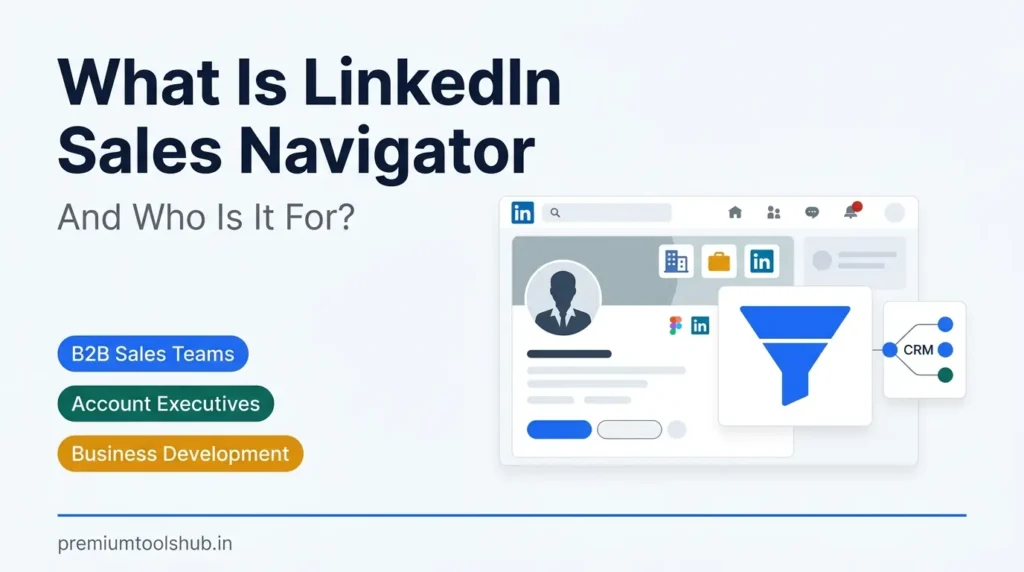
Sales Navigator connects tightly with your CRM tools, helps you stay on top of account changes, and gives you real-time signals about when someone at a target company is more likely to respond. It is not a hiring tool – it is a revenue tool built around the idea that timing and targeting are everything in sales.
Who uses Sales Navigator the most:
- B2B sales professionals handling enterprise or mid-market accounts who need to reach decision-makers regularly without spamming everyone on LinkedIn and damaging their professional reputation in the process
- Business development teams at startups that need to build a pipeline from scratch and cannot afford to miss even a single opportunity when their company is still finding its footing
- Account executives who manage multiple accounts at the same time and need to track updates, job changes, and company growth signals in one organised place rather than across a dozen browser tabs
- Marketing teams that work closely with sales and need to identify target companies and key contacts before running outbound campaigns or account-based marketing initiatives
Key Features of LinkedIn Sales Navigator
Sales Navigator comes loaded with features that are specifically designed for sales workflows. Here is what you actually get when you subscribe to this plan:
- Advanced lead and account search filters – Sales Navigator gives you over 40 search filters including seniority level, company size, industry, geography, years of experience, and even intent signals. This means you can build a very targeted list of people who match your ideal customer profile, which saves a huge amount of time compared to doing it all manually by scrolling through LinkedIn every morning
- Lead lists and account lists – You can save specific people and companies into organised lists inside Sales Navigator. This lets you track them over time and never lose sight of who you were planning to reach out to next week or next quarter
- Real-time alerts and updates – Every time someone on your list gets a new job, shares a post, or their company gets mentioned in the news, Sales Navigator sends you an alert. This is incredibly useful for starting conversations at the exact right moment when the person is most likely to be open to talking
- Smart Links – You can share content through Sales Navigator and track who opened it and how long they spent reading it. This gives sales teams a clear signal about which prospects are actually interested versus which ones are just going cold
- CRM integration – Sales Navigator connects with tools like Salesforce, HubSpot, and Microsoft Dynamics, so your LinkedIn activity syncs directly into your existing sales workflow without any manual data entry
- 50 InMail credits per month – Sales Navigator gives you 50 InMail credits monthly, which is the highest of any standard LinkedIn plan. This lets you consistently reach out to people outside your network without running out of messages halfway through the month
Also Read – How to Use LinkedIn Sales Navigator: The Definitive Guide for 2026
🔥 LinkedIn Premium Business Plan 12 Months
Original Price ₹23,000 • Get it ₹8XXX
🤖 Gemini AI Advanced Pro Plan
Original Price ₹19,500 • Get it ₹8XXX
💼 LinkedIn Sales Navigator Core
Original Price ₹80,000 • Get it ₹2XXXX
🎨 Canva Pro Lifetime Access
Original Price ₹3,999 • Get it ₹4XX
📚 Coursera Plus Annual Plan
Original Price ₹33,000 • Get it ₹2XXX
✨ Adobe Creative Cloud All Apps
Original Price ₹59,000 • Get it ₹4XXX
What Is LinkedIn Recruiter Lite and Who Should Use It?
LinkedIn Recruiter Lite is LinkedIn’s entry-level hiring tool. Its entire design is focused on helping you find and hire talent – not sell to them. If you are a recruiter, HR manager, or a hiring manager at a small company, this is the tool LinkedIn built specifically with your work in mind.
The recruiter lite cost is higher than a regular Premium plan, but it includes features that standard LinkedIn Premium simply does not offer. You get access to candidate tracking tools, hiring-specific search filters, and a workflow built around managing candidate pipelines – not sales deals or business development targets.
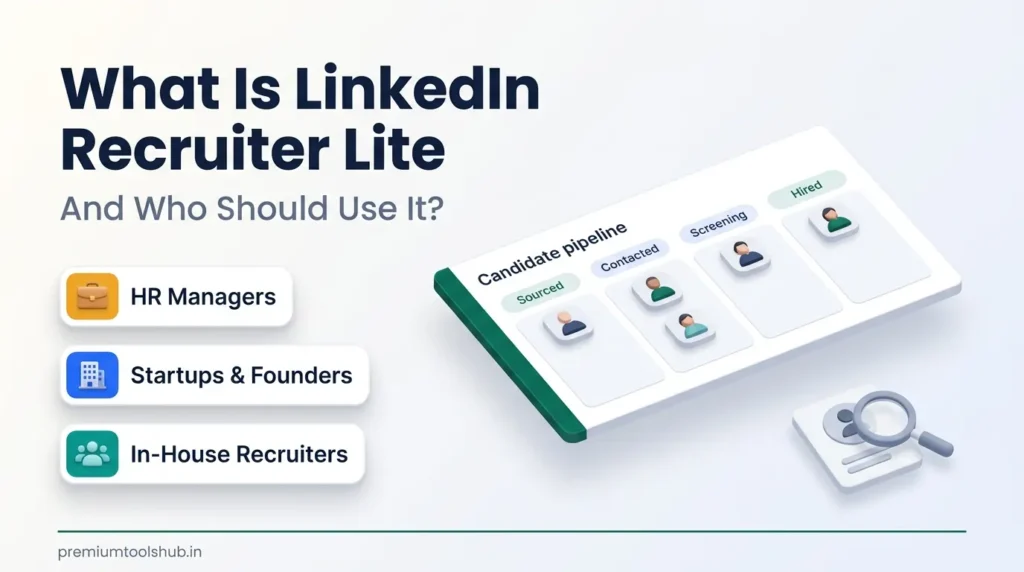
Recruiter Lite sits between basic LinkedIn Premium and the full LinkedIn Recruiter seat, which is meant for large enterprise hiring teams with dozens of open roles at any given time. For most small to mid-sized hiring teams, Recruiter Lite hits the right balance between capability and cost.
Who benefits most from Recruiter Lite:
- In-house recruiters at small or growing companies who are managing 10 to 30 open roles at a time and need an organised way to track candidates from first contact all the way through to the offer stage without losing anyone along the way
- HR managers who wear multiple hats but still need to hire regularly and cannot afford the full LinkedIn Recruiter price that enterprise teams pay, yet need more than what standard Premium offers for actual sourcing work
- Founders at early-stage startups who are building their team themselves and want to search for talent efficiently without spending entire days manually browsing LinkedIn profiles and trying to remember who they already contacted
- Staffing agencies and independent recruiters working with multiple clients who need a lightweight but effective tool for candidate sourcing across different industries and role types at the same time
Key Features of LinkedIn Recruiter Lite
Recruiter Lite is more focused than Sales Navigator – it does fewer things, but everything it does is specifically useful for hiring. Here is what the plan actually includes:
- 30 InMail credits per month – Recruiter Lite gives you 30 InMail messages monthly, which is lower than Sales Navigator’s 50 but enough for most active hiring cycles. An important detail: you get your InMail credit back whenever a candidate replies, even if they say no. This means your 30 credits can stretch quite far if you are messaging the right people
- Advanced candidate search with 20+ filters – You get hiring-specific filters like years of experience, current company, past companies, skills listed on profiles, highest degree earned, and location. These filters help you find candidates who genuinely fit the role rather than just people who happen to work in the right industry
- Candidate management pipeline – Recruiter Lite comes with a built-in pipeline where you can tag candidates, move them through stages like contacted, screening, and interviewing, and keep notes – all in one place without needing a separate ATS system for basic workflow management
- Hiring alerts and smart suggestions – LinkedIn automatically suggests candidates who match your open roles and sends you alerts when new matching profiles appear. This saves you time on repetitive daily searching because relevant people surface on their own
- Full profile access outside your network – You can view complete profiles of people you are not connected to, which is the core value of any LinkedIn recruitment tool since most good candidates are not already in your first-degree network
- Recruiter Lite vs Premium difference – Unlike standard LinkedIn Premium which gives you basic InMail access and limited profile visibility, Recruiter Lite gives you a proper candidate management system, far more search filters, and the ability to see who is open to work – all features that standard Premium simply does not include
Also Read – LinkedIn Sales Navigator vs Apollo: Which Tool Works Better?
Sales Navigator vs Recruiter Lite: A Side-by-Side Comparison
Now let us get into the heart of the matter. When you look at sales navigator vs recruiter lite side by side, the differences become very clear very quickly. Both tools share some DNA – they are both LinkedIn products, both offer InMail messaging, both unlock advanced search – but they are fundamentally built for different use cases and different professional goals.
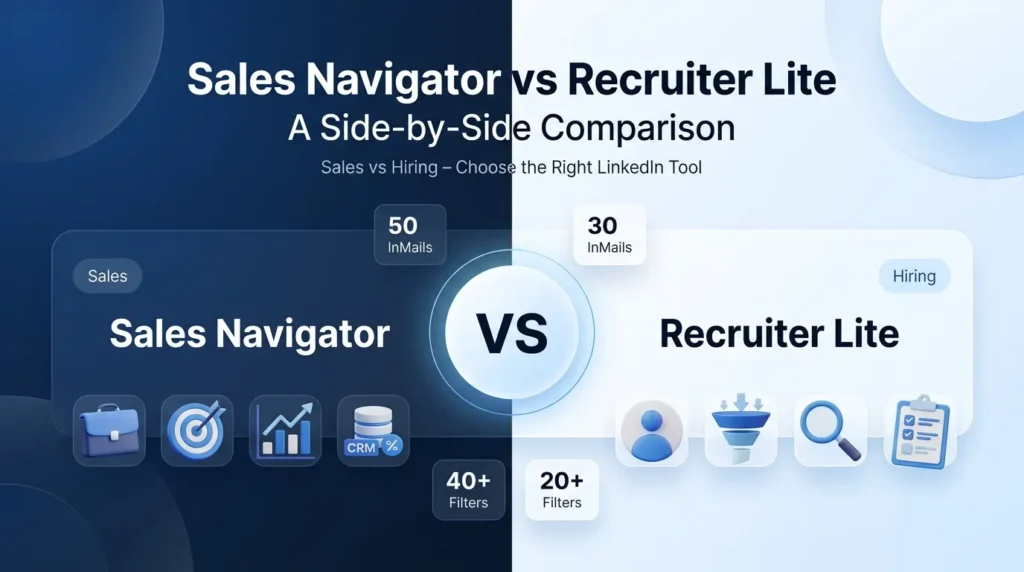
Here is a clean, honest comparison of the two plans so you can see exactly what you are getting with each:
| Feature | Sales Navigator | Recruiter Lite |
| Primary purpose | B2B sales and lead generation | Talent sourcing and hiring |
| InMail credits per month | 50 | 30 |
| Search filters available | 40+ (sales-focused) | 20+ (hiring-focused) |
| Lead and account lists | Yes – full feature | No |
| Candidate pipeline / tracking | No | Yes – built-in pipeline |
| CRM integration | Yes (Salesforce, HubSpot, etc.) | Limited |
| Smart Links for content tracking | Yes | No |
| Open-to-work filter | No | Yes – exclusive to Recruiter Lite |
| Smart candidate suggestions | No | Yes |
| Job posting tools | No | Limited integration |
| Team collaboration | Available on higher tiers | Basic collaboration included |
| Best for | Sales teams, SDRs, BDRs | Recruiters, HR, hiring managers |
| Profile visibility | Extended outside network | Extended outside network |
The comparison table above makes it easy to see that sales navigator vs recruiter lite is really not an apples-to-apples question – they are designed for different professional outcomes entirely. Picking the wrong one just because it is cheaper would be like choosing the wrong tool for the job and wondering why the results are not there.
How Do InMail Credits Compare Between the Two Plans?
InMail is the feature most people ask about first, and for good reason. It is the ability to message people on LinkedIn who you are not connected with – which is really the whole point of upgrading from a free account in the first place.
Sales Navigator gives you 50 InMail credits per month. Recruiter Lite gives you 30. On the surface, Sales Navigator wins here. But there is an important detail that changes the calculation: InMail credits work differently depending on how you use them.
When you send an InMail and the recipient responds – whether they accept, decline, or even just ask a clarifying question – you get that credit back. This means if you are running an active hiring campaign and most of your candidates are replying, your 30 Recruiter Lite credits can go much further than 30 messages in a month.
For sales professionals, the 50 credits from Sales Navigator give more room to run broader outreach campaigns, especially when not every prospect replies quickly or at all. In sales, silence is common, and having more credits to work with reduces the pressure on every single message you send.
Which Plan Offers Better Search and Filtering?
Both tools have powerful search, but they are filtering for very different things depending on what the tool was designed to do.
Sales Navigator’s 40+ filters include signals like company headcount growth in the past 90 days, recent job changes, years in current role, and even intent signals based on LinkedIn activity patterns. These filters are designed to help you find people who are most likely to be receptive to a sales conversation right now – based on timing rather than just fit.
Recruiter Lite’s 20+ filters are hiring-specific. You can filter by years of experience, skills listed on profiles, highest degree earned, whether someone has been at their current company for a while and might be ready for a change, and critically – whether they are open to work. For finding the best linkedin plan for hiring, Recruiter Lite’s filters are actually more useful because they are built around candidate qualification rather than sales timing signals.
The bottom line: if you are hiring, Recruiter Lite’s filters are better suited to your actual needs. If you are selling, Sales Navigator’s filters are more powerful and far more relevant to the buying signals you care about.
Also Read – LinkedIn Premium vs Sales Navigator: Which LinkedIn Plan Is Best for You in 2026?
🔥 LinkedIn Premium Business Plan 12 Months
Original Price ₹23,000 • Get it ₹8XXX
🤖 Gemini AI Advanced Pro Plan
Original Price ₹19,500 • Get it ₹8XXX
💼 LinkedIn Sales Navigator Core
Original Price ₹80,000 • Get it ₹2XXXX
🎨 Canva Pro Lifetime Access
Original Price ₹3,999 • Get it ₹4XX
📚 Coursera Plus Annual Plan
Original Price ₹33,000 • Get it ₹2XXX
✨ Adobe Creative Cloud All Apps
Original Price ₹59,000 • Get it ₹4XXX
LinkedIn Recruiter Lite Pricing vs Sales Navigator Pricing: What Does Each Plan Cost?
Let us be honest about something that most comparison articles skip over entirely. LinkedIn recruiter lite pricing and Sales Navigator pricing are both set internationally – in US dollars – and they are not cheap when you convert them to Indian rupees at the current exchange rate. The gap between what LinkedIn charges and what most professionals in India are actually comfortable spending every month is significant, and it is a real reason why so many people hesitate before upgrading.
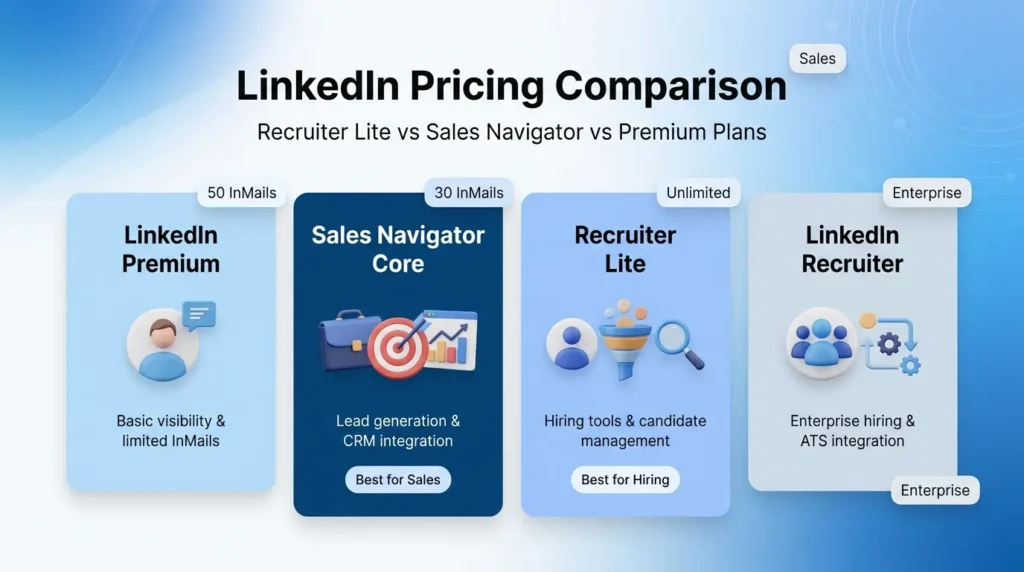
Rather than quoting exact figures that change every few months based on LinkedIn’s own updates and currency fluctuations, here is the more useful way to understand how these plans are positioned relative to each other – and what that means for your decision:
| LinkedIn Plan Tier | Who It Is Designed For | Value You Are Paying For | Smart Choice If… |
| Basic Premium (Career / Business) | Job seekers and general networkers | Profile visibility, limited InMails, basic search | You rarely need to contact people outside your network |
| Sales Navigator Core | Sales professionals and B2B teams | Lead intelligence, 50 InMails, CRM sync, account tracking | You are actively generating leads and closing deals on LinkedIn every week |
| Recruiter Lite | Individual recruiters and small HR teams | 30 InMails, candidate pipeline, hiring filters, smart suggestions | You manage multiple open roles at a time and need a structured hiring workflow |
| Full LinkedIn Recruiter | Large enterprise HR departments | Unlimited InMails, full ATS integration, team collaboration at scale | Your company hires hundreds of people per year across multiple countries |
What the table above tells you is that the recruiter lite cost is not just for search access – it is for an entire hiring workflow that most recruiters genuinely cannot replicate efficiently with a cheaper plan. And Sales Navigator is priced the way it is because the lead intelligence, the CRM integration, and the volume of InMail credits it gives you are tools that sales professionals use to generate revenue every single month.
The key insight for anyone doing linkedin hiring tool pricing research is this: neither tool is priced for casual or occasional use. Both are designed for professionals who use them daily and need consistent results. If you are using either plan every week for serious work, the cost justifies itself quickly. If you are not, you are overpaying – and you should either look at a lower tier or find a smarter way to access the same plan at a better price point for the Indian market, which we cover in detail below.
Is LinkedIn Recruiter Lite Worth It for Small Teams?
Honestly, this depends on how often you hire and how many open roles you manage at any given time. If your company brings on three to five people per year, linkedin recruiter lite worth it becomes a harder argument to make. The monthly cost adds up, and for very low-frequency hiring, a standard Premium plan with fewer InMails might actually be enough to get the job done.
But if you are a recruiter handling ten or more open roles at any given time, or a growing startup that is in active hiring mode for six months straight, Recruiter Lite pays for itself quickly. The time saved on candidate management alone – not having to track everything in spreadsheets, not losing track of who you contacted last week, not starting from scratch every time you open a new role – can be worth more than the subscription cost.
When comparing recruiter lite vs premium (standard LinkedIn Premium), the upgrade is absolutely worth it for anyone doing serious talent sourcing. Standard Premium gives you only 5 InMails per month, very limited search filters, and no candidate pipeline at all. Recruiter Lite is a completely different product in terms of what it enables you to do for hiring. The gap between them is not a small one – it is the difference between a consumer tool and a professional hiring tool.
Also Read – What Is LinkedIn for Business? The Growth Channel Most Brands Ignore
When Should You Choose Sales Navigator Over Recruiter Lite?
Choosing between sales navigator vs recruiter lite really comes down to one honest question: are you trying to close deals or fill roles?
If your answer is deals, you want a Sales Navigator. Here is when it specifically makes sense to go with Sales Navigator over Recruiter Lite, so you can be confident you are not paying for features you will never actually use:
- When your daily work involves reaching out to potential clients and you need a structured way to find and track those conversations without losing leads between follow-up attempts that happen days or weeks apart
- When you are working a territory or an account list and need to monitor multiple companies at once for changes that signal buying intent – like a new hire in a decision-maker role, or news about a funding round that creates budget
- When your team runs outbound campaigns and needs to personalise outreach at scale using real LinkedIn data rather than generic cold messages that get ignored
- When you need CRM integration so your LinkedIn activity automatically syncs with your sales records and your manager can see pipeline progress without you doing manual data entry every Friday
- When you need to track specific accounts over months and years rather than just finding individual candidates for specific roles that open and close on a project basis
Where Sales Navigator Beats Recruiter Lite Every Time
There are a few clear areas in the recruiter lite vs sales navigator comparison where Sales Navigator is simply the stronger product for its intended audience. If any of these matter to your work, Sales Navigator is the clear choice:
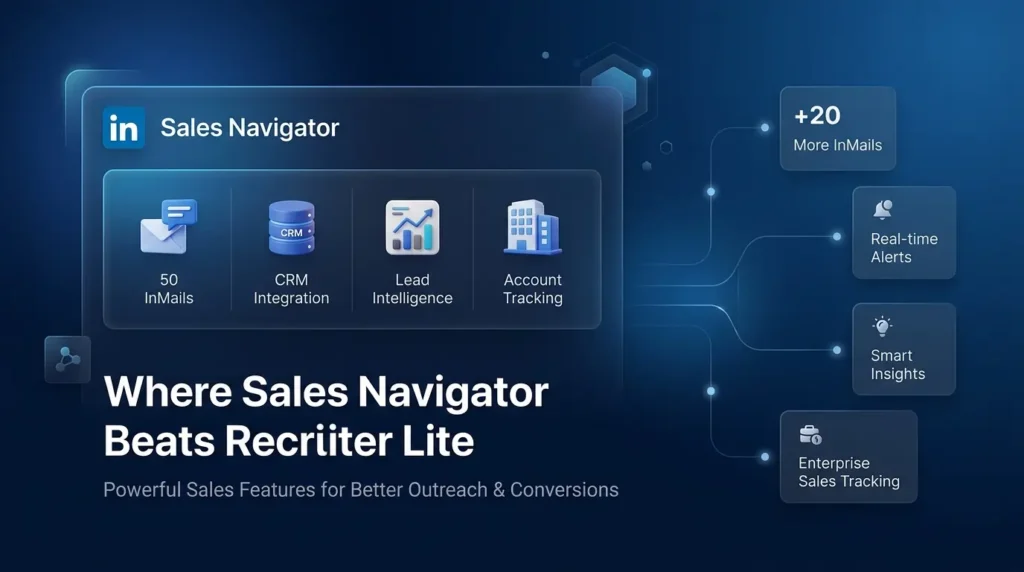
Volume of InMail messages – 50 InMails versus 30 InMails means significantly more outreach capacity every single month. When you are running multi-touch campaigns and need to follow up with a large number of prospects across different time zones and company sizes, having 20 extra credits is not a small thing – it is the difference between finishing your outreach list or having to wait until next month
CRM integration depth – Sales Navigator’s two-way sync with Salesforce and other major CRM tools means your sales data stays clean and updated automatically. Every InMail you send, every note you leave, every lead you save – it all flows into your CRM without manual work. Recruiter Lite simply cannot match this for sales workflows
Lead intelligence and buying signals – Sales Navigator tracks when people change jobs, get promoted, or engage with relevant LinkedIn content about topics related to what you sell. These are the signals that tell you when to reach out and what to say, which dramatically improves your reply rates compared to cold outreach with no context
Account-level tracking for enterprise sales – You can follow entire companies in Sales Navigator and get updates at the organisation level. This is essential for enterprise sales where you need to understand the whole buying committee, multiple stakeholders, and how the company is changing – not just find one individual contact and send them one message
Where Recruiter Lite Wins: Why Hiring Teams Prefer It
For anyone whose actual job is hiring, Recruiter Lite solves problems that Sales Navigator was simply never built to handle. Here is where Recruiter Lite clearly wins in the sales navigator vs recruiter lite debate for hiring professionals:
- Candidate pipeline management – Recruiter Lite gives you an actual hiring pipeline built into the tool, where you can tag candidates as contacted, screening, interviewing, offer sent, or hired. This replaces messy spreadsheets and keeps your hiring process organised across all open roles at once. Once you are managing more than a handful of candidates across multiple roles, this alone is worth the subscription
- Open-to-work filter – This is a feature exclusive to Recruiter Lite and full LinkedIn Recruiter. You can filter your search specifically for candidates who have signalled they are open to new opportunities. This dramatically increases your response rate because you are reaching people who are actively looking, not just anyone who fits the job description on paper
- Hiring-specific smart suggestions – LinkedIn automatically recommends profiles that match your job requirements based on the roles you are actively working on. New relevant candidates surface without you having to run new searches every single day, which saves hours of repetitive work over the course of a busy hiring month
- Better for building a passive talent pipeline – If you need to build a pool of candidates for future roles that are not open yet, Recruiter Lite’s candidate saving and tagging features help you organise profiles so you are never starting from zero when a new position comes up suddenly. You have already done the sourcing work in advance
- Team collaboration for small hiring teams – Even at the Recruiter Lite level, you get basic collaboration features that let small HR teams share candidate notes and avoid contacting the same person twice. This kind of coordination is not available in Sales Navigator, which is built for individual sales reps or small sales teams working separate territories
This is the linkedin hiring tools advantage of Recruiter Lite – it is a complete hiring workflow, not just a search tool with extra InMails bolted on.
Also Read – LinkedIn Premium Plans – Complete Introduction & Foundation
🔥 LinkedIn Premium Business Plan 12 Months
Original Price ₹23,000 • Get it ₹8XXX
🤖 Gemini AI Advanced Pro Plan
Original Price ₹19,500 • Get it ₹8XXX
💼 LinkedIn Sales Navigator Core
Original Price ₹80,000 • Get it ₹2XXXX
🎨 Canva Pro Lifetime Access
Original Price ₹3,999 • Get it ₹4XX
📚 Coursera Plus Annual Plan
Original Price ₹33,000 • Get it ₹2XXX
✨ Adobe Creative Cloud All Apps
Original Price ₹59,000 • Get it ₹4XXX
How to Get Sales Navigator or Recruiter Lite at a Discounted Price in India
Here is the part that most blog articles quietly skip, but every Indian professional needs to hear. LinkedIn sets its pricing in US dollars for a global market that was never really built with India in mind. When you convert those international subscription rates into rupees at today’s exchange rate, both Sales Navigator and Recruiter Lite become genuinely expensive – far more than what most freelance recruiters, startup founders, or growing HR teams in India want to spend every single month on a single tool.
And the worst part? You do not need to spend that much. You never did.
This is exactly why thousands of Indian professionals – recruiters, sales teams, startup founders, and HR managers – are quietly using PremiumToolsHub (premiumtoolshub.in) instead of paying LinkedIn’s full international rate. PremiumToolsHub gives you access to the same Sales Navigator and Recruiter Lite plans, with zero feature cuts, at a price point that actually makes sense for the Indian market. The difference between what you would pay LinkedIn directly and what you pay through PremiumToolsHub is the kind of savings that makes you wonder why you did not look for this sooner.
Before you write off either plan as too expensive, here is what you should know about how PremiumToolsHub actually works – and why over 650 professionals trust them for their linkedin hiring tools every month:
- 100% legitimate access, zero risk to your LinkedIn account – Every plan at PremiumToolsHub is provisioned through authorised LinkedIn licensing – family plans, corporate team plans, and verified reseller arrangements. There are no cracked accounts, no stolen credentials, and no shady workarounds. Your LinkedIn profile, your professional reputation, and your personal data are completely safe. This is not a grey-area service – it is a smart way to access the same product at a better price
- Every feature, nothing removed – When you get Sales Navigator through PremiumToolsHub, you get all 50 InMail credits, the full lead and account list features, CRM integration, Smart Links, real-time alerts – everything. When you get Recruiter Lite, you get all 30 InMails, the candidate pipeline, the open-to-work filter, the smart suggestions, the hiring-specific search. Nothing is watered down, nothing is restricted compared to what LinkedIn would give you directly
- Real human support, not a helpdesk ticket – WhatsApp support runs from 9 AM to 12 AM IST seven days a week. If something stops working, you message them and a real person responds – not a bot, not an auto-reply telling you to wait 3 to 5 business days. For a professional tool you depend on daily, this kind of responsive support is not a small thing
- Full warranty for the entire subscription period – If your plan stops working for any reason during your subscription – whether that is a week in or a month in – PremiumToolsHub replaces or fixes it at no additional cost. You are not taking a risk. You are making a protected investment in a tool your work actually needs
- Pricing that actually fits the Indian market – This is the one detail that changes everything. The savings compared to LinkedIn’s official international pricing are significant enough that many professionals pay for a full year at PremiumToolsHub for what LinkedIn charges for just a couple of months. Curious about the exact price? That is the point – reach out directly and see for yourself
Whether you are deciding between sales navigator vs recruiter lite and want to try one before committing to a full annual plan, or you need access for a small team without blowing your entire SaaS budget on one tool – PremiumToolsHub has an option that works. Over 650 active members and a 4.8 out of 5 satisfaction rating from verified users is not an accident. It is the result of a service that actually delivers what it promises, every single month.
The smart move is simple: stop paying international prices for Indian professional work. Message PremiumToolsHub on WhatsApp at +91 90291 51181 or visit premiumtoolshub.in and ask for the current pricing on whichever plan you need. The answer might genuinely surprise you.
Also Read – Canva Pro Pricing Guide: Cost, Plans, and Best Value in India
Frequently Asked Questions: Sales Navigator vs Recruiter Lite
Is sales navigator vs recruiter lite really a fair comparison?
Not entirely – and that is actually the most important thing to understand before you choose. They are built for completely different professional purposes. Sales Navigator is for selling and revenue generation. Recruiter Lite is for hiring and talent sourcing. The only reason people compare them is because both offer advanced LinkedIn search and InMail messaging. But if your job is hiring, Recruiter Lite wins clearly. If your job is sales, Sales Navigator wins clearly. The comparison only gets complicated if you are trying to use one tool to do the other job.
Which Linkedin plan for recruiters is the best choice in 2026?
For most individual recruiters or small HR teams, Recruiter Lite is the right answer. It gives you a candidate pipeline that Sales Navigator does not have, 30 InMails per month with credit-back on replies, the open-to-work filter that dramatically improves response rates, and smart candidate suggestions that surface new matches without extra searching. If you are hiring at a much larger scale for a big organisation, the full LinkedIn Recruiter seat is worth evaluating – but for most hiring teams under 10 people, Recruiter Lite is the best linkedin plan for hiring without overpaying.
Is linkedin recruiter lite worth it if I only hire a few people a year?
Probably not. If you are bringing on fewer than five people a year, the recruiter lite cost is hard to justify when you could do the same work with a standard LinkedIn Premium plan and a bit more manual effort. The real value of Recruiter Lite shows up when you are consistently managing multiple open roles, running active sourcing campaigns, and needing to track candidates in a pipeline rather than just finding a few people here and there. For low-frequency hiring, save the money and upgrade only when your hiring volume increases.
What is the main difference between recruiter lite vs premium (standard LinkedIn Premium)?
The gap is actually quite large. Standard LinkedIn Premium gives you only 5 InMails per month, basic profile visibility beyond your network, and limited search options. Recruiter Lite gives you 30 InMails, a full candidate management pipeline, over 20 hiring-specific search filters, smart candidate suggestions, and the open-to-work filter. For serious recruiting work, Premium and Recruiter Lite are not in the same category at all. Anyone doing meaningful talent sourcing will feel the difference immediately after upgrading.
Can Sales Navigator actually be used for hiring?
Technically yes – you can search for people and message them. But Sales Navigator does not have any candidate management tools, no open-to-work filter, no hiring-specific search criteria, and no smart suggestions based on job requirements. Using Sales Navigator for hiring is workable at a very small scale, but you will quickly run into its limits when you need to track multiple candidates, see who is open to opportunities, or manage a structured hiring process. It is the wrong tool for the job, and the recruiter lite vs sales navigator comparison makes that very clear once you see both in practice.
How can I access linkedin hiring tools at a better price in India?
The most practical option for professionals in India right now is PremiumToolsHub at premiumtoolshub.in. They provide legitimate access to Sales Navigator and Recruiter Lite – with every feature fully intact – at pricing built for the Indian market rather than for a US dollar audience. You get the same InMail credits, the same search filters, the same pipeline and CRM tools, backed by WhatsApp support and a replacement guarantee throughout your subscription. Exact pricing is shared directly on WhatsApp at +91 90291 51181, and most people who enquire are genuinely surprised by the difference. It is worth five minutes of your time to find out.
Final Thoughts
The sales navigator vs recruiter lite decision is not complicated once you know what each tool was actually built to do. Sales Navigator is a revenue tool for sales professionals who need to find, track, and close deals. Recruiter Lite is a hiring tool for recruiters and HR teams who need to find, evaluate, and hire talent.
Both are powerful within their own lane. The mistake is trying to use one for the other person’s job. Pick the plan that matches your actual daily work, find a pricing option that works for your budget, and you will get real value from whichever tool you choose.
| RECOMMENDED FOR YOUStop Overpaying for LinkedIn Premium Tools |
| Whether you need Sales Navigator for your sales pipeline or Recruiter Lite for your hiring workflow – you should not have to pay full international pricing to access tools that your work genuinely needs every single day. PremiumToolsHub gives Indian professionals access to premium LinkedIn plans – fully loaded, nothing removed – at a price that actually makes sense for the Indian market. ✓ 100% Legitimate Access Real plans, real features – zero risk to your LinkedIn account ✓ WhatsApp Support Real humans, fast replies – 9 AM to 12 AM IST every day ✓ Full Warranty Included Replacement guarantee for your entire subscription period |
| Rated 4.8 / 5 • 650+ Active Members • 15+ Countries ServedJoin professionals across India who are already using the same tools at a fraction of the cost. |
| Curious what the actual price is?Most people who ask are genuinely surprised. Reach out and find out.WhatsApp Us: +91 90291 51181Visit: premiumtoolshub.in |
PremiumToolsHub operates through authorised licensing models. As with any subscription service, we always recommend reviewing platform terms before purchase and making an informed decision based on your professional needs.